AI Chatbot for Veterinary Clinics: How to Stop Losing After-Hours Pet Owners

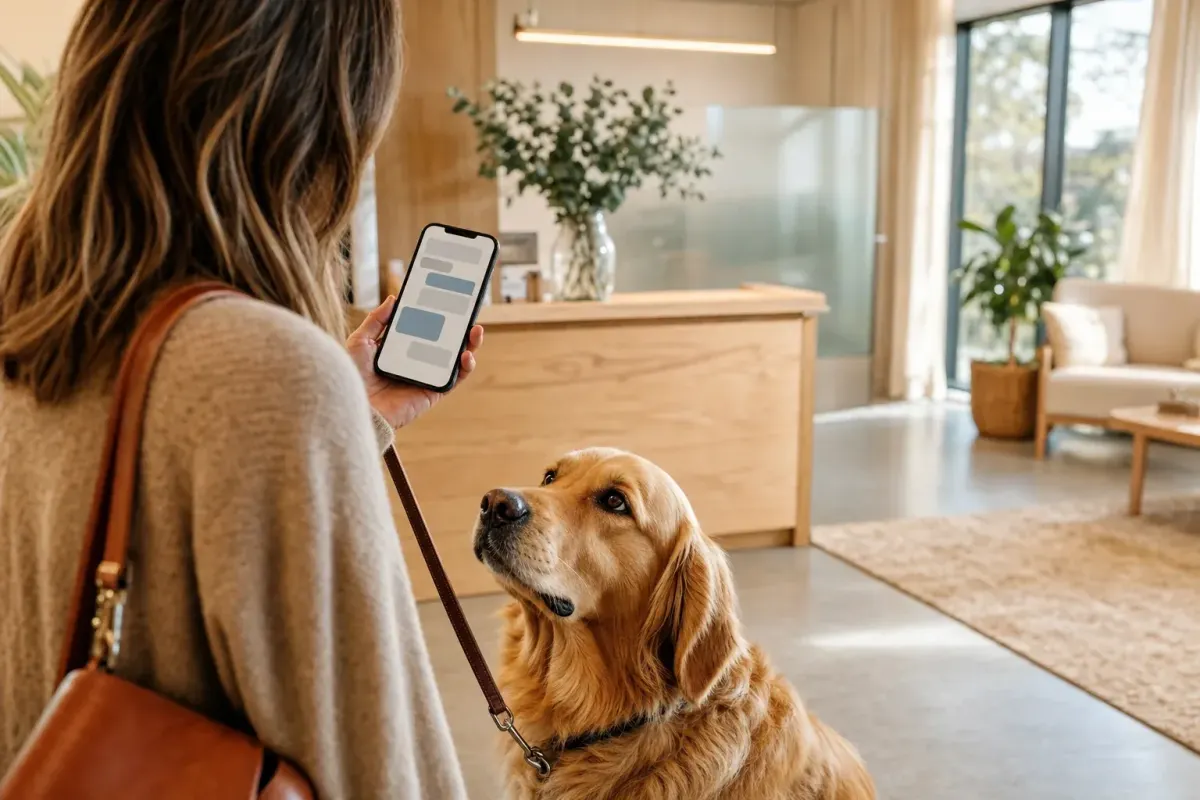
It's 9:47pm. A panicked dog owner is staring at their phone, scrolling clinic websites. Their cocker spaniel just swallowed something off the kitchen floor and they don't know if it's an emergency or a wait-and-see. They call the nearest practice. Voicemail. They call the next one. Voicemail. They open Google again, type the name of a 24-hour ER an hour's drive away, and book in. That clinic just took a $400 consult that could have been yours, and the next time that owner thinks about a new vet, they're going to remember which practice picked up.
That single phone call is the whole pet-owner relationship in miniature. Pet owners are anxious, time-poor, and emotionally loaded. They don't queue politely on a voicemail and wait until Tuesday. They go where someone responds.
The numbers behind that scene are brutal. Veterinary clinics receive about 40% of their calls outside business hours, more than any other practice type, and 72% of those callers won't leave a voicemail. The average clinic misses 20 to 30% of in-hours calls and 30 to 70% of after-hours calls. The Veterinary Hospital Managers Association puts the revenue loss at $200 to $500 per missed call. For a busy small-animal practice that's a five-figure leak per month, and that's before you count the goodwill, the bad reviews, and the loyal clients who switch to whoever answers.
This pillar is about closing that leak without hiring a night receptionist, without locking yourself into a $125-per-doctor-per-month voice tool, and without ever letting an AI pretend to be a vet. We'll walk through the real cost of the problem, what an AI chatbot for veterinary clinics can actually do, an original framework we use to design vet bots called the Always-Open Triage Desk, a comparison with the specialised voice-first tools competing in this space, the ROI math for a typical 2-vet practice, and a step-by-step setup playbook.
We build chatbots full-time. We've seen what works for vet practices, where the ethical landmines are, and where the platform-vs-niche-tool fight actually plays out. Let's get into it.
The real cost of the silent phone
The standard advice (hire a virtual receptionist, or buy more PMS integrations) misses what's actually happening. Vet clinics aren't losing money because the phone rings unanswered once in a while. They're losing money because the modern pet owner's communication habits have moved and the practice hasn't.
Here's what the data actually says about a typical small-animal practice. Roughly 40% of inbound contact happens outside opening hours. That includes evenings, weekends, lunch breaks, and the long stretches when reception is on hold with a supplier or running a panicked dog into the back. About 72% of after-hours callers won't leave a voicemail. They hang up and try the next clinic. Of the calls that do come through, the front desk misses 20 to 30% of them during business hours and up to 70% after hours. The financial damage compounds fast. A missed call costs $200 to $500 in lost first-visit revenue alone. Multiply by a clinic's typical 50 to 80 missed calls per month and you're looking at $10,000 to $40,000 in monthly revenue walking out the door, before you count the lifetime value of a pet who was about to become a 12-year regular.
But the revenue number isn't even the real story. The real story is what pet owners do when they can't get through. A modern pet owner is on WhatsApp, Instagram DMs, Facebook Messenger, and Google Search. If the clinic's only "channel" is a phone line, that owner doesn't keep trying. They message a competitor on Instagram, ask the breeder's Facebook group, or pay a telehealth subscription. The phone-only practice isn't competing for the same client base it had five years ago.
There's a second cost layer that doesn't show up in revenue spreadsheets: the cost of repetitive front-desk work. Vaccination schedules, opening hours, parking, intake forms, what to feed a puppy on antibiotics. These questions eat the equivalent of a part-time salary every week, and they're the same fifty questions on rotation. Every minute a receptionist spends on "do you take Easipetcare insurance?" is a minute they're not spending booking a new patient or rebooking a wellness check.
So the leak isn't one thing. It's three:
- After-hours inquiries that go to voicemail and end up at a competitor.
- In-hours overflow that gets dropped because reception is busy.
- Repetitive FAQ work that quietly burns staff capacity all day.
An AI chatbot for veterinary clinics fixes all three in the same install, and it doesn't have to be a phone tool to do it.
What an AI chatbot for veterinary clinics can actually do
We need to be careful here because this market is full of overclaims. There are voice agents on LinkedIn promising to "triage emergencies with veterinary-trained AI" and we think that's a bad idea for anyone running a real practice. A bot should never be the one telling an owner "your dog will be fine, no need to come in." That's a clinical judgement and it belongs with a human, full stop.
What a chatbot can responsibly do is the layer underneath that.
Answer the high-volume questions. Opening hours, address, parking, fee schedules, vaccine prices, accepted insurance, puppy package details, what to bring to a first visit, prescription refill process, neutering recovery basics, breed-specific FAQ from the practice's own client handouts. A bot trained on the clinic's website and uploaded handouts will field 60 to 80% of inbound questions without ever bothering a human.
Capture booking enquiries. Take the pet name, species, breed, vaccination status, presenting concern, preferred date/time, owner contact, and route the structured enquiry into the practice management system via Zapier or straight into a shared inbox. The bot doesn't need to be inside the PMS to do this well. It just needs to capture the right fields and hand them over cleanly.
Route by urgency without diagnosing. This is the critical part. The bot recognises emergency keywords ("hit by car", "ingested", "bleeding", "collapsed", "seizure"), shows the local 24-hour emergency clinic phone number and a "call now" button, and does NOT attempt to assess severity. For non-emergency concerns it offers a same-day booking slot or a next-day routine slot. For pure FAQ it answers.
Handle multi-channel coverage. The same trained bot answers on the practice website, on Facebook Messenger, on Instagram DMs, on WhatsApp Business, and on email. Pet owners pick the channel they're already in. The clinic sees every conversation in one inbox.
Send confirmations and reminders. Once a booking is captured, the bot (via Zapier) sends a confirmation message and a 24-hour reminder. No-shows in veterinary practice run high, and reminders cut them measurably, which means more chairs filled per day at zero additional staff cost.
Hand off cleanly to a human. Live takeover means a real team member can step into the conversation the moment something needs nuance, whether that's a worried owner with a chronic case, a complaint, or an end-of-life enquiry. The AI does the routing; the human does the relationship.
What it should not do, and what we'd refuse to build for a vet client even if they asked:
- Anything that looks like clinical triage advice.
- Anything that lets a panicked owner believe they've spoken to a vet when they haven't.
- Phone calls. FastBots is text-based across web and messaging, as the comparison table below shows.
- Native PMS bookings. We route via Zapier rather than claiming a deep API integration that isn't there.
Those caveats matter. The competitors in this space lean hard on "AI triage" and "phone receptionist" framing, and as we'll show below, that framing creates risk the average independent clinic shouldn't be carrying.
The Always-Open Triage Desk Framework
Most chatbot deployments fail in vet practice because they're designed as "answering machines that talk back." That's not enough. A vet bot has to do four jobs in a specific order, every time, and getting the order wrong is what creates the bad experiences.
Here's the framework we use when we set one up.
Layer 1, Reassure
The first 30 seconds of the conversation set everything. A worried owner who lands on your website at 10pm needs the bot to acknowledge what they're feeling before it does anything else. Not a chirpy "Hi! How can I help?" but a calm, plain-language opener that names the situation: "We're here. Tell me what's going on with your pet and I'll help you find the right next step." That single sentence drops bounce rate measurably and stops the owner closing the tab to try the next clinic.
Reassure also means setting expectation correctly: the bot identifies itself as a virtual assistant from the practice, makes clear it's not a vet, and confirms that the clinic team will be reading the conversation.
Layer 2, Triage
Now the bot has to do the most important work of the conversation. It needs to figure out whether this is an emergency, an urgent-but-can-wait, a routine enquiry, or pure FAQ. The bot doesn't need to be clever about this. It needs to be conservative. The rule we follow is simple: if any keyword or owner-described symptom hits the emergency list, the bot stops trying to be helpful in any other way and surfaces the emergency pathway. The emergency keyword set is built with the head vet (collapse, seizure, suspected poisoning, hit by vehicle, difficulty breathing, severe bleeding, dystocia, bloat symptoms, and so on). On match, the bot shows the local 24-hour ER number, the clinic's own emergency line if there is one, and an explicit message: "This may need urgent care. Please call now."
For everything else, the bot quietly classifies: urgent (same-day if possible), routine (next available), FAQ (answer in-thread). The owner never sees the classification. They just see the right next step.
Layer 3, Schedule
Once urgency is sorted, the bot moves into structured capture. This is where the "I just need to know what time you're open" conversation becomes a booked appointment instead of an unrecorded enquiry. The bot asks for the essentials (pet name, species, breed, age, presenting concern in the owner's words, preferred date window, owner name, owner contact) and routes the completed enquiry into the practice via two paths in parallel: an email/Slack alert to reception with the structured details, and a Zapier action that pushes it as a draft appointment into whichever calendar the practice uses (Google Calendar, Microsoft 365, or via Zapier connectors into Vetstoria, Otto, or whatever PMS handles bookings).
Critically, the bot does not confirm the booking itself unless the practice has explicitly approved a "self-book" workflow with available-slot logic. By default it captures the enquiry and tells the owner "We've sent this through and the team will confirm your slot within an hour." That's intentionally conservative. Over-promising slots that get walked back is one of the fastest ways to break trust with a new client.
Layer 4, Sustain
The final layer is what most vet chatbots skip and what most practices need most. Once the booking is in, the bot keeps the relationship warm. Automated 24-hour reminders cut no-shows. A post-visit follow-up message ("How is Bella doing after yesterday?") shows the practice cares and surfaces complications early. A vaccination-due reminder pulls regulars back in. None of this is glamorous, but on a per-client lifetime-value basis it's the single highest-leverage piece of the whole system.
The shape of the framework, Reassure then Triage then Schedule then Sustain, looks obvious on paper. It is not what most chatbot tools build by default. Most are optimised for either pure FAQ deflection or pure booking capture. The "calm down the owner, route the emergency away, capture properly, then keep them coming back" sequence is what makes a vet bot worth installing.
Why multi-channel is the moat for vet practices
This is the bit the voice-first competitors don't talk about.
Pet owners are not on the phone. They're on WhatsApp asking the breeder group. They're in Instagram DMs after seeing your reel. They're in Messenger from your Facebook business page. They're emailing from work. They're on your website at 11pm.
A phone receptionist, human or AI, covers exactly one of those surfaces. A multi-channel chatbot covers all of them with the same brain. The same trained knowledge base answers a "do you do rabbit dentals?" question on Instagram, books a vaccination on the website widget, deals with a prescription refill on WhatsApp, and replies to a "what time are you open Saturday?" email, all from one set of training data, one set of FAQs, and one set of routing rules.
For a vet practice, this is the difference between "a tool" and "infrastructure." A bot that only lives on the website misses the 40% of pet owners who'd rather DM than fill in a form. A bot that's only on WhatsApp misses the people who Google "vet near me" at 7pm. A bot that's only on the phone misses everyone under 35.
FastBots installs across all of these from a single dashboard. The integrations that matter for vets are the WhatsApp Business connector, the Instagram DM integration, the Facebook Messenger connector, the email auto-responder (included from the Business plan upwards), the website widget, and Zapier for everything else (PMS, calendar, billing). One trained bot, six places the pet owner can find it.
That's the moat. It's not "we have better AI than Puppilot." It's "the pet owner can reach you the way the pet owner actually wants to reach you, and one assistant covers all of it." If you want a deeper look at why this matters, we've written about multi-channel chatbot strategy in more depth.
ROI math for a 2-vet small-animal practice
Let's do the actual numbers for a typical practice. Two vets, one head nurse, two reception staff, roughly 12 routine appointments per vet per day. Round figures, conservative.
Current state:
- Inbound calls per month: roughly 1,800 (a 2-vet practice averages 60/day plus weekend volume).
- After-hours share: 40% = 720 calls outside opening hours.
- After-hours pickup: assume the practice has voicemail only, 72% don't leave one. That's 518 dropped contacts per month.
- In-hours missed: 25% of in-hours calls = roughly 270 missed.
- Total monthly missed contacts: ~790.
- Of those, let's say 30% would have converted to a first booking (conservative, because emergencies and urgent care convert higher). That's 237 lost first appointments.
- Average first-visit revenue (consult plus baseline workup): $200, conservatively.
- Monthly revenue lost: 237 × $200 = $47,400.
That figure is low. It doesn't count second visits, vaccination courses, dental work, end-of-life care, or the 8 to 12 year lifetime value of a regular patient who never gets through the door.
With a multi-channel chatbot covering the four layers above:
- Assume the bot captures 75% of after-hours contacts that would otherwise have been lost. That's 388 of the 518.
- It captures another 60% of in-hours overflow. That's 162 of the 270.
- Total recovered contacts per month: ~550.
- Converting at the same 30%: 165 recovered first bookings.
- Monthly revenue recovered: 165 × $200 = $33,000.
That's revenue the practice was already losing, recovered without adding a single staff hour.
Cost side:
- FastBots Business plan: $89/mo or $75/mo on annual billing ($900/yr, saving $168). The Business plan is the right tier for a vet practice because it unlocks the Email Replies auto-responder, live chat takeover, auto-retrain, the Knowledge Assistant for tuning unanswered questions, and chat translation. Essential at $39/mo works for a smaller deployment, but it does NOT include the email auto-responder, which is core to the multi-channel story for vets (see pricing).
- One-time setup: an internal staff member or an agency can install in a day. Budget $0 to $500 depending on whether the practice does it themselves.
- Ongoing maintenance: 1 to 2 hours per month adding new FAQs from the Q&A unanswered-questions log.
Even if the chatbot recovers only 5% of the lost revenue rather than 70%, that's $2,370/month from a $75-$89/month tool. The ROI math is not close. The reason most practices haven't installed one yet isn't economics. It's that the available tools are either too expensive and voice-only (Puppilot, Vetstoria, the receptionist platforms) or too generic to be safe in a clinical environment. A properly-trained text bot from a multi-channel platform sits between those two camps.
How FastBots compares to specialised vet tools
We respect the specialised vet platforms. Puppilot, Vetstoria, Otto and the like are well-built tools, and for the right practice they're the right purchase. But it's worth being honest about what each tool actually is and what it costs.
| Platform | Channel coverage | Voice/phone | Multi-channel text | Native PMS integration | Approx pricing | Best fit |
|---|---|---|---|---|---|---|
| Puppilot | Phone-only | Yes | No | Limited | ~$125/doctor/month | Practices where phone is the dominant channel and budget allows |
| Vetstoria | Website booking widget + PMS sync | No | No (booking-only) | 30+ PMS integrations | Custom (mid-to-high) | Practices wanting deep PMS-synced online booking |
| Otto | Reminders, payments, scribe | Limited | Some messaging | Yes (Otto ecosystem) | Variable; Otto Scribe ~$0.80/day | Practices wanting an all-in-one client comms suite |
| Dialzara / Emitrr / similar | Phone-based AI receptionist | Yes | No | Limited | $29 to $200/month | Solo or small practices wanting voice answering only |
| FastBots | Web + WhatsApp + Instagram + Messenger + Email + Slack + Zapier | No | Yes | Via Zapier | $89/mo Business ($75/mo annual) | Practices wanting text-first multi-channel coverage with FAQ deflection, enquiry capture, email auto-replies, and reminders |
The honest take: if your inbound volume is 90% phone calls and you have the budget for $125/doctor, a specialised voice tool like Puppilot is purpose-built and will outperform a text-first chatbot on phone specifically. If you want PMS-native online booking with deep two-way sync, Vetstoria is the leader. If you want one tool that catches WhatsApp, Instagram, Messenger, web, and email inquiries from the same brain at a tenth of the cost, and pairs cleanly with whatever booking tool you already use, that's where FastBots fits.
Most practices we work with end up running two tools: a booking widget (often Vetstoria or the booking module in their existing PMS) and a chatbot on top for everything that isn't a clean booking flow. They aren't competitors. They're complementary.
If you want a head-to-head against the broader chatbot category, we've also written FastBots vs Chatbase and a comparison against Intercom as a small-business chatbot for the comparison shoppers.
How to set up FastBots for a veterinary clinic, a 7-step playbook
This is the actual setup sequence. We've run it dozens of times. Plan a single afternoon plus a week of light tuning.
Step 1, Train on your existing content
Point the bot's crawler at the practice website (it'll pull up to 5,000 pages on the Business plan, which is more than enough for any clinic site). Upload your existing client handouts: vaccination protocols, neutering aftercare PDFs, dental cleaning guides, anything you already give clients. Upload the fee schedule. Add any Google Sheet you use to track opening hours or holiday cover. This single step gives the bot 70% of what it needs to answer routine questions.
Step 2, Write the emergency-keyword list with the head vet
Sit down with the head vet for 30 minutes. Write the explicit list of keywords and described symptoms that should trigger the emergency pathway. Be conservative. When in doubt, escalate. The list should be a flat trigger: keyword match, then emergency message, then ER phone number, with no further help offered. Don't let the bot get clever.
Step 3, Write the reassuring opening message
Don't use the default "Hi! How can I help?" Replace it with something calm and human. A line that works: "Hi, I'm the virtual assistant for [Practice Name]. I can help you book, answer questions about our services, or point you to the right place if it's urgent. What's going on with your pet?"
Step 4, Build the structured intake flow
In FastBots' prompt configuration, define the fields the bot should capture before sending an enquiry to reception: pet name, species, breed, age, owner name, owner contact (phone + email), nature of enquiry in owner's words, preferred appointment window. Configure the lead capture workflow so a complete enquiry triggers an email/Slack alert AND a Zapier action.
Step 5, Wire Zapier to the calendar / PMS
Use Zapier to push the captured enquiry into wherever bookings actually live: Google Calendar, Microsoft 365, Vetstoria, Otto, or the existing PMS via Zapier's library. We don't claim a native vet-PMS integration; we use Zapier as the bridge. For most practices this is enough. Add a Zap that sends an automatic confirmation message back to the owner once reception has confirmed.
Step 6, Deploy to every channel the practice has a presence on
Embed the website widget. Connect the WhatsApp Business line. Connect the Facebook Messenger page. Connect Instagram DMs. Connect the practice's main shared inbox to the email integration. This is the moat. Every channel the pet owner uses, the same bot answers. If you want a deeper dive on the booking use case, it's worth reading before configuration.
Step 7, Switch on Q&A monitoring and tune weekly
The Business plan includes the Knowledge Assistant, which logs every question the bot couldn't confidently answer. Set a 30-minute weekly slot where the head nurse or practice manager reviews the unanswered-questions queue and writes correct answers. Within four weeks the bot's answer rate climbs from ~70% to ~90% on the questions specific to that practice. This is the highest-leverage hour of the week, by a wide margin.
Common mistakes to avoid
We've watched practices stumble on the same things. Three to call out specifically.
Letting the bot give clinical advice. This is the cardinal sin. The bot must never suggest a diagnosis, never reassure that something "is probably fine," never recommend a wait-and-see. Every clinical question gets escalated. The bot's job is logistics and FAQ, not medicine.
Buying voice-first when the inbound mix isn't voice-first. A lot of practices look at their phone line and assume that's where the demand is. It often isn't. Phone calls are what survive because everything else has nowhere to land. Install a multi-channel text bot, give it a month, and look at where the conversations actually come in. The split is usually less voice-heavy than expected.
Skipping the reminder layer. Practices buy chatbots for the lead-capture story and never set up the follow-on reminders and rebook prompts. Those last two layers (Schedule and Sustain in the framework above) are where the long-term ROI lives. Don't deploy without them.
FAQ
How does an AI chatbot for veterinary clinics handle emergencies?
It doesn't try to. A well-designed vet chatbot recognises emergency keywords and immediately surfaces the practice's emergency line and the local 24-hour ER number, with explicit messaging that the owner should call now. It does not attempt to triage severity or offer reassurance about whether something is or isn't urgent. That's a clinical judgement and the bot's job is to route, not assess.
Can a chatbot replace our reception staff?
No, and you don't want it to. A chatbot's job is to handle the 60 to 80% of inbound contact that is repetitive, after-hours, or arrives on a channel reception doesn't watch. The reception team focuses on the conversations that need human warmth: bereavements, complex chronic cases, complaints, new-client tours. The chatbot extends the reception team's reach; it doesn't replace it.
Will the chatbot integrate with our practice management system?
FastBots doesn't have native API integrations with vet PMS platforms (Vetstoria, Otto, ezyVet, IDEXX, and the like). It integrates via Zapier, which connects to most of them. For the typical setup, capturing an enquiry and pushing it into the practice's calendar or shared inbox as a draft appointment, Zapier is sufficient. If you need real-time two-way calendar sync with available-slot logic, a specialist booking tool like Vetstoria layered alongside the chatbot is the right architecture.
Is FastBots HIPAA or GDPR compliant for client data?
FastBots is GDPR-compliant and uses encrypted data storage. It is not HIPAA-certified, and we don't recommend designing chatbot flows that ask owners to send sensitive medical information about themselves. For pet medical data the regulatory bar is lower than human health data in most jurisdictions, but the safe design rule is the same. Capture the minimum information needed to route the enquiry, and leave the clinical record-keeping to the PMS where it belongs.
How long does it take to set up?
A single afternoon for a basic install: train on the website, write the reassuring opener and emergency list, deploy to the website widget. Add a channel (WhatsApp, Instagram, Messenger) per week. Expect four weeks of light tuning before the bot is at its peak answer rate. For practices that want to outsource the setup, FastBots' agency partners typically deliver a complete install in 1 to 2 weeks.
How much does this cost compared to a voice receptionist tool?
The Business plan runs $89/month, or $75/month on annual billing, for 5,000 message credits, five chatbots, and the full integration set including email auto-replies, live chat takeover, and the Knowledge Assistant. The Essential plan at $39/month is a cheaper entry but does not include the email auto-responder, which is part of why we recommend Business as the right tier for a vet practice. Voice-first specialist tools for vet practices typically run $100 to $200/month per location, sometimes per doctor. The cost difference matters less than the channel difference. Voice tools cover the phone line; a text chatbot covers web, WhatsApp, Instagram, Messenger, and email. For most practices that's not an either/or, it's "pick the one that catches the channels you're actually losing inquiries on."
What if a pet owner needs to speak to a real person?
Live takeover is built in. Any reception team member can step into the conversation in real time and the bot pauses. The owner doesn't need to know they've been handed over. It feels like a single, continuous conversation. We recommend setting expectations in the bot's opening message ("a team member will join if needed") so owners know a human is available.
Can it handle multiple languages?
Yes. The bot auto-detects 95 languages and responds in whichever language the owner messages in. For practices in multilingual catchment areas, a city centre with a high international population for example, this is a meaningful conversion lift versus a phone line that only operates in one language. See the multilingual support page for the full language list.
How does this compare to the chatbot built into our existing medical platform?
The chatbots bundled with most PMS or medical clinic platforms tend to be FAQ widgets bolted onto the booking flow. They sit on the website, answer 8 to 12 pre-written questions, and don't extend to WhatsApp, Instagram, or Messenger. That's fine if your traffic is web-only, but in practice it covers maybe a quarter of where pet owners actually try to reach you. A standalone multi-channel chatbot complements rather than replaces a PMS booking tool.
The case for installing this month
Every week a practice runs without after-hours coverage is a week of pet owners going somewhere else. The cost isn't theoretical. It's the missed first-visit revenue that the data above puts at five-figure monthly numbers for a typical 2-vet practice. The fix isn't a $125-per-doctor voice tool or a complicated PMS rip-and-replace. It's a multi-channel text chatbot trained on the practice's own content, deployed across the channels pet owners already use, with a conservative emergency-routing layer that never tries to play vet.
If you want to see what this looks like for your practice, the AI chatbots for veterinarians landing page walks through the specific deployment and you can install on the free plan in an afternoon. If you'd rather have someone do it for you, the agency partner network handles the build, the training, and the channel integrations end-to-end.
The pet owner Googling at 9:47pm with a cocker spaniel on the kitchen floor is going somewhere. The only question is whether that somewhere is your practice or the next one down the road.