AI Chatbot for Lawyers: How to Capture Clients in Under 5 Minutes, Pass Ethics Checks, and Stop Losing $250k a Year to Missed Intakes

A personal-injury firm we spoke to recently ran the math on one bad afternoon. Two new-client calls came in during a deposition. Both went to voicemail. Neither was returned for 90 minutes. By then, both prospects had filled in a form on a competitor's website and signed a fee agreement. One was soft-tissue; the other had a six-figure expected settlement value. The firm calculated the lost contingency at somewhere north of $80,000 — for two missed calls, on one ordinary Tuesday.
That's not a horror story. That's the arithmetic of how legal client intake works in 2026. The benchmark study most firms quote is bracing: lead-to-consultation conversion is 21× higher when a firm responds within 5 minutes compared with 30. Push it past an hour and the prospect is gone. For mid-market PI firms, missed calls alone cost on average $250,000 a year.
For most of the last decade, the only realistic fix was "hire more intake staff" or "outsource to an answering service." Both work in narrow ways and break in obvious ones. Receptionists don't cover Sundays at 9 p.m. when the DUI client finally calls. Answering services cost $300-$700 a month, read scripts callers can hear instantly, and rarely run a real conflict check.
In 2026 there's a sharper option. AI chatbots — the 2026 generation, not the rule-based "press 1 for hours" version from 2023 — capture, qualify, and book new clients across your website, WhatsApp, Messenger, and email, in any of 95 languages, 24/7, while passing the ethics checks the legal industry rightly insists on. Done well, they recover a meaningful share of after-hours leads, cut intake-staff workload by 60-70%, and convert the 11 p.m. inquiry into a booked consult before competitors have read their voicemails. Done badly, they give the wrong fee answer or — worse — drift into something a state bar could call legal advice. This is the playbook for doing it well.
The real cost of slow intake (and why "more receptionists" stops working)
The data lines up consistently across every credible study of legal intake in the last three years.
- Lead-to-consultation conversion is 21× higher at a 5-minute response time vs. 30 minutes. Within the first five minutes, conversion is roughly 400% higher than the firm-average.
- Customised intake forms convert at 17.6%. Inbound calls — the format most firms over-rely on — convert at 2.6%.
- Mid-market PI firms lose ~$250,000/year to missed calls. For high-ACV practice areas, missing one qualified call a week translates to six-figure lost revenue annually.
- Roughly 35-40% of legal-services search traffic lands outside business hours, and answer rates inside business hours sit at 60-70% even for well-staffed offices.
- AI-driven intake platforms typically deliver 3-5× ROI within six months — 4-8 additional retained clients per month and $20,000-$60,000 in incremental annual revenue for a small-to-mid firm.
"Hire another receptionist" is fine if you have the volume and management capacity. It still leaves nights, weekends, and lunch hours uncovered, and adds a link in a chain where information drops between handoffs. Outsourced answering services solve part of the after-hours problem and create new ones — they can't run a real conflicts check, can't see your case-management system, and don't know whether your firm takes contingency cases in slip-and-fall but not product liability.
A well-built AI intake chatbot solves both problems at once. It doesn't replace your intake team — your humans handle the high-empathy moments better than any bot will. It replaces the 70% of routine first-contact volume clogging the inbox: hours, practice areas, fee structure, "do you take cases in [adjacent state]," "is the consultation free." Every routine query the bot answers in 8 seconds is a phone line freed up — and an after-hours inquiry that would otherwise have disappeared.
The question is what to automate, what to qualify, and what to never let a bot near.
What an AI chatbot for lawyers can actually do in 2026
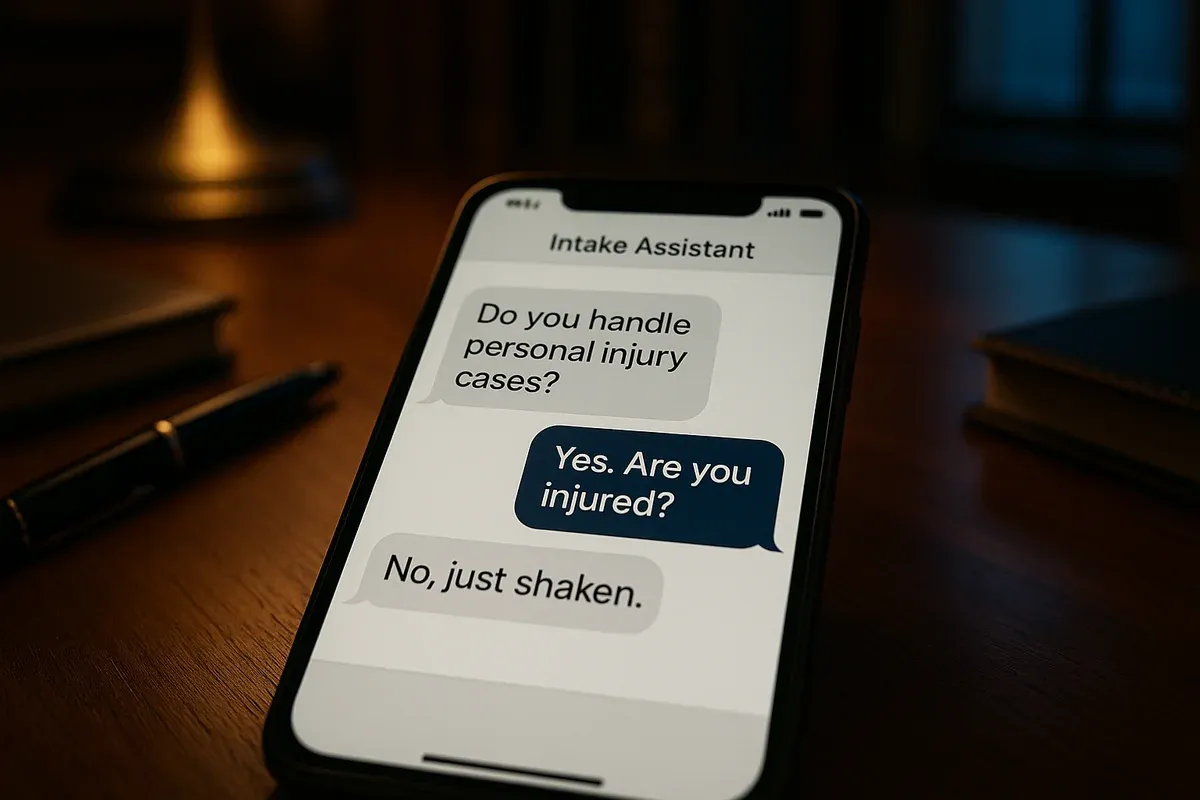
The category has matured significantly in twelve months. The 2024 version was a rule-based widget that asked three scripted questions and emailed a half-formed lead. The 2026 version is closer to a domain-trained associate at the front of the funnel — fed your firm's actual content (practice-area pages, fee disclosures, intake forms, FAQs, attorney bios) and answering only from that source.
A properly trained legal chatbot can:
- Answer routine intake questions in seconds, in any of 95 languages, drawing only from verified content.
- Run a structured conflicts pre-screen by capturing party names and matter type before data hits your CMS.
- Triage by practice area, jurisdiction, and urgency — separating an immigration inquiry from a probate one, an active arrest from a routine consult.
- Capture leads 24/7 across website, WhatsApp, Messenger, Instagram, and email, dropping a fully-formed intake into your CRM, calendar, or Slack with qualification answers attached.
- Book initial consultations via Zapier handoff to your scheduling system (Calendly, Acuity, Clio Grow, Lawmatics, MyCase, Filevine), with confirmations on the prospect's channel.
- Send automated reminders and follow-ups to cut consultation no-shows.
- Escalate with full conversation context when a prospect needs a real attorney.
The keyword is trained. A generic chatbot dropped onto a law firm's site without training on your specific practice areas, jurisdictions, and fee structure will hallucinate confidently. The setup section below covers how to train one that doesn't.
The 5-Star Intake Framework — what every 2026 law-firm bot must do
Most firms over-think intake automation and end up either automating nothing (out of caution) or automating too much (out of enthusiasm). The 5-Star Intake Framework gives you five non-negotiable jobs every law-firm chatbot should perform — ordered roughly in the sequence a real intake conversation moves through.
Star 1 — Speed
The 5-minute window isn't a marketing stat — it's the line between "consultation booked" and "they signed with someone else." A chatbot is the only way to consistently hit a sub-5-minute response on every channel, every hour, including the 35-40% of inquiries that arrive at 8 p.m., 11 p.m., on Saturdays, and during deposition prep.
The bot should answer the first message in under 10 seconds, name the firm, and ask exactly one qualifying question. Not a wall of text. Not a 12-field form. The conversion uplift comes from the speed, not the comprehensiveness of the first reply.
Star 2 — Screen
This is the layer most general-purpose chatbots miss and most firms care about most. Before any matter detail enters your CMS, the bot needs to capture the inputs for a clean conflicts check: names of all opposing parties mentioned, the type of matter, and the jurisdiction.
The bot doesn't run the conflicts check itself — that's still your firm's job, ethically and practically. It collects the inputs cleanly, stages them in a standardised format, and flags the matter as "pending conflicts review" so no attorney engages substantively before the check is run. This is the layer that protects your firm from the avoidable ethics complaint where a prospect later turns out to be on the wrong side of an existing matter.
Star 3 — Safeguard
The legal-industry-specific layer. Three rules, baked in:
- The bot is never an attorney and never gives legal advice. The persona explicitly identifies as an intake assistant. Any time a prospect asks "do I have a case," the bot redirects to a consultation.
- The bot discloses it's AI. The 2026 ethical consensus across most state bars is that AI-mediated client communication is permissible if disclosed.
- The bot does not promise outcomes, fee amounts, or merit assessments. It can quote a published fee structure. It cannot say "you have a strong case." Those are attorney decisions.
In FastBots, this layer is implemented via the persona prompt and answer-source restrictions. Ten minutes of careful prompt writing here saves a lot of risk later.
Star 4 — Schedule
Once Stars 1-3 are complete, the bot offers two or three available slots, books the chosen one, and confirms on the channel the prospect first used. Two patterns work: direct booking via Zapier (the bot pulls slots from Calendly or Acuity and Zapier writes the appointment to your calendar and CRM — best for firms with a single fee structure and standard consultation length); warm handoff to intake staff (the bot collects all qualification answers and drops a fully-formed task into your team's inbox or Slack — better for firms with complex matter types or attorney-specific scheduling).
Star 5 — Sustain
Sustain is the layer that quietly pays for the rest. Once a consult is booked, the bot handles the unglamorous work intake teams routinely drop: the 24-hour reminder, the rescheduling request, the post-consultation follow-up nudging the engagement letter, the polite re-engagement of the prospect who booked but ghosted.
Most firms see 15-25% of consultation bookings become no-shows without a reminder system. AI-driven multi-channel reminders consistently halve that. On a firm running 30 consultations a month, that's 3-4 additional retained matters monthly on the same lead volume. This is where the 3-5× ROI numbers come from.
Multi-channel — the part most "law firm chatbot" tools quietly skip
An inconvenient truth for the specialised legal-chatbot category: most dedicated tools (LawDroid, Intaker, Smith.ai, Gideon, Lawmatics AI) are built primarily around one channel — usually the website widget, sometimes paired with a human/AI hybrid receptionist for phone calls. They're decent at that channel. They don't reach across the rest.
That's a problem in 2026 because legal prospects no longer all arrive on one surface. Immigration and other immigrant-client-heavy practices see most volume on WhatsApp Business. Family-law and estate-planning prospects increasingly DM via Facebook Messenger after a recommendation in a local Facebook group. PI and DUI prospects mostly Google and arrive on your website, but follow up by email or Instagram DM. Established clients with adjacent matters message on whatever channel you last used with them.
A multi-channel bot trained once on your firm's content answers the same question, with the same answer, on whichever surface the prospect uses — website, WhatsApp, Messenger, Instagram, Telegram, and email. Same conflicts screen. Same scheduling flow. Same disclosure. That's the structural advantage a flexible platform like FastBots gives you over a single-channel niche tool. A specialised website-only legal chatbot at $300-$500/month covers one channel. The same firm on FastBots' Essential plan covers six channels for $39.
ROI math — what does an AI chatbot actually save a law firm?
Inputs (typical small-to-mid firm): 80-150 monthly inquiries across calls, forms, chats, and DMs; near-zero after-hours response rate; current sub-5-minute response rate of 10-25%; matter values from $2,500 (volume work) to $15,000+ (PI, immigration, complex commercial); cost per missed qualified lead of $500-$5,000.
What a properly tuned bot recovers:
- After-hours leads. With 35-40% of inquiries arriving outside business hours, capturing 50% of those is real money.
- Speed-to-lead conversion. Lifting your sub-5-minute response rate from ~20% to >90% lifts conversion materially across every practice area.
- Intake-staff deflection. Legal-intake chatbot deployments consistently show 60-70% reduction in routine calls and 12-18 hours/week saved on paralegal/intake admin — capacity redirected to qualifying complex leads and closing engagement letters.
- No-show reduction. Multi-channel AI reminders typically cut consultation no-shows by 40-50% — on 40 consults/month at 20% no-show, that's 4-5 recovered consults monthly.
Total picture for a typical small-to-mid firm: $30,000-$80,000/year of recovered or redirected revenue, against a chatbot cost starting at $39/month on FastBots' Essential plan. For high-ACV practice areas, the upper end is conservative.
How to set up FastBots for your law firm — the 7-step playbook
This is the working setup. Each step takes minutes, not hours, and most firms can have a fully-trained bot live within a single afternoon.
Step 1 — Gather your training documents. In a single folder, put your practice-area pages, fee disclosures, attorney bios, jurisdictions list, intake form fields, FAQ, and any client-facing PDFs. PDF, DOCX, Google Doc, plain text — FastBots ingests all of them.
Step 2 — Crawl your firm website. Point FastBots' crawler at your site. It will pull every practice-area page, About, fees, locations, and blog content into the bot's knowledge automatically — up to 2,500 pages on the Essential plan.
Step 3 — Tune the persona. This is the highest-leverage step in the entire setup, and the one that protects your firm from ethical exposure. In the Tune AI panel, write a persona prompt along these lines:
"You are the intake assistant for [Firm Name], a [practice areas] law firm in [jurisdictions]. You help prospective clients schedule consultations and answer questions about services, hours, fees, and locations. You always identify yourself as an AI-powered intake assistant in your first message. You never give legal advice, never assess case merit, never quote outcomes, and never promise a specific fee or contingency arrangement. If a prospect asks 'do I have a case,' you say 'that's exactly the kind of question one of our attorneys should help with — let me get you booked for a consultation.' You always ask for the type of matter, jurisdiction, and the names of any opposing parties before scheduling, so the firm can run a conflicts check. If a prospect describes an urgent matter (active arrest, domestic violence, time-sensitive deadline), you immediately route them to our urgent line at [number]."
Spend 20-30 minutes here. Re-read it. Test it.
Step 4 — Set up urgency and conflict-check escalation rules. Configure the bot to recognise urgency keywords (arrested, custody, deadline, eviction, restraining order, served, accident) and route those to immediate human handoff. Configure the bot never to proceed past a basic intake question without first capturing matter type, jurisdiction, and opposing parties.
Step 5 — Connect your channels. Most firms start with two: the website widget and email auto-responder. Add WhatsApp Business if you serve immigrant communities or any practice area where WhatsApp is dominant. Add Messenger and Instagram DMs if your firm has any meaningful social presence — family law and estate-planning especially. WhatsApp Business takes 30-45 minutes the first time; the rest are typically under 10.
Step 6 — Wire Zapier AI Actions for booking and CRM handoff. This is where the bot stops being a Q&A widget and starts being part of your intake operations. Useful flows: "When a prospect completes intake, write a row to our CRM (Clio Grow / Lawmatics / MyCase / Filevine) and notify the intake coordinator on Slack"; "When the bot books a consultation, write to the firm calendar and confirm on the prospect's preferred channel"; "24 hours before each consultation, message the prospect on the channel they used to book"; "When the bot detects an urgency keyword, page the on-call attorney via Slack and SMS the senior partner via Zapier's Twilio step"; "When a prospect asks about a practice area we don't cover, log them into a separate referral CRM and email an external referral resource." FastBots doesn't send SMS natively — that's covered through Zapier's existing SMS integrations.
Step 7 — Test, ship, refine. Run 30 simulated questions through the bot before going live: practice areas you cover, areas you don't, "I was just arrested," "do you do contingency," "I think the other side already called you." Use FastBots' Q&A page (Business plan and up) to flag any question the bot couldn't answer well. Most firms reach a 90%+ automation rate within two weeks — read real customer reviews from professional-services businesses already running this setup.
Comparison — niche legal chatbots vs. a multi-channel platform
There are several specialised tools in this category, and they do real work. Here's the honest comparison.
| Capability | Specialised legal chatbots (LawDroid, Intaker, Smith.ai, Gideon, Lawmatics AI) | FastBots |
|---|---|---|
| Website widget | Yes | Yes |
| WhatsApp Business | Limited or no | Yes — full integration |
| Facebook Messenger + Instagram DMs | Rare | Yes |
| Email auto-reply | Rare | Yes |
| Train on your own docs (PDF, Google Sheets, YouTube, your site) | Limited | Yes — multi-source |
| 95-language auto-detect | Usually a handful | Yes — 95 |
| All major LLMs (OpenAI, Anthropic, Google) | Usually one fixed model | Choice of all three |
| Conflicts pre-screen (capture only) | Some | Yes — via persona + structured intake fields |
| Native CRM integration (Clio, Lawmatics, MyCase, Filevine) | Some have direct connectors | Zapier-mediated, works with all of them plus thousands more |
| Configurable AI persona for ethical disclosure | Limited | Yes — full prompt control |
| Live human takeover | Some | Yes |
| Per-firm pricing | Typically $200-$700/month + per-message or per-seat fees | Flat — Essential is $39/month for 2 chatbots |
| Lock-in | High | Low — your data, your channels |
Where the niche tools win: if you specifically need a deep, native integration with one CMS and you're happy to pay $300-$700/month, a specialised tool with a pre-built Clio Grow or Lawmatics connector may save you the Zapier setup step. Smith.ai's hybrid AI-plus-human-receptionist model is genuinely useful for firms that want a phone line covered as well as chat.
Where FastBots wins: the moment you want more than one channel, more than one language, training on your own documents, full control of the AI persona for ethical compliance, or flexibility on which CRM you use — the economics flip hard. A $400/month specialised tool covers one channel; the same firm on FastBots' Essential plan covers six channels and a fully customisable persona for $39 flat.
Common mistakes firms make with their first AI chatbot
Training the bot only on the practice-area pages. Practice-area pages are 400 words of marketing copy. Real prospect questions are about the things that don't appear there — fee structure, accepted insurance for medmal cases, jurisdictions for real-estate, contingency vs. hourly for specific matter types. Train on the practice-area pages, the fees page, the FAQ, attorney bios, locations, and any client-facing PDFs.
Skipping the persona prompt. Without one, the bot defaults to generic chat-assistant tone — and won't have the "never give legal advice" rule baked in. Every state bar in the US (and the SRA, the Law Society of Upper Canada, and most equivalents internationally) is paying close attention to AI in client communication. A 20-minute persona prompt is the cheapest insurance you'll buy.
Letting the bot make merit assessments. A chatbot that tells every prospect "that sounds like a strong case" is a liability — both ethically and competitively, because prospects quickly realise it's a script. Configure FastBots to refuse merit questions and default to "let's get you booked with an attorney to discuss that properly."
Treating urgent matters like routine inquiries. A bot that asks "would you like to schedule a free consultation in the next ten business days?" in response to "I was just arrested for DUI" is a story your firm doesn't want.
Set-it-and-forget-it. Look at chat history monthly. Read the unanswered-questions report. New practice areas, new attorneys, fee changes — all need to flow into training. A neglected legal chatbot drifts toward staleness within six months.
FAQ
How long does it take to set up an AI chatbot for a law firm? Most firms have a fully trained, multi-channel bot live within a single afternoon — typically 4 to 6 hours including training-data prep, persona writing, channel connections, and Zapier setup for CRM and calendar handoff.
Will the bot integrate directly with Clio, Lawmatics, MyCase, or Filevine? Not natively — FastBots integrates with all of them via Zapier, which has connectors for every major legal CRM and case-management system. The benefit is you're not locked into one vendor; if you switch from Clio to Lawmatics next year, the Zap moves with you.
Is using an AI chatbot ethically permissible under bar rules? The 2026 consensus across most US state bars (and equivalent regulators internationally) is that AI-mediated client intake is permissible when (1) the prospect is informed they're communicating with AI, (2) the bot does not provide legal advice or assess case merit, and (3) confidential information isn't shared with the AI in a way that breaches confidentiality. FastBots' configurable persona handles points 1 and 2 directly. For point 3, keep the bot focused on intake-stage information (matter type, jurisdiction, party names, contact details) and route substantive discussion to attorneys via consultation. Run your specific state bar opinion before going live.
Can the bot run a real conflicts check? Not on its own — and you wouldn't want it to. What the bot does is capture the inputs a conflicts check needs (party names, matter type, jurisdiction) cleanly, then stage the inquiry as "pending conflicts review" so no substantive engagement happens before your team runs the actual check.
What languages can the chatbot reply in? Around 95. The bot auto-detects the prospect's language and replies in the same one. For immigration practice areas this is usually the single highest-value capability — most niche legal chatbots cover only a handful of languages.
How much does it cost compared with hiring an evening intake assistant? A starting-tier FastBots plan is $39/month. A part-time evening intake assistant runs $1,800-$3,500/month and still leaves weekends, holidays, and most of the night uncovered.
Will my prospects know they're talking to AI? Yes — and that's the right answer ethically and practically. FastBots' default is to disclose AI mediation in the welcome message. Most prospects don't mind; they want fast, accurate answers. Transparent AI consistently outperforms opaque AI on conversion across professional-services deployments.
What happens to the conversation history? Every conversation is searchable, exportable, and emailable from FastBots' Chat History panel — useful for refining FAQ, training new intake hires, identifying objections to pre-empt in marketing, and producing records for internal review. Chat history is encrypted at rest, and FastBots offers domain whitelisting, rate limiting, and private-bot configurations for firms with stricter security requirements.
Get started
If you've read this far, you're past the "should we use a chatbot" question and into the "which one and how" question. The fastest way to an honest answer is to actually try it on one practice area — the FastBots free tier lets you build, train, and test a fully-featured legal intake bot with no credit card.
Start your free FastBots chatbot for law firms here →
The firms running 40+ retained matters a month in 2027 — on the same lead volume as today — are already building this layer in 2026. The earlier you start, the more your intake-conversation data trains the bot, and the faster your speed-to-lead becomes structurally better than your competitors'.
If you want to see how the same multi-channel approach works for adjacent professional-services verticals, our playbooks for therapy practices, coaches, and the full industry index cover the same framework adapted to each vertical.