AI Chatbot for Airbnb Hosts: How to Automate Guest Messaging Across WhatsApp, Telegram and Your Direct-Booking Site


A skilled Airbnb host can spend two to four hours every day answering the same dozen questions. WiFi password. Check-in time. Where's the closest pharmacy. Can we have a late check-out. Is the rooftop available. Most of those questions arrive between 8 a.m. and midnight, in whichever language the guest is most comfortable with, and they all expect a reply within minutes — because Airbnb's own response-rate metric punishes hosts who take longer than an hour.
That treadmill works if you have one property. With three, it stops being a side hustle. With ten, it stops being possible.
In 2026 there's a better answer than hiring a virtual assistant in another time zone or living attached to your phone. AI chatbots can now handle 70–90% of guest messaging automatically, in any language, across every channel a guest is likely to use. Done well, they save hosts ten to twenty-five hours a week, lift inquiry-to-booking conversion, and rescue the 4 a.m. check-in question without you ever waking up. Done badly, they sound robotic, miss the moments where a real human is needed, and cost you a five-star review.
This is the playbook for doing it well. We'll cover what to automate (and what never to automate), how multi-channel changes the game, the ROI math you should be looking at, and how to set the whole thing up with FastBots — including the parts most "Airbnb chatbot" tools quietly skip over.
The real cost of guest messaging (and why "more hosts" isn't the answer)
If you've never timed it, you'll underestimate it. Industry surveys put the average Airbnb host at two to four hours a day on guest messaging alone — and that scales close to linearly with property count. A five-property host running their own messaging is doing something close to a half-time job before the cleaning crews even arrive.
The breakdown is roughly:
- 35% repeat questions — WiFi, check-in/out times, parking, where to find the towels, can I bring my dog, can we have an early arrival.
- 25% local recommendations — best brunch within walking distance, where to rent bikes, is the train station safe at night.
- 20% logistical confirmations — "we just landed," "the lock won't open," "what's the address again?"
- 15% pre-booking inquiries — most lost without a reply within an hour, because guests are price-comparing across four listings at once.
- 5% real problems — broken aircon, neighbour noise, accidental damage, complaints. These are the only ones a human host actually adds value to.
The math is brutal: 95% of your time goes into the bottom 5% of value. And every minute of attention you sink into "WiFi is OakStreet2024, all caps, no spaces" is a minute not spent on listing optimisation, dynamic pricing, photography, supply runs, or — critically — sleep.
The traditional answer is "hire a virtual assistant." That's a perfectly reasonable answer if you have ten or more properties and the messaging volume to justify $400–$1,500/month per VA. For most hosts, it's overkill at one end and not enough coverage at the other (one VA can't do every timezone, every language, every weekend). And every layer of human handover means more chance of a wrong answer, missed message, or inconsistent tone.
A well-built AI chatbot fixes the volume problem and the consistency problem at the same time. The challenge is doing it without losing the human touch that earned you the Superhost badge in the first place.
What an AI chatbot for Airbnb hosts can actually do in 2026
The category has moved on a lot in the last twelve months. The 2024 version was "rule-based bot answers FAQ" — clunky, easy to break, frustrating for guests. The 2026 version is closer to a domain-trained AI assistant that can:
- Answer guest questions in any of 95 languages by training on your house manual, listing description, and any local guides you've written. Guests ask in Spanish, the bot replies in Spanish. Same for Mandarin, German, Portuguese, Arabic.
- Respond instantly across every channel a guest is using — WhatsApp, Telegram, Instagram, Facebook Messenger, your direct-booking website, and email — from a single source of truth, so the answer is the same everywhere.
- Capture booking inquiries (name, dates, party size, contact email) and route them straight to your inbox, complete with the bot's qualifying questions already answered.
- Hand off to you when a guest needs a real human, with the full conversation history attached.
- Trigger downstream actions through Zapier — for example, send a check-in instruction email when a guest confirms arrival time, ping you on Slack when there's a complaint keyword, or write a row to a Google Sheet of recurring local-rec requests.
- Keep a searchable record of every guest conversation you've had — useful for refining your house manual and disputing the very rare guest claim that "you never said that."
The key word in all of that is trained. A chatbot that hasn't been trained on your specific property, your specific check-in process, and your specific local knowledge isn't an Airbnb chatbot — it's a generic assistant that will hallucinate the WiFi password as confidently as it cites the actual one. We'll come back to this when we get to setup.

The Tier 1 / Tier 2 / Tier 3 framework — what to automate, what to assist, what to never automate
This is the framework we use with hosts onboarding to FastBots, because the most common failure mode of Airbnb chatbots isn't bad answers — it's automating the wrong thing.
Sort every type of guest message into one of three tiers.
Tier 1 — Fully automate, no human involvement
- WiFi password and network name
- Check-in / check-out times and procedure
- Parking instructions
- House rules
- "Can I leave my luggage early or late?"
- Amenities lists ("do you have a hairdryer?")
- Standard local recommendations from your curated guide
- Confirmation that a message was received ("yes, I have your check-in time noted")
- Common-language pleasantries
These should answer in seconds, in the guest's language, every time. The guest experiences instant service. You experience nothing — and that's the point.
Tier 2 — AI-assisted, host approves before send
- Refund or partial-refund requests under a threshold (e.g. under $50)
- Late check-out beyond your stated policy
- Special requests that bend a house rule (extra guest, dog mentioned post-booking)
- Recommendations involving a third party you haven't vetted (a private chef, a local photographer)
- Anything where the answer depends on availability you alone can confirm
The bot drafts the reply with full context. You read it on your phone in ten seconds, hit send (or edit and send). You stay in the loop without doing the typing.
Tier 3 — Always escalate, never automate
- Health, safety, or security issues — broken lock, gas smell, water leak
- Anything that mentions injury, accident, illness, or police
- Damage claims (yours or theirs)
- Disputes, complaints, threats of negative reviews
- Refunds or chargebacks above the Tier 2 threshold
- Special-occasion requests (proposals, surprise birthdays) where one wrong word ruins it
These should ping you directly — by Slack, email, or whichever channel you respond to fastest — and the bot should reply with a holding message: "I've passed this to your host, who will reply personally within 30 minutes."
The mistake we see hosts make most often is over-automating Tier 3 (because the bot can technically reply) or under-automating Tier 1 (because they're nervous about the bot getting WiFi wrong). The fix in both cases is to draw the line clearly at setup, and to give your bot a strong "I'll get a human" handoff phrase that fires the moment the conversation drifts into Tier 3 territory.
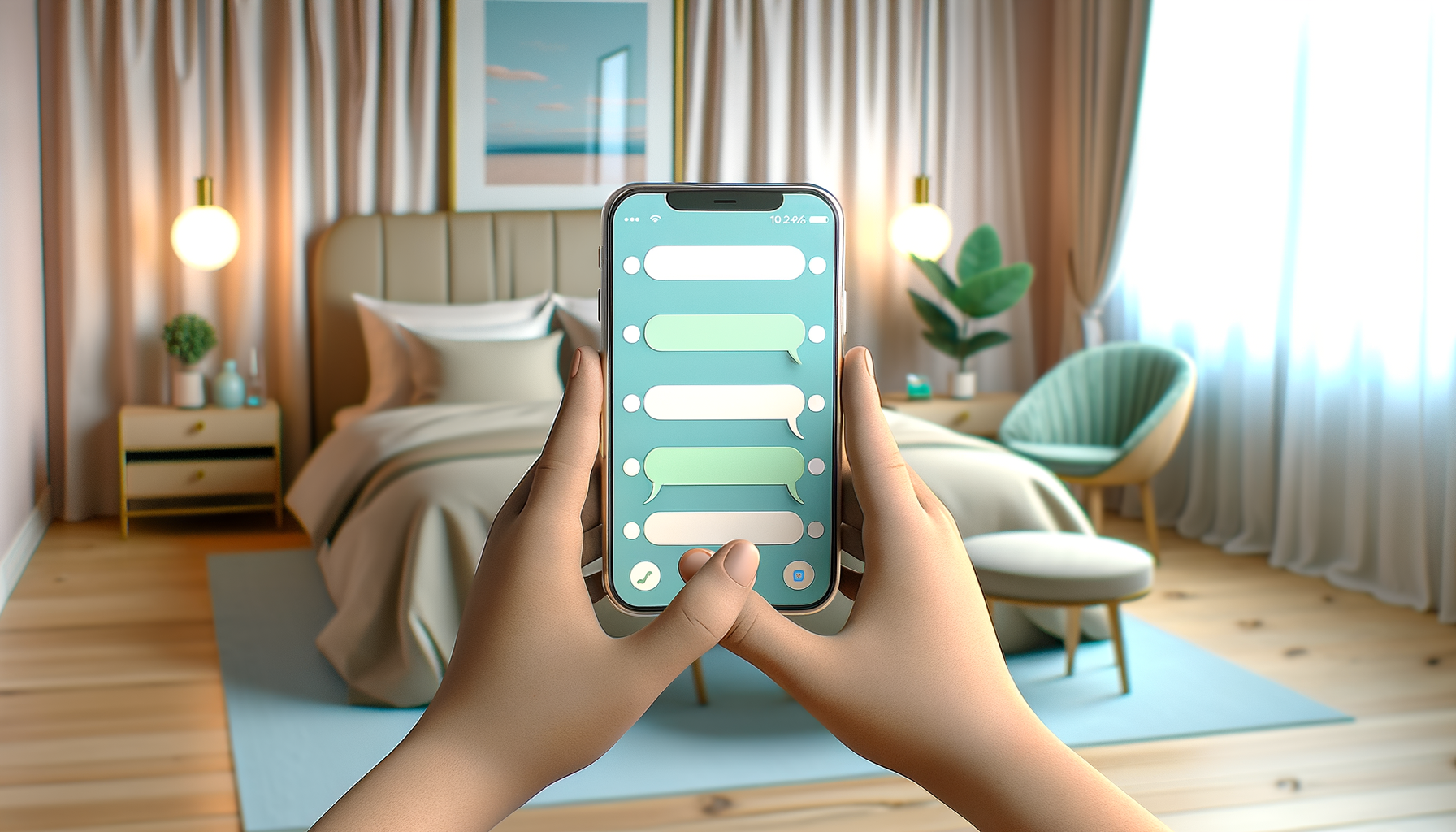
Multi-channel — the part most "Airbnb chatbot" tools quietly skip
Here's a slightly inconvenient truth for the niche-tool category: Airbnb does not give third parties direct access to its host inbox. No tool — including the dedicated Airbnb-specific chatbots — can plug into the Airbnb messaging system the way you might think. The ones that claim to are routing messages via screen-scraping or middleware that can break with any Airbnb update, and they're limited to the Airbnb conversation only.
That's why the smarter setup, used by experienced hosts, is to route guests off Airbnb's inbox into channels you actually own:
- A direct-booking website with a chatbot widget on it (so repeat guests can rebook without paying Airbnb's service fee)
- A WhatsApp number shared in your check-in instructions (where most international guests prefer to chat anyway)
- A Telegram option for guests in markets where Telegram dominates (Eastern Europe, the Middle East, parts of Asia)
- An email auto-responder for the Airbnb-side messages that do still come through
This is where multi-channel matters. A specialised tool that only does Airbnb messaging can answer the question once. A multi-channel chatbot trained on the same source data can answer the question wherever the guest happens to be — including your website, where a meaningful share of repeat guests will try to rebook directly if you give them the option.
We built FastBots specifically for this kind of multi-surface deployment. The same chatbot, trained once on your house manual, runs on:
- Your direct-booking website (one line of embed code on Squarespace, Wix, WordPress, or anywhere else)
- WhatsApp Business (auto-replies to any guest who messages your business number)
- Telegram (huge for guests outside Western Europe and North America)
- Facebook Messenger and Instagram DMs (where Gen Z guests increasingly slide in)
- Email (the bot can auto-reply to your inbox 24/7/365 using your training data)
Trained once. Deployed everywhere. Same answer regardless of how the guest reaches you.
ROI math — what does this actually save you?
Numbers help. Here's the math we walk hosts through.
Inputs:
- Number of properties: P
- Average inquiries plus booked-guest messages per property per day: roughly 8–15 (call it 10)
- Average host time per message (read + reply): 90 seconds for routine, 4 minutes for non-routine
- Mix: 80% routine (Tier 1), 15% Tier 2, 5% Tier 3
- Your hourly opportunity cost: H (whatever you'd otherwise charge, or earn, or sleep)
Time saved with a properly-tuned chatbot:
- Tier 1 (80%): fully automated → 100% time saved
- Tier 2 (15%): drafted by AI → ~70% time saved
- Tier 3 (5%): no time saved (and rightly so)
That works out to about 0.85 × time saved. For a single host with one property, you're looking at about 12 minutes a day saved on Tier 1 plus 6 minutes on Tier 2 — roughly 2 hours a week, or 100+ hours a year. Not life-changing on its own.
For a five-property host, multiply by five: roughly 10 hours a week, or 500 hours a year. At a reasonable opportunity cost of $50/hour, that's $25,000 in recovered host time a year. The chatbot itself costs a small fraction of that.
Plus the revenue side, which is harder to quantify but real:
- Pre-booking inquiries answered instantly. The data on this is consistent — replying within 5 minutes vs. 60 minutes books significantly more inquiries because guests have moved on. Even a 10% lift on pre-booking response speed translates to noticeable booking growth.
- Better reviews from instant after-hours replies. The 1 a.m. "the front door isn't opening" guest, sorted in 90 seconds, becomes a five-star review story instead of a three-star "host was unreachable."
- Direct rebookings. Every guest who rebooks via your direct site instead of Airbnb saves you the 14–16% Airbnb host fee. A chatbot widget on your direct site that confidently answers questions converts repeat guests at meaningful rates.
The ROI math for most hosts at three or more properties is straightforward: a chatbot pays for itself in the first month of use.
How to set up FastBots for your Airbnb properties — the 7-step playbook
This is the working setup. Each step takes minutes, not hours.
Step 1 — Gather your knowledge sources. In a single folder on your computer, put: your house manual (any format), your check-in/check-out instructions, your local recommendations doc, your house rules, any FAQ doc you've already built, and a one-page overview of each property if you have multiple. PDF, DOCX, or even a Google Doc — FastBots ingests all of them.
Step 2 — Crawl your direct-booking website. If you have a website, point FastBots' crawler at it. It will pull your property descriptions, your local-area pages, your FAQ, and any pricing or availability pages into the bot's knowledge automatically. Up to 2,500 pages on the Essential plan, which is comfortably more than any host's site will ever have.
Step 3 — Tune the persona. Inside FastBots' Tune AI panel, write a short persona prompt. Something like: "You are a friendly, calm assistant for [Host Name]'s Airbnb properties. You answer guest questions about check-in, amenities, local recommendations, and house rules. You always reply in the language the guest writes in. You never guess WiFi passwords, addresses, or door codes — if you don't know, you say so and offer to connect the guest with the host. You are not the host; you are an assistant." That last line matters more than people think.
Step 4 — Set up your Tier 3 escalation phrase. Configure the bot to recognise keywords like "broken," "leak," "smell," "police," "injury," "accident," "complaint," "damage," "refund," "review" — and auto-escalate. FastBots' Live Chat takeover feature lets you receive an alert and step into the conversation in real time.
Step 5 — Connect your channels. WhatsApp Business first (this is where most hosts get the biggest volume). Then Telegram and Instagram if you have international guests. Then your direct-booking website widget. Each integration is a guided setup — WhatsApp takes the longest at around 30 minutes the first time, the rest are typically under 10.
Step 6 — Add Zapier AI Actions for the agentic stuff. This is where FastBots becomes more than a Q&A bot. Connect Zapier and configure actions like:
- "When a guest confirms their arrival time, send the check-in instructions email automatically."
- "When the bot detects a complaint keyword, ping me on Slack."
- "When a pre-booking inquiry comes in, write a row to my Google Sheet and email me a summary."
- "When a guest asks for a late check-out and I haven't responded in 10 minutes, escalate to my phone via Twilio (or your preferred SMS app inside Zapier)."
Step 7 — Test, ship, refine. Run the bot through 30 simulated guest questions before pointing it at real guests. Use FastBots' Q&A feature (Business plan and up) to flag any question the bot couldn't answer well — those become your refinement targets. Most hosts hit a 90%+ automation rate within two weeks of going live.
Comparison — niche Airbnb tools vs. a multi-channel platform
There are several specialised tools in this category, and they're decent at what they do. Here's the honest comparison.
| Capability | Specialised Airbnb tools (HostBuddy, Guest Guru, HostAI, Hostaway) | FastBots |
|---|---|---|
| Airbnb inbox automation | Limited — relies on workarounds and breaks with platform changes | Not direct; routes via WhatsApp / website / email |
| WhatsApp + Telegram + Messenger + Instagram | Some support some channels; none cover all five | All five channels from one bot |
| Direct-booking website widget | Usually no | Yes — one line of embed code |
| 95-language auto-detect | Varies | Yes |
| Train on your own docs (PDF, Google Sheets, YouTube) | Limited | Yes |
| Zapier AI Actions for agentic flows | No | Yes |
| Per-property pricing | Typically $6–$12 per listing per month | Flat plan — Essential is $39/month for 2 chatbots |
| Live human takeover | Some | Yes |
| Lock-in | High — switching costs | Low — your data, your channels |
Where the niche tools win: if your only volume is on the Airbnb inbox and you have one property, a specialised tool with deep workaround integration may be slightly faster to set up.
Where FastBots wins: the moment you have more than one channel, more than one property, more than one language, or want any direct-booking flow at all, the economics flip hard. A five-property host paying $10/listing/month to a niche tool is at $50/month — and gets only Airbnb messaging. The same host on FastBots' Essential plan pays $39 flat and gets every channel, plus the Zapier agentic layer.
Common mistakes hosts make with their first AI chatbot
A few patterns we see again and again.
Training the bot only on your Airbnb listing description. This is the most common mistake and the most damaging. Listings are 500 words of marketing copy. Your guest's actual questions are about details (check-in code, parking exception for Friday night, where the spare towels are) that aren't in the listing. Always train on the house manual, the check-in instructions, the local guide, and the listing — in that order.
Skipping the persona prompt. Without one, the bot defaults to a generic chat tone. With one, it sounds like part of your brand. Spend 15 minutes on this; it pays off every interaction.
Letting the bot guess. A chatbot that confidently makes up the WiFi password is worse than no chatbot at all. Configure FastBots' answer-source settings to refuse to answer outside its training data, and to default to "let me connect you with the host" when uncertain. Better one slow human reply than a wrong fast one.
Treating Tier 3 as Tier 1. Setting up the escalation rules feels boring; skipping them feels efficient. Don't. The 1% of messages where you absolutely need to step in are the 1% that determine whether you keep your Superhost status.
Set-it-and-forget-it. A chatbot improves with feedback. Look at the chat history monthly. Read the unanswered-questions report. Add new local recommendations as the seasons change. A neglected chatbot drifts toward staleness.
FAQ
How long does it take to set up an AI chatbot for an Airbnb property? The first property typically takes 90 minutes to half a day, depending on how organised your house manual is. Each additional property takes about 20 minutes after that — you're cloning the bot and swapping the property-specific data.
Will my guests know they're talking to AI? The best practice (and FastBots' default approach) is transparency. The bot's persona should be clear that it's an assistant, not the host. Most guests don't mind — they just want fast, accurate answers — and the small minority who specifically want the host can ask, and the bot will hand off.
Does FastBots integrate directly with the Airbnb messaging inbox? No, and we'd be cautious of any tool that claims to. Airbnb doesn't allow direct third-party access to its host messaging system. The viable path — and the one most experienced hosts use — is to route guests onto WhatsApp, Telegram, your direct site, or email, all of which FastBots covers natively.
What languages can the chatbot reply in? Around 95 languages. The bot auto-detects what the guest is writing in and replies in the same language. You only need to train it once, in whichever language your house manual is in.
Can it handle bookings or take payments? Out of the box it captures inquiries and qualifies them. For actual booking and payment, you'd connect it via Zapier to your booking system or payment processor. Most hosts use this to route inquiries to their direct-booking calendar (Lodgify, OwnerRez, Hospitable) rather than process payments inside the chat itself.
How much does it cost compared with a virtual assistant? A starting-tier FastBots plan is $39/month. A part-time virtual assistant covering one timezone runs $400–$1,500/month. The chatbot covers 24/7 with consistent quality and never quits; the VA still has its place for edge cases.
Will it hurt my reviews if a guest realises they're talking to a bot? The pattern in 2026 is clear: guests rate fast, accurate answers higher than slow human ones. If the bot is well-trained, transparent that it's an assistant, and escalates real issues to you, it lifts review scores rather than hurting them. The risk is a poorly trained or opaque bot — which is exactly what the Tier 1/2/3 framework prevents.
What happens to the conversation history when a guest leaves? Every conversation is searchable, exportable, and emailable from FastBots' Chat History panel. You can use it to refine your house manual, dispute the rare false claim, or look back at recurring guest patterns when you decide what to add next.
Get started
If you've made it this far, you're past the "should I use a chatbot" question and into the "which one and how" question. The fastest way to get an honest answer is to actually try it on one property — the FastBots free tier lets you build, train, and test a fully-featured bot with no credit card, and you can measure exactly how much guest messaging it offloads in the first week before you commit to anything.
Start your free FastBots chatbot for Airbnb hosts here →
The hosts who'll be running ten-plus properties in 2027 are already building this layer in 2026. The earlier you start, the more your message data trains the bot, and the more time it gives you back.