WhatsApp Lead Generation: A Practical Strategy From First Click to Qualified Lead
Build a WhatsApp lead generation system that attracts enquiries, qualifies them 24/7 and routes the right prospects to your sales team.

Most WhatsApp lead generation advice starts in the wrong place. It talks about automated replies, clever scripts and follow-up sequences before answering the harder question: why would a good prospect start a WhatsApp conversation with you in the first place?
That is the real bottleneck. A WhatsApp chatbot cannot qualify a conversation that never begins. A QR code nobody notices, a vague "Message us" button and an ad that drops people into a blank chat are not a strategy. They are disconnected doorways with no clear reason to walk through them.
A working WhatsApp lead generation system joins two jobs. It gives the right people a compelling route into WhatsApp, then answers, qualifies and routes them once they arrive.
This guide covers the whole system. We will map the strongest traffic sources, introduce a framework for moving from first click to qualified lead, show where a FastBots chatbot fits, run transparent ROI arithmetic and compare the main platform options honestly. This is not a guide to blasting promotions to a purchased list. It is an inbound strategy for earning and converting conversations.
What WhatsApp lead generation actually means
WhatsApp lead generation is the process of encouraging a potential customer to start a WhatsApp conversation, then turning that conversation into a useful, contactable sales opportunity.
There are three parts to that definition.
The first is acquisition. Someone sees a click-to-WhatsApp ad, taps a button on your website, follows a link from Instagram, scans a QR code in a physical location or clicks a link in an email signature. Each doorway should carry context about what the person wants and why WhatsApp is the easiest next step.
The second is conversation. The prospect should not land in a dead inbox or face an interrogation. They need an immediate, useful answer that continues the promise made by the doorway. If the ad said "Check whether we cover your postcode", the first exchange should do exactly that, not ask six generic questions before helping.
The third is qualification and routing. Once the immediate question is handled, the conversation can establish fit, timing, location, budget or whichever inputs matter to your business. A serious prospect can be routed to a salesperson, booking step or CRM. Someone who is not ready can still receive a helpful answer without occupying your team.
That makes WhatsApp lead generation different from WhatsApp marketing. Marketing platforms often focus on campaigns, broadcasts and proactive template messages to opted-in contacts. FastBots focuses on inbound conversations. It replies when a prospect messages your business, using your own trained content, and it does not send cold outreach or bulk broadcasts. If outbound campaigns are central to your plan, you may need a dedicated WhatsApp marketing suite alongside an inbound chatbot.
It is also different from simply collecting contact details. Our companion guide on how to collect leads on WhatsApp explains the capture mechanic in detail. This article focuses on the broader demand-generation job: attracting the right conversations, matching the opening to their source, qualifying intent and measuring the resulting pipeline.
The cost of a disconnected WhatsApp funnel
Most broken WhatsApp funnels lose prospects at one of four handoffs.
The first leak is weak intent. A generic WhatsApp icon tells a visitor where they can message, but not why they should. "Ask whether your date is available" is stronger than "Chat with us" because it gives the conversation a purpose. "Get a recommendation for your team size" is stronger than "Contact sales" for the same reason.
The second leak is the blank-chat problem. A prospect clicks, WhatsApp opens and the message field is empty. They now have to decide how to begin. That sounds trivial, but every moment of uncertainty creates an exit. A pre-filled message such as "Hi, I would like to check availability for [service]" gives the conversation momentum and tells the chatbot which path to take.
The third leak is response delay. If an advert runs all evening but the inbox is only covered from nine to five, you are buying conversations that cool overnight. The prospect may have messaged three competitors from the same search session. A chatbot does not need to close the sale, but it should acknowledge the enquiry, answer the first question and gather the information a human needs.
The fourth leak is poor routing. A busy inbox can look healthy while producing little revenue. If nobody separates urgent, high-fit enquiries from support questions and casual browsing, the sales team still has to read everything. Lead volume is a vanity metric unless the system can show which conversations became qualified opportunities.
These leaks compound. Better ads cannot rescue a dead inbox. Faster replies cannot rescue a vague offer. More automation cannot rescue the wrong qualifying questions. WhatsApp works best when the doorway, conversation and handoff are designed as one system.

The Doorway-to-Deal Framework
We use a five-stage model called the Doorway-to-Deal Framework. It is deliberately broader than a chatbot flow because WhatsApp lead generation starts before the chat and continues after it.
1. Doorway: create a specific reason to start
Every doorway needs an audience, a promise and a source. A paid advert might invite someone to check eligibility. A service page might offer a quick quote-path conversation. A restaurant table card might invite a private-event enquiry. A property sign might let someone request viewing details.
Do not send every doorway to the same generic greeting. Use a pre-filled message or source-specific prompt so the chatbot knows where the person came from. That context lets the conversation continue naturally and makes later reporting more useful.
The strongest doorway types are:
- Click-to-message adverts on Facebook and Instagram. Meta describes these adverts as a direct route into WhatsApp, Messenger or Instagram conversations and explicitly supports lead qualification inside the thread.
- High-intent website pages, especially pricing, service, product, location and comparison pages. Put the WhatsApp invitation near the decision point, not only in the footer.
- Instagram and Facebook profiles, posts, Stories and direct-message calls to action. FastBots can run the same trained chatbot on Instagram as well as WhatsApp, which is useful when a prospect prefers to stay in the channel where they discovered you.
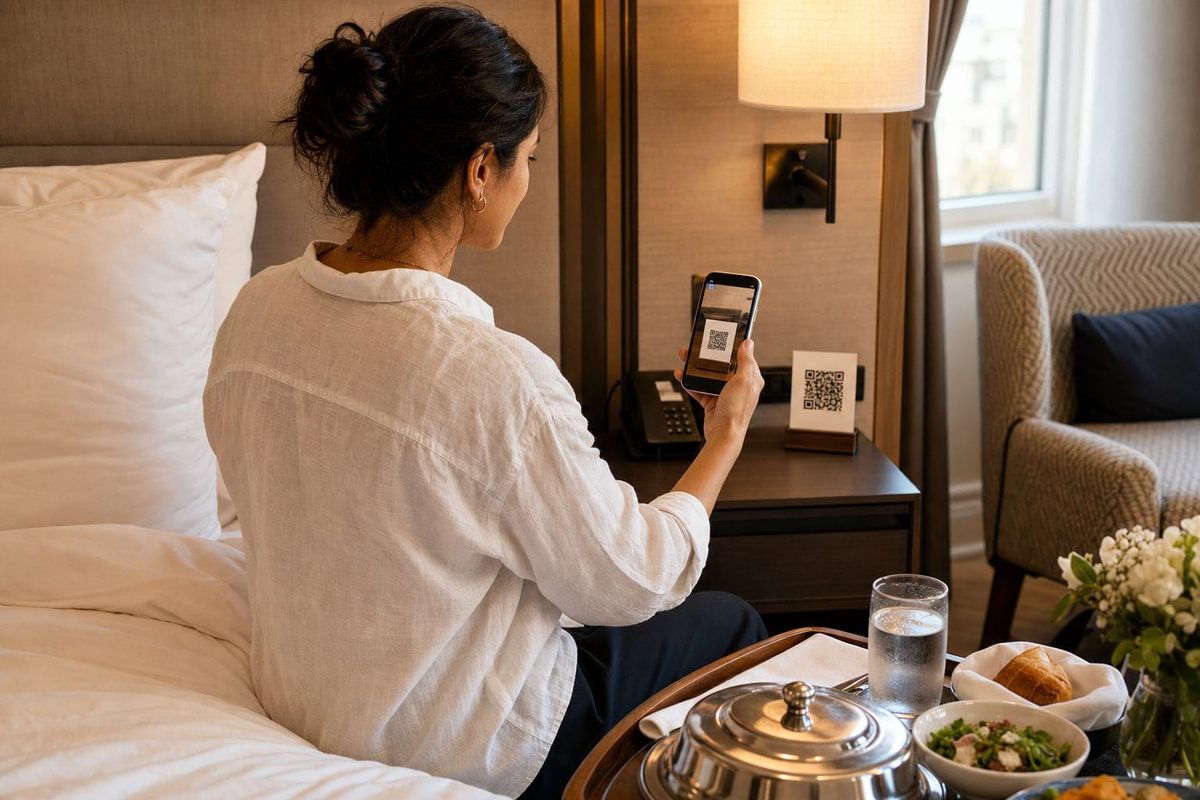
- QR codes on packaging, brochures, event stands, menus, vehicles, reception desks and shop displays. The surrounding copy must explain the benefit of scanning.
- Owned follow-up surfaces such as email signatures, proposals, invoices and appointment confirmations. These are especially useful when the recipient already knows the business and wants a faster route back.
2. Dialogue: fulfil the promise before you qualify
The first reply should prove the conversation is worth continuing. Answer the question, confirm the request or explain what the chatbot can help with. Only then begin qualification.
This order matters. A prospect who clicked "Check our service area" should receive a service-area response before being asked about budget. A prospect who scanned "Ask about private events" should be asked for the event type or date, not pushed into a generic contact form. Help first, then ask.
Train the chatbot on the pages and documents that support each doorway. With FastBots, that can include your website, PDFs, Word documents, spreadsheets, Google Sheets, YouTube videos and pasted text. Set the tone and guardrails in plain English so the bot answers from your real offer instead of improvising.
3. Diagnosis: identify fit with the minimum useful questions
Qualification should feel like a good salesperson clarifying the brief, not a form wearing a chat costume. Ask one question at a time and collect only information that changes the next step.
For a local service business, that might be service type, postcode, timing and job size. For a software company, it might be team size, use case, existing stack and implementation window. For a consultant, it might be the problem, desired outcome, budget bracket and decision timing.
Write the rules in your chatbot instructions. For example: "After answering the visitor's first question, ask which service they need, their location and when they want to start. Do not ask about budget until you have confirmed we cover the request." This creates a natural sequence without hard-coding every possible sentence.
FastBots automatically captures the customer's WhatsApp display name and phone number when they first message, placing them in the Leads section. That means the identity layer is already present before the qualification questions begin. Be precise about what you have: a display name and WhatsApp number, not proof that every profile detail is accurate.
4. Dispatch: send each lead to the right next step
Not every lead should receive the same handoff. A high-fit, urgent prospect may need a salesperson notified immediately. A standard enquiry may be ready for a booking link. A complex case may need an email summary. A poor-fit enquiry may simply need a polite answer and a useful alternative.
FastBots can email captured lead details and keep them in the dashboard. Standard Zapier integration or Make workflows can push the captured record into a CRM, spreadsheet or email platform after the event. If you connect an app through Zapier MCP, the chatbot can take a configured action during the conversation, such as creating the CRM contact or booking a slot. The actions available depend entirely on the apps and permissions you connect.
Keep the boundaries honest. FastBots does not provide native integrations with every CRM, booking platform or industry system. It connects through Zapier or Make. It also does not offer human handover inside its WhatsApp inbox yet, so a human follow-up normally happens through your chosen workflow or WhatsApp setup rather than a FastBots live-chat takeover.
5. Data: measure qualified outcomes, not chat volume
The final stage feeds the first one. Tag or record the source doorway, then compare what each source produces.
Track at least five numbers:
- Doorway views or reach.
- WhatsApp conversations started.
- Qualified leads.
- Sales appointments or opportunities created.
- Customers and gross profit won.
From those, calculate conversation-start rate, cost per conversation, qualification rate, cost per qualified lead and close rate. A QR code that starts twenty conversations and produces eight good prospects may be worth more than an advert that starts a hundred chats and produces five. Optimise for pipeline, not noise.
How the channel mix works together
WhatsApp should not replace your website, social profiles or email. It should remove friction between those surfaces and a useful sales conversation. Your website supplies detailed proof, while WhatsApp gives high-intent visitors a quick route to an answer. Instagram and Facebook create discovery, while posts and adverts turn attention into private conversations. QR codes add the same route to physical spaces, and links in proposals or email signatures help interested prospects re-enter quickly.
This is where a platform can beat a narrow WhatsApp-only tool. The same FastBots chatbot can qualify visitors on your website, WhatsApp, Instagram, Messenger and other text channels from one trained source, so you do not rebuild the conversation for every doorway. Our lead generation chatbot page explains the website flow, and our guide to multi-channel chatbots covers the wider strategy.
Transparent ROI arithmetic
The safe way to model WhatsApp lead generation is to use your own funnel inputs, not somebody else's conversion-rate claim. Here is a worked example for a service business running a paid campaign.
Assumptions:
- Monthly advert spend: $1,500
- WhatsApp conversations started: 100
- Qualified leads: 35
- Sales appointments or proposals: 18
- New customers: 7
- Average gross profit per new customer: $600
- FastBots Essential plan: $39 per month
The arithmetic:
- Cost per conversation: $1,500 divided by 100 = $15
- Qualification rate: 35 divided by 100 = 35 percent
- Cost per qualified lead: $1,500 divided by 35 = $42.86
- Close rate from qualified lead: 7 divided by 35 = 20 percent
- Gross profit won: 7 multiplied by $600 = $4,200
- Modelled contribution after adverts and FastBots: $4,200 minus $1,500 minus $39 = $2,661
These are assumptions, not a promise. Your economics may be better or worse. The important point is that the model makes every lever visible. You can improve the doorway to start more relevant conversations, improve the dialogue to reduce early exits, improve diagnosis to raise qualification quality or improve dispatch so sales follows up faster.
Software cost is rarely the largest variable. FastBots pricing currently starts at $39 per month for Essential, which includes WhatsApp and other messaging integrations, two chatbots and 2,000 message credits. The free plan lets you build and test a website chatbot, but WhatsApp requires a paid plan. Your advert spend, sales process and the gross profit per customer will usually matter far more than the chatbot subscription.
For a cleaner model, calculate incremental profit rather than total revenue. Compare the WhatsApp route against your existing control, then count only the additional qualified leads or customers. Our practical guide to measuring chatbot ROI provides a fuller dashboard structure.
A seven-step FastBots setup playbook
Step 1: choose one offer and one audience
Pick one service or use case where prospects ask repeat questions. Write a concrete promise for that audience.
Step 2: map the first three doorways
Choose three measurable sources, such as a service-page button, Instagram link and QR code. Give each a source-specific pre-filled message.
Step 3: build and train the chatbot
Crawl the relevant pages, upload the documents it needs and remove stale prices or conflicting policies. Test the questions each doorway will generate.
Step 4: write the qualification rules
Define a qualified lead, the minimum questions needed to establish fit and the topics the chatbot must never guess about.
Step 5: connect WhatsApp Business
Open the WhatsApp integration, continue through Meta and connect a suitable WhatsApp Business API number. Plan on using a new or unused number rather than one already tied to the consumer WhatsApp or WhatsApp Business app. The number works through the API connection once it is set up.
Step 6: configure dispatch
Choose where leads should go. Use email notifications and the Leads section at minimum, adding Zapier, Make or selected Zapier MCP actions where needed.
Step 7: test the whole journey and improve weekly
Test every advert, button, profile and QR code from first click to handoff. Confirm the source context survives and the human next step is clear. Review transcripts and funnel numbers weekly for the first month.

FastBots compared with WhatsApp lead generation platforms
No single platform is best for every WhatsApp strategy. The right choice depends on whether you need inbound AI, broadcasts, a team inbox, social automation or enterprise workflow depth.
| Platform | Best fit | Current entry point | Strengths | Honest limitation |
|---|---|---|---|---|
| FastBots | Businesses wanting a trained inbound chatbot across web and messaging channels | From $39/month | Trained on your own content, automatic WhatsApp name and number capture, multi-channel deployment, Zapier and Make routing, Zapier MCP actions | Not a broadcast tool, no voice or native SMS, no FastBots human handover inside WhatsApp yet |
| ManyChat | Creators and marketers centred on Instagram, Messenger and WhatsApp automation | Pro from $29/month billed annually for 2,500 active contacts | Strong social entry points, automations, broadcasts and AI conversations across selected channels | Active-contact pricing scales with reach, and WhatsApp template-message charges are separate |
| Wati | WhatsApp-first teams needing campaigns, a shared inbox and commerce-oriented workflows | Pricing varies by plan and market | Official API onboarding, shared team inbox, campaigns, chatbot automation and WhatsApp-focused operations | Subscription, messaging and add-on costs are separate; broader knowledge-trained web support is not its core position |
| respond.io | Larger sales and support teams needing a multi-channel inbox and deeper workflow governance | Starter $79/month; Growth $159/month | Team inbox, reporting, lifecycle tools, workflows, broadcasts, AI agents and integrations on higher tiers | AI agents, workflows and broadcasts begin on Growth, and WhatsApp fees are not included |
The comparison uses current public vendor pages for ManyChat pricing, Wati pricing structure and respond.io pricing. Check them again before buying because contact allowances, messaging charges and regional plans change.
Choose FastBots when your main problem is answering and qualifying inbound conversations accurately from your own content across WhatsApp, your website and social messaging. Choose ManyChat when social growth mechanics and creator-style automations dominate. Choose Wati when WhatsApp campaigns and a WhatsApp-first team inbox are central. Choose respond.io when a larger team needs heavier inbox and workflow management across many channels.
Some businesses will sensibly use two tools. A campaign platform can generate opted-in outbound engagement, while FastBots handles knowledge-rich inbound questions and qualification. The goal is not software purity. It is a clean customer journey with clear ownership at every stage.
Common mistakes that reduce lead quality
The first mistake is optimising for chat starts. A cheap conversation is not automatically a good lead. Measure cost per qualified lead and customer, then cut doorways that generate noise.
The second is making every doorway generic. A website pricing visitor, an Instagram follower and someone scanning an event QR code have different context. Preserve it in the pre-filled message and opening reply.
The third is qualifying before helping. Answer the question that earned the click before asking for details.
The fourth is asking too much. Every question should affect qualification or routing. If your sales team never uses a field, remove it.
The fifth is treating WhatsApp as an email list. Respect consent and channel rules. FastBots is designed to respond to inbound messages, not send unsolicited broadcasts.
The sixth is hiding the human next step. Tell a qualified prospect who will contact them and when.
The seventh is ignoring the bot after launch. Read real transcripts. The language prospects use will show you which adverts, answers and qualifying rules need work.
Frequently asked questions
What is WhatsApp lead generation?
It is the process of encouraging potential customers to start a WhatsApp conversation, answering their immediate questions, qualifying their needs and routing suitable prospects into a sales process. It includes both the traffic doorway and what happens inside the chat.
Do I need the WhatsApp Business API?
Yes, to connect FastBots you need a number set up for WhatsApp Business API access through Meta. In practice, use a new or unused number rather than one already connected to the WhatsApp consumer or Business mobile app.
Can FastBots send WhatsApp broadcasts or cold outreach?
No. FastBots replies to inbound messages. It is not a broadcast, campaign or cold-messaging platform. If proactive campaigns are a core requirement, use a dedicated provider and follow Meta's consent and template rules.
Does every WhatsApp conversation become a lead in FastBots?
When someone messages a connected bot, FastBots automatically captures the WhatsApp profile display name and phone number in the Leads section. The chatbot can then ask qualifying questions in the conversation. Treat the display name as user-provided profile information, not verified identity.
Can the chatbot qualify leads differently for each campaign?
Yes. Use source-specific links or pre-filled messages, then tell the chatbot how to handle each context in its instructions. Keep the rules understandable and test every source from first click to final handoff.
Can FastBots push WhatsApp leads into a CRM?
Yes, through Zapier or Make workflows. You can also connect selected apps through Zapier MCP so the chatbot can perform configured actions during the conversation. There is no native connector for every CRM, so confirm that your system is available through your chosen automation route.
How much does a WhatsApp lead generation chatbot cost?
FastBots WhatsApp integration is available from the Essential plan at $39 per month, with two chatbots and 2,000 message credits. Check the live pricing page before buying because plans can change. Advert spend and any separate automation-platform costs should be included in your full ROI model.
What should I measure first?
Start with conversations by source, qualified leads, cost per qualified lead, booked appointments or opportunities, customers and gross profit. Chat volume and response speed are useful diagnostics, but they are not the commercial outcome.
Turn your next click into a useful conversation
The strongest WhatsApp lead generation systems are not the ones with the most automations. They are the ones where every doorway makes a clear promise, the first reply fulfils it, qualification feels natural and the next step is obvious.
Start with one offer and three measurable doorways. Train the chatbot on the information prospects actually need, define what a qualified lead looks like and connect a simple dispatch route. Then improve the system using real conversations instead of guesswork.
Build your FastBots lead generation chatbot free and connect WhatsApp when you are ready.