How to Collect Leads on WhatsApp: The Zero-Form Method That Captures Every Enquiry
Every WhatsApp message arrives with the sender's name and phone number attached. Here is how to turn that into automatic lead capture, in-chat qualification and CRM routing.

Here is a number that should bother anyone who pays for traffic: most websites convert somewhere between 2% and 3% of their visitors into a lead. The other 97% arrive, look around, maybe even ask a question in your chat widget, and leave without giving you any way to follow up. You paid to get them there. They were interested enough to visit. And they evaporated.
The usual fix is a lead form. Name, email, phone, maybe a dropdown for good measure. The problem is that forms are exactly where interest goes to die. Studies consistently put form abandonment above 60%, and every extra field pushes it higher. Even chat-based lead capture on a website runs into the same wall: at some point the bot has to stop being helpful and start asking who they are, and a large share of visitors simply decline.
WhatsApp does not have this problem, and it is worth being precise about why. When someone messages your business on WhatsApp, their identity arrives with the message. Their phone number is inherent to the channel, the same way a caller ID is inherent to a phone call, and their profile name comes along with it. There is no form because there is nothing to ask for. The contact details you would normally spend an entire conversation earning are included in message one.
When we connected FastBots to WhatsApp, we built on exactly that: every person who messages a WhatsApp-connected chatbot is captured automatically as a named, contactable lead. No form, no "may I take your email before we continue," no drop-off.
This guide covers how to collect leads on WhatsApp end to end: why the channel outperforms forms, how automatic capture works in plain English, how to qualify leads in the conversation itself, and how to route everything into your CRM. We will also be honest about the setup requirements and where WhatsApp is not the right tool.
The real cost of asking for contact details
Every lead-capture method has a moment where you ask the visitor to identify themselves. The economics of your funnel are largely decided by where that moment sits and how much friction it carries.
On a typical website the ask comes early and heavy. A form with five fields sits between the visitor and the thing they want. Benchmarks put average landing page form conversion in the low single digits, and form abandonment above 60% for people who actually start typing. The visitors you lose are not random: the busy ones, the mobile ones, and the ones with only a casual question, which is most of them, bail first.
Website chat improves this by letting people ask their question before identifying themselves. But the identification step still exists. A chatbot collecting leads on your website eventually shows a small form or asks for an email in the flow. In our experience a meaningful share of visitors decline, even after a genuinely helpful conversation. They got their answer; they saw no reason to hand over contact details. You helped an anonymous person you can never follow up with.
Now add up what that leaks. If your website chat handles 200 conversations a month and one in three people leaves contact details when asked, you captured about 66 leads and lost 134 people who were interested enough to start a conversation with your business. Those 134 are not cold traffic. They are the warmest anonymous audience you have, and they are gone.
The instinct is to fix this with better form copy or fewer fields. The better fix is to move the conversation to a channel where the question never has to be asked.
Why WhatsApp flips lead capture on its head
WhatsApp has more than two billion users, and for a growing share of them it is the default way to talk to a business. The engagement numbers are in a different league from email: business messages on WhatsApp see open rates around 98%, with most read within minutes, and response rates that commonly land between 40% and 55%. Email campaigns typically open around 20% and see single-digit response.
But the structural advantage for lead capture is bigger than the engagement numbers. It comes down to identity.
On your website, a visitor is anonymous by default and identified by exception. On WhatsApp, it is the reverse. Nobody can send a WhatsApp message without a phone number, so every inbound conversation arrives pre-identified. The channel does the work your form was trying to do, before the conversation even starts.
Here is how that plays out with a FastBots chatbot connected to WhatsApp: the moment a customer sends their first message, their WhatsApp profile name and phone number are captured automatically into the Leads section of your dashboard. Not after they complete a flow. Not if they agree to fill something in. On first message, every time.
Two honest clarifications, because precision matters here. First, the name captured is the person's WhatsApp display name, which is usually their real name but is whatever they chose in their profile. Second, this applies to the WhatsApp channel specifically, because the number is inherent to it; on your website the bot still needs to ask, which is exactly why the two channels work well together rather than one replacing the other.
The practical difference is stark. The same 200 conversations that produced 66 captured leads through a website flow produce 200 named, contactable leads on WhatsApp. You have not improved your capture rate. You have deleted the capture step.

The Zero-Form Funnel
Most WhatsApp lead generation advice is a grab bag of tactics. What we find more useful is a simple model for how a stranger becomes a qualified, contactable lead on a channel where identity is built in. We call it the Zero-Form Funnel, and it has four stages: Invite, Identify, Interview, Import.
Stage 1: Invite
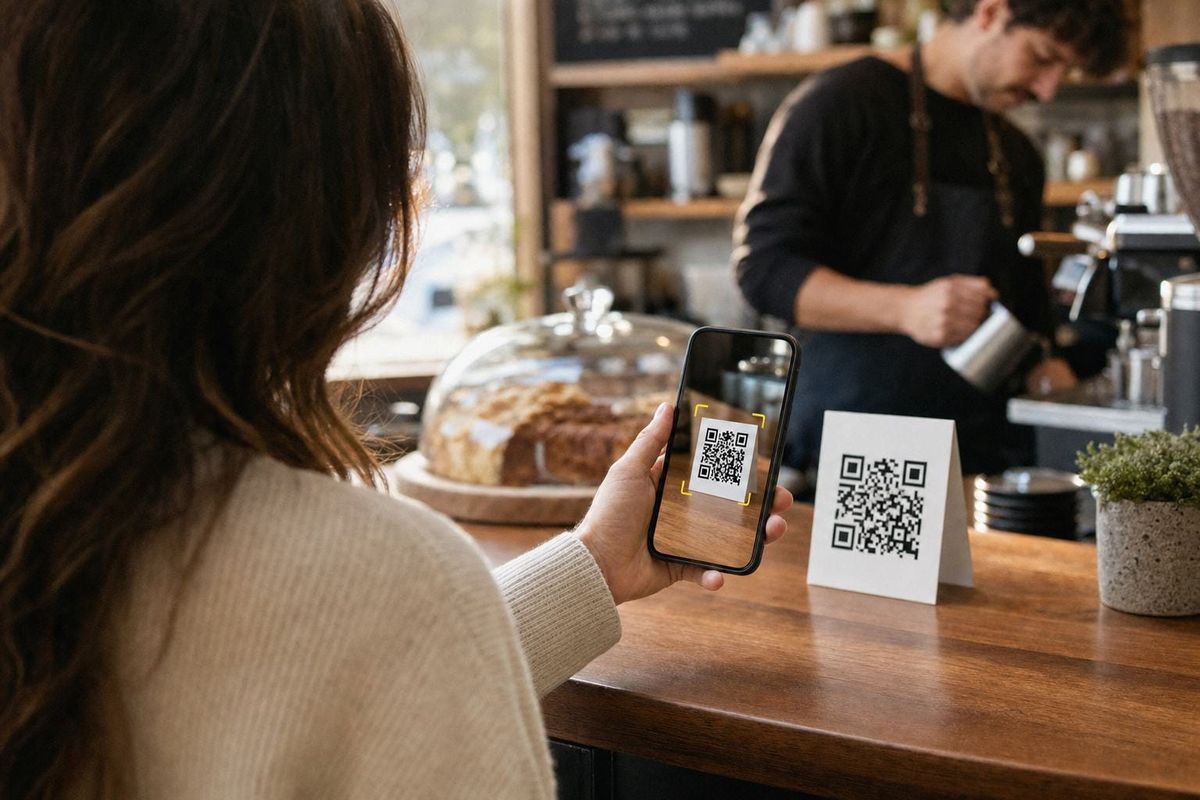
Nothing gets captured until someone sends that first message, so the top of the funnel is about creating doorways into the chat. The main ones are a click-to-chat link (a wa.me link that opens a conversation with your business in one tap, which you can put in email signatures, social bios and ad campaigns), a QR code on physical material like packaging, signage, vans and receipts, a WhatsApp button on your website next to or instead of the web widget, and your Instagram and Facebook profiles pointing messages toward the number.
The mechanics of driving volume into these doorways deserve their own playbook. For this guide, the point is simpler: every doorway leads to the same place, one conversation thread where the rest of the funnel happens automatically.
Stage 2: Identify
This is the stage the channel handles for you. First message in, and the lead exists in your dashboard with a name and a phone number attached. Nothing to configure, nothing for the customer to fill in, nothing to abandon.
It is worth pausing on how unusual that is. In every other funnel, identification is the step you optimise hardest and lose the most people to. Here it is a byproduct of the customer doing the thing they wanted to do anyway: asking their question.
Stage 3: Interview
A name and number is a contact, not yet a qualified lead. The chatbot's job in the conversation is to answer the customer's actual question first, then gather the two or three facts that tell your sales process what this lead is worth: what they are looking for, roughly when, and any detail specific to your business, like party size, budget band or location.
Because the bot is trained on your own content, it does this while being useful, not while interrogating. Someone asks whether you deliver to their postcode; the bot answers, then asks what they are looking to order. That is lead qualification happening inside a service conversation, which is where it belongs. And it happens at 2am, in any of 95 languages, on the customer's favourite app.
Stage 4: Import
A lead trapped in a dashboard is only half a lead. The final stage moves it into whatever runs your follow-up. FastBots gives you three routes. Leads can be emailed to you or your team automatically as they arrive. The Leads section itself holds the running list, exportable whenever you need it. And a Zapier or Make workflow pushes each new lead into your CRM, spreadsheet or email platform the moment it is captured.
If you want the bot to go further and act during the conversation, connecting apps through Zapier MCP lets it do things mid-chat, such as creating the CRM contact or booking the appointment while the customer is still talking. Connect the app you use, and the bot can use it.
That is the whole machine. One doorway link, one automatic capture, one qualifying conversation, one workflow into your CRM. No forms anywhere in the chain.
What the chatbot changes about the maths
It is fair to ask why you need a chatbot at all here. WhatsApp captures the number either way, and plenty of businesses run WhatsApp manually.
The answer is what happens after message one. Manual WhatsApp means your response time is whatever your staffing allows, and the data on response speed is brutal: the first business to respond wins around 78% of deals, and the odds of qualifying a lead drop sharply after the first five minutes. An unanswered WhatsApp message is a captured phone number attached to a cooling opportunity, and a pile of unanswered chats quickly becomes its own workload problem.
A trained chatbot answers every message within seconds, around the clock, and runs the Interview stage consistently on every single conversation. It also handles the long tail of pure support questions, the opening hours and delivery times and pricing queries, without any human involvement, so your team only ever picks up conversations that are worth a human's time. When one is, live chat takeover lets a team member step into the thread and continue where the bot left off.
The multi-channel part matters too. The same bot, trained once on your content, answers on your website, WhatsApp and Messenger, Instagram and Telegram. WhatsApp is where capture is automatic, but the customer decides where the conversation happens, and the bot is simply present everywhere with the same answers.
The ROI math, with the inputs shown
Take a service business that gets 200 WhatsApp-or-web conversations a month. Here are the inputs, so you can swap in your own numbers.
Assume an average new customer is worth $400 in first revenue, and that 10% of qualified leads become customers. On the website route, roughly 1 in 3 chat visitors leaves contact details when asked, which is a generous assumption for most sites.
The website route: 200 conversations produce about 66 captured leads, which produce about 6 to 7 customers, or roughly $2,600 a month.
The WhatsApp route: the same 200 conversations produce 200 captured leads, because capture is automatic. The same 10% close rate produces 20 customers, or $8,000 a month.
The difference is about $5,400 a month, and it comes entirely from leads that already existed but were never captured. Halve it out of caution, assume some of those anonymous visitors would have found another way in, and you are still looking at roughly $2,700 a month, or about $32,000 a year, recovered.
Against that, the running cost is our Essential plan at $39 a month, which includes the WhatsApp integration and 2,000 message credits, comfortably enough for this volume. Meta charges separately for WhatsApp Business API conversations, but service replies inside the 24-hour customer window are free, and inbound enquiries are exactly that. The full plan details are on our pricing page, and if you want a rigorous way to track whether the numbers hold, we published a complete guide to measuring chatbot ROI.
How to set it up in FastBots: a 7-step playbook
You do not need a developer for any of this.
- Create your chatbot and train it. Point FastBots at your website (it crawls up to 2,500 pages on the Essential plan) and upload any documents that carry your pricing, services or policies. Training takes minutes, and you can retrain whenever your content changes.
- Connect WhatsApp. You will need access to the WhatsApp Business API, which requires a phone number that is not currently registered on the consumer WhatsApp app. The integration flow in FastBots walks you through connecting the number. If you want the deeper detail first, our step-by-step WhatsApp chatbot guide covers the whole process.
- Tune the interview. In the Tune AI settings, tell the bot what a qualified lead looks like for your business and which two or three questions it should weave in after answering the customer's query. Keep it conversational; nobody wants a form recreated in chat bubbles.
- Open the doorways. Generate your wa.me click-to-chat link and put it in your email signature, social bios and Google Business Profile. Create a QR code for anything printed. Add a WhatsApp option wherever customers already find you.
- Watch the Leads section fill. Every first message creates a lead with the sender's WhatsApp name and phone number. Set up automatic email notifications so enquiries reach your team in real time.
- Route leads where work happens. Build a simple Zapier or Make workflow: new FastBots lead in, new CRM contact out. If you want mid-conversation actions, like the bot booking an appointment while chatting, connect your apps through Zapier MCP.
- Review and refine weekly. Read the chat history, spot questions the bot fumbled, add the answers to its training. Fifteen minutes a week compounds into a noticeably sharper bot within a month.

How this compares to the other ways of collecting WhatsApp leads
There are several routes to collecting leads on WhatsApp, and they suit different businesses. Here is the honest comparison.
| Route | How the lead is captured | What it costs | Where it falls short |
|---|---|---|---|
| Website form | Visitor fills in fields | Usually bundled with your site | High abandonment; no conversation; nothing captured from the majority who do not submit |
| Website chatbot with lead form | Bot asks for details mid-chat | From free to ~$50+/mo | Many visitors decline the ask; capture depends on the visitor agreeing |
| WhatsApp Business app, run manually | Number arrives with each message | Free | No automation; response speed limited by staffing; no qualification at scale; capped once volume grows |
| WhatsApp marketing suites (Wati, AiSensy, Interakt and similar) | Flows and campaign tools capture into their inbox | Roughly $49 to $149+/mo plus per-message markups in some cases | Built primarily for broadcast marketing; AI answering is often an add-on; single-channel focus |
| FastBots on WhatsApp | Automatic on first message: name and number into Leads | $39/mo flat (Essential) | Needs WhatsApp Business API access; not a broadcast tool; text only, no voice |
A few caveats on our own row, because credibility beats tidiness. FastBots is not a bulk-broadcast marketing platform; if scheduled promotional campaigns to thousands of contacts are your priority, a campaign tool is the right buy and some businesses run one alongside us. There is no voice or phone-call handling, and no native SMS, though WhatsApp and Telegram cover most of what SMS used to do. CRM connections run through Zapier or Make rather than native one-click integrations. And automatic email answering, if you want the same bot handling your inbox, sits on the Business plan at $89 a month rather than Essential.
Common mistakes to avoid
Recreating the form in chat. If the bot's first move is to demand name, email and budget before helping, you have rebuilt the thing WhatsApp freed you from. The number is already captured. Let the bot be useful first and qualify along the way.
Leaving the doorways closed. Automatic capture only works on conversations that happen. Businesses set up the bot and forget the wa.me links, QR codes and profile buttons that create volume. The capture mechanic is the engine; the entry points are the fuel.
Ignoring the 24-hour window. WhatsApp lets businesses reply freely within 24 hours of the customer's last message. Outside it, you need approved template messages. Design your follow-up to happen fast, while the window is open and the lead is warm.
Treating captured leads as contacted leads. A name in the Leads section is the start. If nothing routes it into a CRM or in front of a human within minutes, you have automated the capture and kept the leak, just further down the pipe.
Skipping the weekly review. The bot answers from what it has been taught. The chat history shows you exactly what customers ask and where answers fell flat. Ten minutes of reading and retraining each week is the highest-leverage maintenance you can do.
Frequently asked questions
Does WhatsApp really give a business the customer's phone number automatically?
Yes. A WhatsApp message can only come from a phone number, so the sender's number is visible to the business by design, much like caller ID. FastBots captures that number, along with the sender's profile name, into your Leads section on their first message.
Do I need the WhatsApp Business API to use a chatbot on WhatsApp?
Yes. Automated answering requires the WhatsApp Business API rather than the consumer app or the small-business app, and it needs a phone number not currently registered on either. FastBots connects to your API number and handles conversations from there.
What exactly gets captured, and is it always accurate?
The customer's phone number, which is verified by the channel itself, and their WhatsApp display name, which is whatever they set in their profile. Numbers are effectively always right; names are usually real but occasionally a nickname. Qualifying questions in chat can confirm details that matter.
Can the same chatbot collect leads on my website too?
Yes, with one difference. On your website the bot uses a lead collection form, because a web visitor is anonymous until they choose not to be. On WhatsApp no form is needed. Most businesses run both and let the customer pick the channel.
How do WhatsApp leads get into my CRM?
Through a Zapier or Make workflow: each new FastBots lead triggers the workflow, which creates or updates the contact in your CRM, spreadsheet or email platform. With Zapier MCP connected, the bot can also take actions like this mid-conversation.
Can the chatbot qualify leads or only capture them?
Both. You configure the questions that matter for your business and the bot weaves them into the conversation after answering the customer's query, so every captured lead can arrive with context like intent, timeline and budget attached.
What does WhatsApp itself charge?
Meta bills WhatsApp Business API usage per conversation, with categories priced differently by country. The key detail for lead capture: replies inside the 24-hour customer service window are free, and inbound enquiries open exactly that window. Costs mainly appear when you initiate conversations with templates.
Is collecting leads this way allowed under privacy rules?
The customer initiates the contact and knowingly shares their number by messaging you, which is a strong starting position. You still need to handle the data properly: say who you are, honour opt-outs, only message people within the rules of the channel, and follow the privacy laws that apply to your business. If in doubt, get proper advice for your jurisdiction.
Turn every conversation into a contact
Lead capture has always been a trade: helpfulness in exchange for contact details, with friction taxing every exchange. WhatsApp removes the trade. The details arrive with the conversation, and the only question left is whether you are set up to answer instantly, qualify properly and route the lead somewhere useful.
That setup takes an afternoon. Train a bot on your content, connect your WhatsApp integration, open the doorways, and every enquiry from tonight onward lands in your Leads section with a name and a number attached. You can build and test the bot on the free plan, then connect WhatsApp on Essential when you are ready to go live.
The 97% who never filled in your form were never uninterested. They were just never asked in the right place.