What Is RAG? Retrieval-Augmented Generation Explained for Businesses in 2026
A plain-English guide to retrieval-augmented generation (RAG), including how it works, why businesses use it, where it beats fine-tuning, and what to look for in a RAG chatbot platform.

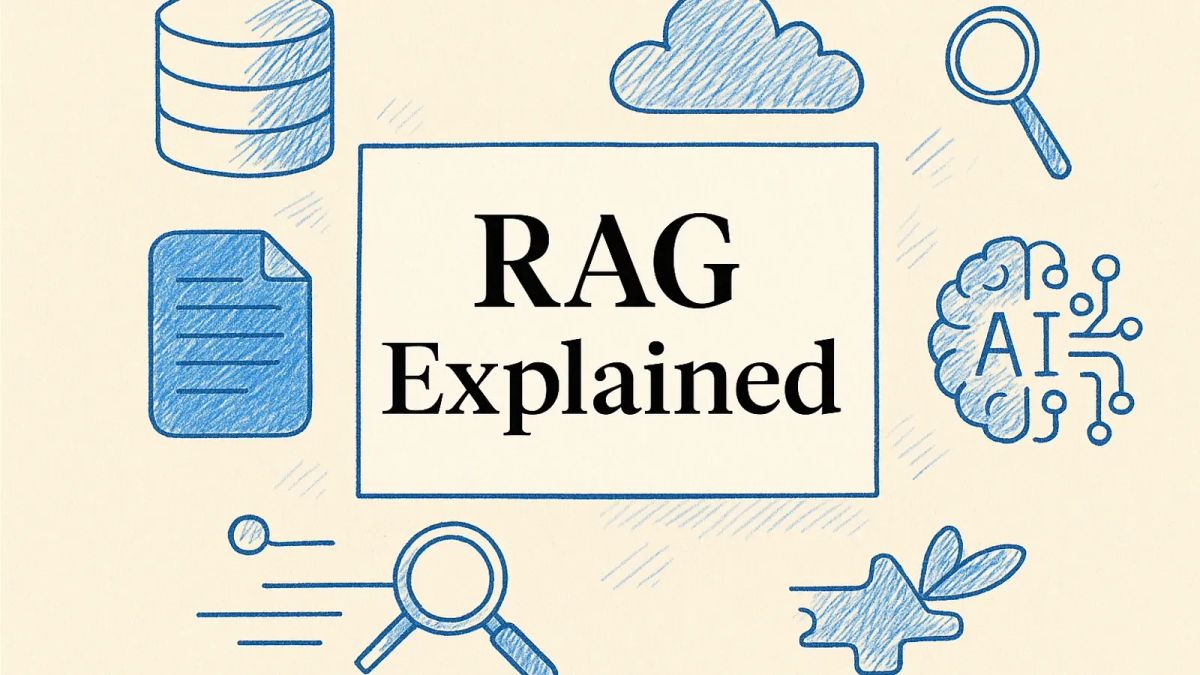
If you want the short answer, retrieval-augmented generation (RAG) is a way to make an AI chatbot or assistant answer using your company’s actual content instead of relying only on whatever the underlying language model learned during training. In practice, that means the system first retrieves relevant information from sources like your help centre, product docs, PDFs, website pages, policies, or CRM-connected knowledge, then uses that material to generate a grounded response. For most businesses, that is the difference between a chatbot that sounds clever and one that is genuinely useful.
TL;DR
- RAG stands for retrieval-augmented generation.
- It lets an AI system pull relevant information from external sources before answering.
- It is widely used to make chatbots more accurate, more current, and more specific to a business.
- It is usually a better fit than fine-tuning when your content changes often.
- Good RAG depends less on hype and more on content quality, retrieval quality, testing, permissions, and clear handoffs.
- For customer-facing teams, RAG is often the engine behind a modern AI chatbot for your website, help centre assistant, or multilingual support bot.
Most explanations of RAG either drown you in technical jargon or oversimplify it into “AI with search”. The truth sits in the middle. RAG is neither magic nor a buzzword you can safely ignore. It is a practical architecture that has become central to how serious businesses deploy AI for support, sales enablement, internal knowledge, and self-service.
That matters because a standard large language model on its own has clear limits. AWS describes RAG as adding an information retrieval component so the model can use new data outside its original training set. IBM frames it as connecting AI models to external knowledge bases so responses are more relevant and higher quality. Pinecone goes further and explains why this matters in production: base models have knowledge cut-offs, weak access to private company information, and a tendency to sound confident even when they are wrong.
For businesses, that combination creates a simple reality. If you want an AI assistant to answer questions about your refund policy, onboarding process, product catalogue, legal documentation, or support workflows, you usually do not want it guessing. You want it grounding.
What does RAG actually mean?
RAG stands for retrieval-augmented generation.
The phrase sounds more intimidating than it is, so break it into three parts:
Retrieval
The system searches a knowledge source for information relevant to the user’s question. That source might include website pages, FAQs, PDFs, internal documents, product manuals, help centre articles, or other approved content.
Augmented
The system takes the retrieved information and adds it to the prompt or context sent to the model.
Generation
The language model then writes a natural-language answer using both the user’s question and the retrieved material.
So if someone asks, “Do you integrate with WhatsApp and how much does it cost?”, a well-built RAG system does not rely on generic training alone. It can retrieve relevant content from your integration pages and current pricing material, then generate a response based on those sources.
That is why RAG is so useful for businesses with changing information. FastBots, for example, supports website and multi-channel deployment including WhatsApp chatbots, and its current pricing page lists plans in USD starting at $39 for Essential, $89 for Business, $199 for Premium, and $399 for Reseller. A grounded system can use that current information. A non-grounded one may generalise, omit details, or invent them.
Why RAG matters now
RAG has become important because customer expectations and AI expectations have both moved faster than many businesses expected.
HubSpot’s 2024 State of Service report says 82% of customers want their issues solved immediately, while 78% prefer a self-service option when possible. That is exactly the environment where AI assistants rise or fall. People are willing to use self-service, but only if the answers are timely and trustworthy.
At the same time, the leading support platforms are all leaning into responsiveness, automation, and expectation-setting:
- Zendesk publishes channel benchmarks that frame “best” first response times as roughly 1 hour for email, 1 hour for social, and instant for live chat.
- Intercom gives teams tools to show expected reply times and dedicated responsiveness reporting, which is a genuine strength: it helps teams manage customer expectations and staff more intelligently.
- Crisp heavily emphasises AI-assisted routing, self-service, triage, and copilot workflows to reduce delays and keep queues under control.
- SuperOffice argues, fairly, that response time is not just a service metric but a trust signal, and supports that with practical operational advice around SLAs, templates, triage, and alerts.
The shared lesson is clear: speed matters, but speed without grounding is fragile. RAG is one of the main ways businesses try to deliver both speed and accuracy at the same time.
How RAG works in plain English
A good non-technical way to think about RAG is this:
A normal LLM is like an employee with broad general knowledge but no access to your company files.
A RAG-powered system is like giving that employee controlled access to the right filing cabinet before they answer.
Here is the usual workflow.
1. You add your source material
This could include:
- website pages
- help centre articles
- product documentation
- onboarding guides
- policy documents
- PDFs and manuals
- internal SOPs
- knowledge base articles
- sometimes CRM or database content
If you are exploring how to train a chatbot on your own data, this is the stage where content quality matters most.
2. The system processes that content
Most platforms split documents into smaller sections or “chunks”, then convert them into mathematical representations called embeddings. Those are stored in a vector database or similar retrieval layer.
You do not need to understand the maths to use the system well, but you do need to understand the consequence: the bot is not usually reading whole documents at answer time. It is retrieving the most relevant chunks.
3. A user asks a question
For example:
- “What are your pricing plans?”
- “Can you integrate with Shopify?”
- “How do I reset my password?”
- “Do you support Arabic on WhatsApp?”
4. The retrieval layer looks for relevant content
Instead of only matching exact keywords, modern systems often use semantic retrieval, which tries to understand meaning as well as wording. Pinecone also notes that hybrid retrieval can outperform pure semantic search in many business contexts because exact product names, acronyms, and internal terms still matter.
5. The system sends the relevant content to the model
The user’s question plus the retrieved information become the context for the final answer.
6. The model generates a response
If the retrieval step is good, the answer is more likely to be specific, current, and verifiable.
7. The system may include citations, guardrails, or a handoff
This is where mature implementations separate themselves from demos. A good RAG assistant may:
- cite the page it used
- ask a clarifying question
- refuse to answer outside its approved scope
- escalate to a human when confidence is low
That last point is important. RAG is not just about finding information. It is about deciding when not to bluff.
What problem does RAG solve?
RAG primarily solves four business problems.
It reduces outdated answers
Base models have knowledge cut-offs. They may know general principles, but they do not automatically know your latest shipping policy, newest feature release, revised return rules, or current pricing. AWS and IBM both emphasise this point.
If your business information changes weekly, relying on model training alone is a poor fit.
It gives AI access to private company knowledge
A public model is not trained on your internal policies, product specs, sales playbooks, or support documentation unless you deliberately connect those materials through a system like RAG.
That is why RAG is so common in support and internal knowledge tools.
It helps reduce hallucinations
No architecture eliminates hallucinations completely. IBM explicitly says RAG lowers the risk rather than making a model error-proof. That is the right way to describe it.
Still, grounding a response in retrieved source material usually makes the output more reliable than asking a model to answer from memory.
It improves transparency
When a system can cite the document, article, or page behind an answer, users have a way to verify what they are reading. That builds trust internally and externally.
What RAG is not
RAG gets overused as a catch-all label, so it helps to be precise.
RAG is not the same as fine-tuning
Fine-tuning changes the model itself. RAG changes the information available to the model at answer time.
Fine-tuning can be useful when you need a very specific style, format, or repeated behaviour. It can also help in specialist tasks with stable training examples. That is a real strength, not a weakness.
But for most business knowledge applications, RAG is easier to maintain because your content can be updated without retraining the model every time something changes.
RAG is not just keyword search
Traditional site search looks for exact terms. RAG systems often use semantic retrieval, hybrid search, reranking, and prompt construction. That lets them handle more natural questions.
That said, keyword search still has strengths. If users search for exact SKU numbers, legal clause references, or specific article IDs, lexical matching can outperform purely semantic systems. That is why hybrid approaches are often best.
RAG is not automatically accurate
Bad content plus weak retrieval plus poor prompting still produces bad answers.
If your knowledge base is outdated, contradictory, incomplete, or full of duplicated articles, RAG will not fix that for you. It will often expose it.
RAG vs fine-tuning: which should a business choose?
This is one of the most common questions behind the acronym.
Choose RAG when:
- your content changes often
- you want the bot to answer from documents, articles, or website pages
- you need citations or traceability
- you want faster maintenance
- you need to connect the AI to private business knowledge
Choose fine-tuning when:
- you need highly specific output structure or tone
- the task is repetitive and pattern-based
- you have large sets of high-quality examples
- the problem is less about factual retrieval and more about behaviour shaping
In practice, many teams combine both
This is where neutral comparison matters. Some vendors talk as if RAG has replaced every other method. That is not true.
A strong AI product may use:
- RAG for factual grounding
- fine-tuning for style or task behaviour
- rules and workflows for compliance and routing
- human review for edge cases
The right question is rarely “RAG or everything else?” It is “What combination gives us the most reliable result for this use case?”
Real business use cases for RAG
RAG is most valuable when users ask open-ended questions and expect factual, context-aware answers.
Customer support chatbots
This is the clearest use case. A support assistant can answer questions about:
- delivery timelines
- pricing plans
- integrations
- refunds and cancellations
- onboarding steps
- troubleshooting articles
- account limits
This is also why RAG sits behind many of the chatbot best practices that actually move the needle: clear scope, quality data, strong handoff logic, and ongoing testing.
Website lead qualification
Prospects often ask detailed questions before they book a demo. A RAG assistant can answer based on product pages, industry pages, case studies, and FAQs rather than pushing every query to sales.
Internal knowledge assistants
Employees ask the same operational questions repeatedly:
- “Where is the latest brand guide?”
- “What is our leave policy?”
- “How do I submit expenses?”
- “What is the onboarding checklist for new resellers?”
RAG can turn scattered internal documentation into conversational self-service.
Sales enablement
Sales teams waste time hunting for one slide, one case study, one objection-handling note, or one pricing explanation. RAG can shorten that retrieval cycle.
Multilingual self-service
If the knowledge base is good, the assistant can retrieve source information and answer naturally in multiple languages. That is especially useful for businesses supporting web, WhatsApp, and other messaging channels.

Why RAG is especially useful for AI chatbots
For chatbot builders, RAG solves the central product challenge: how do you make the assistant answer like it actually knows the business?
Without RAG, a chatbot can sound polished but generic.
With RAG, it can answer from your:
- pricing pages
- product docs
- case studies
- support centre
- policy library
- website copy
- uploaded documents
That is the reason many no-code chatbot platforms now position “train on your own data” as a core feature. Under the hood, they are typically describing a RAG workflow.
For a platform like FastBots, that matters because buyers are not usually looking for a toy chatbot. They want something they can deploy on their site and channels that can answer real questions about their business. That is also where current pricing becomes relevant. If a business wants to test a RAG-powered support or lead-gen assistant, FastBots’ pricing page currently presents an entry point at $39/month for Essential, which keeps the barrier to experimentation relatively low compared with heavier enterprise stacks.
That does not mean price is the only factor. Competitors have genuine strengths too:
- Intercom is strong on support workflows, inbox design, and operational reporting.
- Zendesk is strong on mature ticketing operations and service infrastructure.
- Crisp is strong on unified messaging and practical AI workflow positioning.
- Tidio is popular with smaller ecommerce businesses that want quick deployment.
But across these categories, the same underlying challenge remains: if the assistant is going to answer business-specific questions well, some form of retrieval and grounding is usually required.
The main benefits of RAG for businesses
1. More accurate answers
This is the headline benefit for most teams. By grounding responses in approved content, RAG improves the odds that the answer actually reflects the business.
2. Faster content updates
You usually do not need to retrain the model when you update a help article or add a new document. You update the source content and refresh the index.
3. Better trust and explainability
If the system can point to the source article, confidence goes up. That matters for both customer-facing support and internal operations.
4. Broader coverage without scripting everything
Traditional bots require manual flows for every scenario. RAG can handle a wider range of natural-language questions because it retrieves from content instead of relying only on fixed rules.
5. Lower operational load on human teams
When the assistant reliably answers repetitive questions, support and sales teams can focus on the cases that need judgement.
6. Easier expansion across channels
Once the knowledge layer is solid, the same grounded assistant can often be deployed across web chat, WhatsApp, Messenger, Slack, or other environments.
The limitations of RAG
RAG is useful, but it is not a cure-all.
Poor source content leads to poor answers
If your documents are contradictory, outdated, vague, or bloated with filler, the model cannot invent clarity.
Retrieval quality is hard
One of the least glamorous truths about AI projects is that retrieval quality often matters more than model hype. If the system fetches the wrong chunk, the answer quality drops immediately.
Chunking and indexing decisions matter
Documents split too aggressively lose context. Documents split too loosely become noisy. These are implementation choices, not marketing details.
Permissions and governance matter
An internal knowledge assistant should not surface sensitive HR or finance information to everyone. Grounding without access control is a risk.
Citations can still be misleading
A cited answer feels trustworthy, but the source still needs to be relevant and up to date. Citation is not the same thing as correctness.
Human escalation is still necessary
Complex complaints, legal issues, emotional conversations, and high-value sales discussions still need humans. A strong bot should know when to step aside.
What makes a RAG implementation good?
Businesses often focus on the model name, but reliable RAG depends on the whole system.
Good source content
Start here. Clean, current, well-structured knowledge beats a messy document dump.
Clear scope
Decide what the assistant should and should not answer.
Strong retrieval logic
This includes chunking, indexing, semantic search, hybrid search where needed, and reranking.
Good prompt design
The model should be instructed to answer only from retrieved content where appropriate, ask clarifying questions when necessary, and avoid making unsupported claims.
Safe fallbacks
A mature system should say some version of:
- “I’m not certain based on the available information.”
- “Here is the relevant article.”
- “Let me hand this to a human.”
Measurement
Intercom’s emphasis on responsiveness reporting is instructive here. Measuring only chatbot volume is not enough. You should track:
- answer accuracy
- containment rate
- escalation rate
- first response time
- resolution time
- CSAT
- unanswered intent categories
Ongoing maintenance
RAG is not “set and forget”. New products, new objections, new policy changes, and new customer questions all change what the assistant needs to retrieve.

RAG for customer support: a practical example
Imagine a customer asks:
“Do you support WhatsApp, can I white-label the chatbot, and what plan should I start on?”
A generic model might answer with a plausible-sounding overview of chatbot platforms.
A RAG-powered business assistant can instead:
- retrieve content from the WhatsApp product page
- retrieve content from the white-label page
- retrieve current pricing information
- generate a concise answer using those sources
- offer a relevant next step, such as booking a demo or starting a trial
That answer is not just more accurate. It is more commercial useful.
The same principle applies to support queries such as cancellations, product limitations, onboarding steps, and setup instructions.
Common mistakes businesses make with RAG
Uploading everything without organising it
More content is not always better. Irrelevant, duplicated, or stale content can make retrieval worse.
Ignoring source ownership
If nobody owns the docs, they decay. Then the assistant starts surfacing old answers with great confidence.
Focusing only on the chatbot front end
The widget is the easy part. The knowledge architecture is the hard part.
Not testing real user questions
Internal teams often test with ideal phrasing. Customers rarely ask ideal questions. Test with messy, vague, impatient, real-world language.
No handoff path
A chatbot that cannot escalate gracefully creates more frustration than it removes.
Treating RAG as a branding term, not a workflow
Saying a platform is “RAG-powered” tells you very little on its own. The real questions are:
- What sources can it connect to?
- How does retrieval work?
- Can it cite sources?
- How easy is it to update content?
- What permissions exist?
- How does human handoff work?
- What analytics are available?
Is RAG worth it for small businesses?
Usually, yes, if the use case is clear.
A small business does not need an elaborate AI architecture diagram. It needs an assistant that can answer repetitive questions accurately and save time.
RAG is often worth it when:
- you already have FAQs, guides, or website content
- your team answers the same questions repeatedly
- your site gets inbound questions outside business hours
- you want self-service without building everything manually
It may be less urgent if:
- your information changes constantly minute by minute and you have no update process
- your content is extremely sparse or inconsistent
- most enquiries are complex, emotional, or highly consultative
In those cases, a hybrid setup may be better: use AI for triage and information gathering, then route to humans quickly.
How to evaluate a RAG chatbot platform
If you are choosing a vendor, use these questions.
Data and retrieval
- What content sources can I connect?
- How often does indexing refresh?
- Can I control what content is included or excluded?
- Does the system support PDFs, URLs, docs, FAQs, and structured content?
- Are citations available?
Accuracy and control
- Can I test answers before launch?
- Can I see which source was used?
- Can I set behaviour rules and fallback rules?
- Can I block answers outside approved knowledge?
Security and permissions
- What data is stored?
- How is private content protected?
- Can different assistants access different knowledge sets?
Operations
- What analytics are included?
- Can I review conversations easily?
- Is human handoff built in?
- Which channels are supported?
Commercial fit
- How quickly can I deploy?
- Do I need technical help?
- Does the pricing fit my use case now, not just at enterprise scale?
Those practical questions matter more than whether a vendor uses the newest acronym in its homepage copy.
The future of RAG
RAG is already evolving beyond simple “retrieve top chunks and answer” systems.
Pinecone points to a broader shift where agents act as orchestrators: rewriting queries, using multiple retrieval tools, validating context, and deciding whether retrieved information is reliable enough to use. That direction makes sense.
In practice, the next stage of business AI will probably include more of the following:
- hybrid retrieval combining semantic and keyword search
- better reranking models
- stronger source citation and provenance
- permission-aware retrieval
- agentic workflows that can take actions, not just answer questions
- tighter links between knowledge bases, support systems, and business applications
But the core idea will remain the same: better answers come from better grounding.
Final verdict: what is RAG, and why should you care?
RAG is the architecture that makes business AI more usable in the real world.
It works by retrieving relevant information from approved external sources, augmenting the prompt with that information, and then generating an answer based on both the user query and the retrieved content.
For businesses, that matters because it helps AI systems:
- answer from your real content
- stay current without full retraining
- reduce unsupported guesses
- support customers and staff more effectively
- scale self-service across channels
It is not perfect. It does not remove the need for good documentation, thoughtful governance, or human escalation. And it is not automatically better than every other method in every scenario.
But if you are building a support chatbot, internal knowledge assistant, or website AI assistant that needs to reflect your actual business, RAG is usually the starting point worth understanding.
If you are evaluating tools, focus less on whether a vendor says “RAG” and more on whether the product can actually connect to your knowledge, retrieve the right content, answer safely, and fit your workflow.
That is the difference between an AI demo and an AI system people genuinely use.
Frequently asked questions about RAG
What is RAG in simple terms?
RAG is a method that lets an AI assistant look up relevant information from an external knowledge source before answering. Instead of relying only on what the model learned during training, it uses your documents, pages, and data as context.
What does retrieval-augmented generation do?
It improves AI answers by retrieving relevant information first, then using that information to generate a response. The goal is to make answers more accurate, more current, and more specific to the business or topic.
Is RAG better than fine-tuning?
Not always. RAG is usually better for changing knowledge, current information, and document-based answers. Fine-tuning is often better for teaching a model a specific style, structure, or repeated behavioural pattern. Many teams use both.
Does RAG stop hallucinations completely?
No. It can reduce hallucinations by grounding the model in retrieved information, but it does not eliminate them. Source quality, retrieval quality, and fallback rules still matter.
Do I need a vector database to use RAG?
Not always directly as an end user, because many platforms handle that for you. Under the hood, many RAG systems use embeddings and a vector database or similar retrieval layer to store and search content.
Is RAG only for large enterprises?
No. Small businesses use RAG too, especially for customer support, website assistants, lead qualification, and internal FAQs. The right fit depends more on your use case and content quality than on company size.
Can RAG work for a customer support chatbot?
Yes. In fact, customer support is one of the most common uses. A RAG-powered support bot can answer FAQs, retrieve help articles, explain policies, and escalate complex issues when needed.
How do I know if a chatbot platform really has good RAG?
Look for evidence rather than labels. Ask how it ingests data, what sources it supports, whether it provides citations, how often it refreshes knowledge, how it handles permissions, and what happens when it does not know the answer.