Salesforce Zendesk Integration Your Complete Guide

Integrating Salesforce and Zendesk brings your sales CRM and customer support platforms together, creating one unified system where data flows freely between teams. It's about breaking down the walls that separate your departments. This gives your sales reps critical context from support tickets and arms your support agents with a full view of a customer's sales history.
Essentially, you're turning two powerful platforms into one cohesive powerhouse.
Why Integrate Salesforce and Zendesk?

Running sales and support in separate systems almost guarantees a fractured customer experience. Your teams are forced to work with an incomplete picture, which leads to missed opportunities and frustrating conversations for everyone involved. Without a solid integration, you're basically flying blind.
Imagine a sales rep gearing up for a crucial renewal call, completely unaware the client has three high-priority support tickets open. That lack of visibility can turn a simple conversation into a customer service disaster.
On the flip side, a support agent might be dealing with a frustrated customer without realizing they're a high-value lead considering a major upgrade. The context from Salesforce could empower the agent to not only solve the problem but also tip off the sales team about a golden opportunity. This is the exact friction point a Salesforce Zendesk integration is designed to fix.
The Business Case for a Unified Customer View
Connecting these two platforms is more than a technical task; it's a strategic move to build a 360-degree view of every customer. This unified perspective unlocks serious business value. It's become such a cornerstone strategy that over 2,500 businesses worldwide, including big names like Shopify and Peloton, have adopted this combo to make their workflows smarter.
The benefits of creating this single source of truth are pretty clear:
- Increased Team Efficiency: It completely cuts out the need for manual data entry and constant app-switching. Your teams can stop hunting for information and spend more time actually doing their jobs.
- Enhanced Customer Experience: When everyone has the full story, interactions become more personal and effective. You can even layer in other tools to improve this further; you can learn more about the benefits of AI chatbots in customer service.
- Boosted Revenue Opportunities: Sales teams can spot upsell chances based on support trends, and support agents can flag potential leads, directly impacting your bottom line.
To really get a handle on the foundational advantages of connecting different software tools, it's worth understanding the benefits of platform integration. This piece does a great job of explaining how a connected tech stack moves beyond simple data sharing to become a real strategic asset.
Choosing the Right Integration Path for Your Business
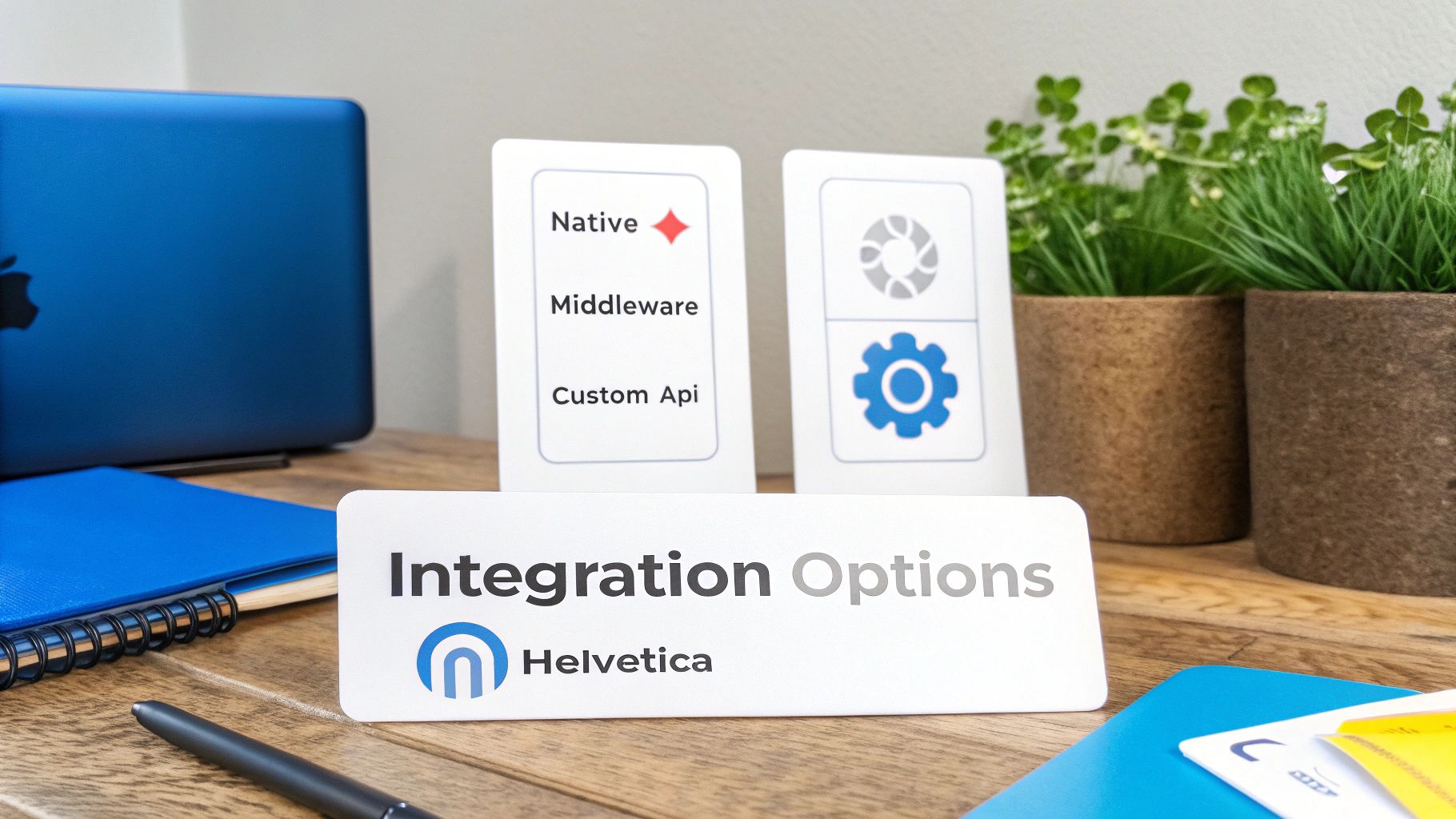
Alright, you know why you need to connect Salesforce and Zendesk. Now comes the fun part: figuring out how. Picking the right method for your Salesforce Zendesk integration isn't just about tech—it’s a strategic move that hits your budget, team workload, and future growth. You’ve basically got three roads you can take, and each one has its own pros and cons.
Your choice really boils down to your company's situation right now. A startup that's scaling fast might just want the quickest, simplest fix to get moving. On the other hand, a larger company with complex, established workflows is going to need something with more muscle and flexibility.
Let’s dig into these options so you can find the perfect fit.
The Native Zendesk Connector
The most direct route is using the native connector Zendesk provides right in its Admin Center. This is the official, out-of-the-box solution built for the most common scenarios, like syncing Salesforce accounts with Zendesk organizations or letting you see Zendesk tickets from inside a Salesforce record.
Honestly, this is the go-to for teams who need a clean, straightforward setup without roping in developers. If all you want is to give your sales team a window into support tickets without them ever leaving Salesforce, the native connector's Ticket View feature is a fantastic place to start.
But that simplicity is also its biggest weakness. The native integration is pretty rigid and only covers a handful of predefined syncs. It also requires specific Salesforce editions, like Enterprise or Unlimited, that have API access. That can be a roadblock for smaller businesses on a lower-tier plan.
Third-Party Automation Platforms
If you need more flexibility but aren't ready to dive into custom code, third-party automation tools are your sweet spot. Platforms like Zapier, Workato, or Make act as a bridge between Salesforce and Zendesk. They let you build out custom workflows with a simple, visual "if this, then that" logic.
This approach is incredibly popular for a reason: it puts powerful automation into the hands of non-technical people. For instance, you could set up a flow where any Zendesk ticket tagged "Sales Inquiry" automatically creates a new lead in Salesforce and assigns it to the right person. Or maybe you want to update a Salesforce contact with a note every time a VIP's ticket gets resolved. It’s all possible.
Key Takeaway: Third-party tools are the perfect middle ground between ease and power. They open up a ton of automation possibilities that go way beyond the native connector, making them ideal for growing businesses whose needs are constantly changing.
The main things to keep in mind here are the subscription costs, which can grow as you use them more, and the fact that you're adding another platform into the mix.
Custom API Development
The third path is to roll up your sleeves and build a completely custom integration using the Salesforce and Zendesk APIs. This is by far the most powerful and flexible option, but it's also the biggest investment in time, technical skill, and money.
A custom build is the right call when your business processes are so unique that no off-the-shelf tool can handle them. Maybe you need to sync custom objects between the two platforms, run complex logic to transform data as it moves, or create a real-time, two-way sync that’s faster than anything else. This is where a custom solution really shines.
Getting a handle on the technical side of how platforms talk to each other is key here. Resources like a beginners guide to seamless API integration can help get you up to speed on the concepts. This level of customization also lets you tie in other systems, like syncing AI chat conversations directly into your CRM records. We actually cover some great examples of this in our guide on how ChatGPT integrates with CRM tools like HubSpot or Salesforce.
Going down this road means you’ll need developers who know their way around both APIs. The upfront cost and ongoing maintenance will be higher, but you’ll end up with an integration that’s a perfect mirror of how your business actually works. It's the ultimate choice for total control and scalability.
Configuring the Native Zendesk Connector for Salesforce
When you're ready to finally get your sales and support teams talking, the native Zendesk connector is usually the best place to start. It’s the official, out-of-the-box solution built to handle the most common use cases for a Salesforce Zendesk integration. This is the path for you if you want a reliable, straightforward setup without writing a single line of code.
Think of it as building with a prefab kit. It’s sturdy, designed by the architects of both platforms, and gets the job done efficiently. We'll walk through how to put it together, from laying the groundwork with the right permissions to making sure your data flows smoothly.
Just a heads-up: this method requires a Salesforce edition with API access, which means plans like Enterprise, Unlimited, or Developer. It’s always a good idea to check your plan first to avoid hitting a wall later.
Preparing Your Salesforce Environment
Before you even log into Zendesk, a little prep work in Salesforce will save you a world of hurt. First thing's first: permissions. You’ll need administrator access in both systems to authorize the connection and tweak all the settings.
I also can't recommend this enough: create a dedicated Salesforce record type just for Zendesk tickets. It’s not technically required, but it’s a best practice that pays off big time. This little step makes it incredibly easy to tell which cases came from the integration versus those created directly in Salesforce—a lifesaver for reporting and automation down the road.
Here’s a quick pre-flight checklist:
- Confirm Admin Access: Make sure you have full admin rights in both Salesforce and Zendesk.
- Verify Salesforce Edition: Double-check that you're on a plan that includes API access.
- Create a Case Record Type: Head to Salesforce Setup, find the Case object, and create a new record type. Call it something obvious like "Zendesk Ticket."
- Check a Key Security Setting: In Salesforce Setup, go to Security and make sure "Lock sessions to the IP address from which they originated" is disabled. This is a common snag that can block the connection.
Installation and Initial Configuration
With Salesforce prepped, it's time to install the app. You can find the official "Zendesk for Salesforce" application on the Salesforce AppExchange. Once that’s installed, the real fun begins over in your Zendesk Admin Center.
This is where you'll make the key decisions for your Salesforce Zendesk integration, specifically around data sync, ticket view, and ticket sync. You're basically telling the two systems how they should talk to each other.
The Ticket View is the simplest option to get started with. It embeds a window right inside your Salesforce Account, Contact, or Lead records. This gives your sales team a direct line of sight into a customer’s Zendesk ticket history without ever leaving Salesforce. It's read-only, but for many teams, that visibility alone is a huge first win.
Pro Tip: Start with the Ticket View. It’s the easiest piece to configure and delivers immediate value by giving your sales reps crucial context on support issues. You can always add the more complex syncs later once everyone is used to the new setup.
Setting Up Data and Ticket Syncing
If you need data to actively move between systems, you'll need to set up Data Sync and Ticket Sync. This is where you get into the nitty-gritty of mapping fields and defining the rules for your data.
Data Sync is all about keeping your records aligned. The most common flows are:
- Syncing Salesforce Accounts to Zendesk Organizations
- Syncing Salesforce Contacts or Leads to Zendesk Users
During this step, you’ll map the corresponding fields. For example, the Account Name in Salesforce should populate the Organization Name in Zendesk. Pay close attention here, especially with custom fields, because precise mapping is what keeps your data clean.
Ticket Sync is the most powerful feature. It lets you automatically create Salesforce Cases from Zendesk tickets based on triggers you define. For instance, you could set it up to create a Case only when a Zendesk ticket gets a specific tag, like "sales_escalation."
This is where that dedicated record type you created earlier becomes so important. When configuring the sync, you can tell the system to use your "Zendesk Ticket" record type for every new case. This keeps everything organized and makes targeted automation in Salesforce a breeze.
A major benefit here is that business users can manage these settings directly, reducing the total cost of ownership (TCO) by avoiding the need for developers or costly professional services. To see how this impacts operational efficiency, you can explore more on how Zendesk compares to Salesforce. Following these steps will give you a robust and effective bridge between two of your most critical platforms.
Automating Workflows with Third-Party Tools

So, what happens when the native connector feels a bit too rigid, but a full-blown custom API project feels like overkill? This is where third-party automation platforms come into their own.
These tools, often called "middleware," are the perfect go-between. Think of them as powerful translators that help Salesforce and Zendesk have very specific conversations, all without needing a single line of code.
Platforms like Zapier and Make have exploded in popularity because they put automation into everyone's hands. They let you build sophisticated "if-this-then-that" workflows using simple, visual editors. This opens up a level of flexibility the native connector just can't touch, making it a go-to for businesses with processes that are constantly evolving.
The beauty of this approach is how it turns your business logic directly into automated actions, bridging the sales-support gap in a practical, hands-on way.
Building Practical Automation Recipes
The real magic of using middleware for your Salesforce Zendesk integration is in the custom "recipes" or "zaps" you can cook up. These are laser-focused automations designed to solve specific business headaches, killing off tedious manual work and stopping critical info from slipping through the cracks.
Let's walk through a classic scenario. A support ticket lands in Zendesk and gets tagged with "Sales Inquiry." Instead of an agent having to manually copy-paste that information into an email to the sales team, you can build a workflow that handles it instantly.
- The Trigger: A new ticket is created in Zendesk with the tag "Sales Inquiry."
- The Action: A new Lead is automatically created in Salesforce.
- The Action: The ticket subject and description are mapped directly to the new Lead record.
- The Action: The new Lead gets assigned to the right sales queue based on region or product interest.
Just like that, a hot lead never goes cold because of a slow handoff. It’s a simple but incredibly powerful way these tools keep your teams perfectly aligned.
Advanced Workflows for a Deeper Sync
You don't have to stop at basic lead creation. You can build out multi-step workflows that enrich customer data across both platforms, keeping everyone in the loop.
Imagine setting up an automation that helps maintain a complete customer history right inside Salesforce.
For example, every time a high-priority ticket is solved in Zendesk for a key account, a workflow can automatically create a new "Activity" or update a custom field on the Salesforce Contact record. The note could be something like: "High-priority support issue resolved on [Date]. Topic: [Ticket Subject]."
This kind of contextual update is gold for account managers. It gives them a real-time pulse on customer health, letting them have more informed, proactive conversations instead of getting blindsided by past support issues during a sales call.
This approach transforms your integration from a simple data-viewing tool into an active, intelligent system that maintains a 360-degree customer view automatically. You can even pull other tools into the mix. For example, if you want to add document uploads from your chatbot into your automation flows, you can check out the FastBots.ai and Zapier integration for uploading documents. This lets you sync conversation attachments directly into customer records.
The main things to keep in mind with third-party tools are the ongoing subscription costs, which usually scale with usage, and the fact that you're managing your integration logic on an external platform. For most businesses, though, the incredible flexibility and speed of implementation easily outweigh these factors, offering a scalable path to a truly connected sales and support operation.
Taking Your Integration to the Next Level
Once you have the basics down and data is flowing smoothly, it's time to get strategic. A truly effective Salesforce Zendesk integration isn't just about viewing tickets in your CRM; it's about building intelligent workflows that make your sales and support teams smarter and more aligned. This is where the real magic happens.
Forget simple data syncs. We're talking about automations that save serious time, create a customer experience that feels connected, and ultimately drive revenue. Let's dig into a couple of powerful workflows that can make a real impact.
Give Sales the Full Story with Chat Transcripts
One of the most valuable, and often overlooked, strategies is to pipe pre-sales chat conversations directly into Salesforce.
Think about it. A potential customer lands on your website and starts a chat with a bot, maybe one from FastBots.ai. They ask about pricing, specific features, and how you stack up against a competitor. That's pure gold for a sales rep.
But without a solid integration, all that rich context just evaporates. The lead gets created in Salesforce, and the sales rep has to start from square one, asking all the same questions the prospect just answered. It’s inefficient and a little frustrating for the customer.
You can set up a workflow to fix this. The moment a chat ends and a lead is created, the entire transcript can be automatically attached to their new Lead record in Salesforce.
Now, your rep can review the whole conversation before ever picking up the phone. They know the prospect's pain points, the features they're excited about, and any potential roadblocks. That first call is instantly warmer and more relevant, which can seriously speed up the sales cycle.
Key Takeaway: Syncing chat transcripts gives your sales team the complete story from the very first interaction. No more repetitive questions—just smarter, personalized conversations that get to the point faster.
Enrich Support Tickets with Salesforce Data
Here’s another game-changer: using Salesforce as the master record to automatically enrich user profiles in Zendesk. This workflow flips the typical data flow on its head, creating an information loop that empowers your support team.
Imagine this scenario: a new user signs up for a trial and submits their first support ticket. In a standard setup, the support agent sees a name and an email. That's it. They have no idea if this ticket is from a tire-kicker at a tiny startup or a key decision-maker at a massive enterprise account you've been trying to land for months.
With a smarter integration, the moment that new user is created in Zendesk, a lookup is triggered in Salesforce.
- The integration scans Salesforce for a matching Contact or Lead.
- When it finds a match, it grabs key data like Account Name, Company Size, Annual Revenue, or the dedicated Account Owner.
- This info is then pushed back to populate custom fields on the user's profile right inside Zendesk.
Suddenly, your support agent sees the whole picture. They can instantly prioritize tickets from high-value accounts, understand the customer's potential, and know exactly which account manager to loop in if things get complicated. This turns your support team from a reactive cost center into a proactive, revenue-aware powerhouse.
This kind of unified approach delivers real results. In fact, CX leaders using integrated tools like Zendesk see 33% higher customer acquisition rates and 22% higher retention than their peers. That boost comes directly from sales and support teams working together with a complete, shared view of the customer. You can read more about it in these insights on integrated CX technology.
When you implement workflows like these, you’re doing more than just connecting two platforms. You're building a smarter, more responsive business.
Common Questions About Connecting Salesforce and Zendesk
Even the most straightforward integration guide can leave you with a few lingering questions. When you're connecting two powerhouse platforms like Salesforce and Zendesk, a few "what ifs" are bound to come up.
We’ve been through this process countless times, so we’ve heard just about every question in the book. Here are the answers to the ones that pop up most often.
How Much Is This Integration Going to Cost?
This is always the big one, and the honest answer is: it depends entirely on the path you take. There’s no single price tag.
- Native Connector: The connector itself is technically free, which is great. The catch is that it requires a Salesforce edition with API access, like Enterprise, Unlimited, or Developer. So, while the tool is free, you might need to be on a pricier Salesforce plan to use it.
- Third-Party Tools: This is the middle ground. Platforms like Zapier or Make have their own subscription fees. These usually scale with how much you use them—the more tasks you run or the more complex your workflows get, the more you'll pay.
- Custom API Development: This is the most expensive option upfront, hands down. You’re paying for a developer's time, project management, and don’t forget the ongoing maintenance. An API connection isn't a "set it and forget it" solution.
Can We Get a Real-Time, Two-Way Sync?
Yes, it’s possible—but it’s not as simple as flipping a switch. Achieving a true, instantaneous, bi-directional sync is one of the trickiest parts of this integration.
Most out-of-the-box solutions, including the native connector and third-party tools, work in near-real-time. They typically check for new data every 1 to 5 minutes. For the vast majority of businesses, that’s plenty fast.
If you genuinely need data to mirror itself instantly between both systems, a custom API integration is your only real option. This means building a solution that uses webhooks in both Salesforce and Zendesk to push updates the very second they happen.
A Little Advice From Experience: Before you pour thousands into a custom build for real-time sync, ask yourself if you really need it. A five-minute delay is often perfectly fine for most operational needs and can save you a massive headache and a lot of money. Match the sync speed to the business urgency, not just the technical possibility.
What are the Most Common Sticking Points?
We see teams run into the same handful of hurdles all the time. Knowing what they are ahead of time can save you hours of troubleshooting.
One of the biggest culprits is data mapping errors. It sounds simple, but mapping a text field in Zendesk to a number field in Salesforce (or other similar mismatches) will cause syncs to fail or create incomplete records. Always double-check your fields, especially custom ones.
Another classic is permission problems. The user account you use to connect the two systems needs the right permissions to read, write, and update records in both platforms. If it doesn’t, the integration might fail silently or spit out confusing error messages.
Finally, watch out for API rate limits. If you have a high volume of data, it's easy to make too many requests too quickly, causing one of the platforms to temporarily block you. This is especially common with third-party tools that are constantly polling for changes.
Can I Sync My Custom Objects and Fields?
Absolutely. But how you do it depends entirely on the integration method you choose.
The native Salesforce connector offers some support for custom fields, but it generally draws the line at custom objects.
If your business runs on custom objects or you have complex logic tied to your custom fields, you'll need to look at a more powerful third-party automation platform or go for a custom API build. These routes give you the flexibility to map and move pretty much any piece of data you want, ensuring the integration actually fits how your team works.
Ready to add intelligent, automated chat to your newly integrated workflow? FastBots.ai lets you build a custom AI chatbot trained on your own data. You can sync chat transcripts and newly captured leads directly into your Salesforce and Zendesk setup. Start building your bot for free.