
How to Make a Chatbot Your Customers Will Love

Learning how to make a chatbot really boils down to a few key moves: figuring out its main job, feeding it your specific knowledge, giving it a personality, and pushing it live on your website. Thanks to today's no-code platforms, you can spin up a powerful AI assistant in just a few hours, all without touching a single line of code.
Why Building a Chatbot Matters Now
In a world where customers want answers yesterday, AI chatbots have gone from a "nice-to-have" novelty to a core part of doing business. You might be thinking this requires a team of developers and a massive budget, but that’s an old-school myth. The truth is, accessible tools have put that power right at your fingertips.
Think of this guide as your strategic roadmap. We're going to walk you through the entire process, from the initial "what-if" planning session to deployment and the ongoing tweaks that make your bot great. This isn't just a technical manual; it's about creating a chatbot that actually helps your customers and moves the needle on your business goals.
The Rise of No-Code Chatbot Creation
The growth in this space has been explosive. Building a chatbot is easier than ever, largely because no-code platforms now power a significant majority of new deployments. This shift is massive, with many businesses quickly adopting these tools over the last few years.
This isn't just a trend; it's a market experiencing significant growth, projected to be worth billions by the end of the decade.
So what does this mean for you? It means you can stop worrying about the technical weeds and start focusing on strategy. Whether your goal is to reduce support tickets, capture more leads, or just make internal workflows smoother, the tools are ready and waiting.
If you need to brush up on the basics first, our article on what are chatbots is a great place to start.
Key Stages in Building Your Chatbot
This table outlines the entire lifecycle of your chatbot project, from the initial idea all the way through to keeping it sharp and effective long after launch.
| Stage | Primary Goal | Key Activities |
|---|---|---|
| 1. Planning & Strategy | Define the chatbot's purpose and scope. | Identify pain points, set clear goals (e.g., reduce ticket volume), map user journeys, choose a platform. |
| 2. Building & Training | Feed the chatbot the right information. | Upload knowledge base documents, website URLs, PDFs, and other data sources. Define its knowledge scope. |
| 3. Customization | Shape the chatbot's personality and appearance. | Set the persona and tone of voice, customize the branding (colors, logos), configure welcome messages. |
| 4. Testing | Ensure accuracy, functionality, and user experience. | Conduct internal testing with various questions, get feedback from a small user group, check for conversational flow. |
| 5. Deployment | Make the chatbot live and accessible to users. | Embed the chatbot on your website, integrate it with channels like Messenger or WhatsApp, set up automations. |
| 6. Optimization & Maintenance | Continuously improve performance based on real data. | Analyze user conversations, identify knowledge gaps, retrain the bot with new information, update its persona. |
Each of these stages is crucial for creating a chatbot that doesn't just answer questions but actually adds real value to your business.
While modern platforms give you everything you need, some companies with complex needs might look into UX agencies specializing in chatbot platforms for extra help. For most businesses, though, you've got this. Let's get started.
Laying the Foundation for Your Chatbot Strategy
Before you write a single prompt or upload a document, it's best to take a step back. The most successful chatbot projects we've seen all started with a clear blueprint. Jumping straight into the build without a plan is like building a house without architectural drawings—it might stand up, but it won't be very useful.
Learning how to make a chatbot that delivers real value means defining its purpose from day one. It's one of the most critical parts of the process.
So, where do you begin? The first question to ask is simple but powerful: What specific problem will this chatbot solve?
Is its main job to answer frequently asked questions after hours? Or maybe it's to qualify sales leads? It could even be to guide new users through your software. Without a sharp focus, you risk building a bot that does a little bit of everything but excels at nothing.
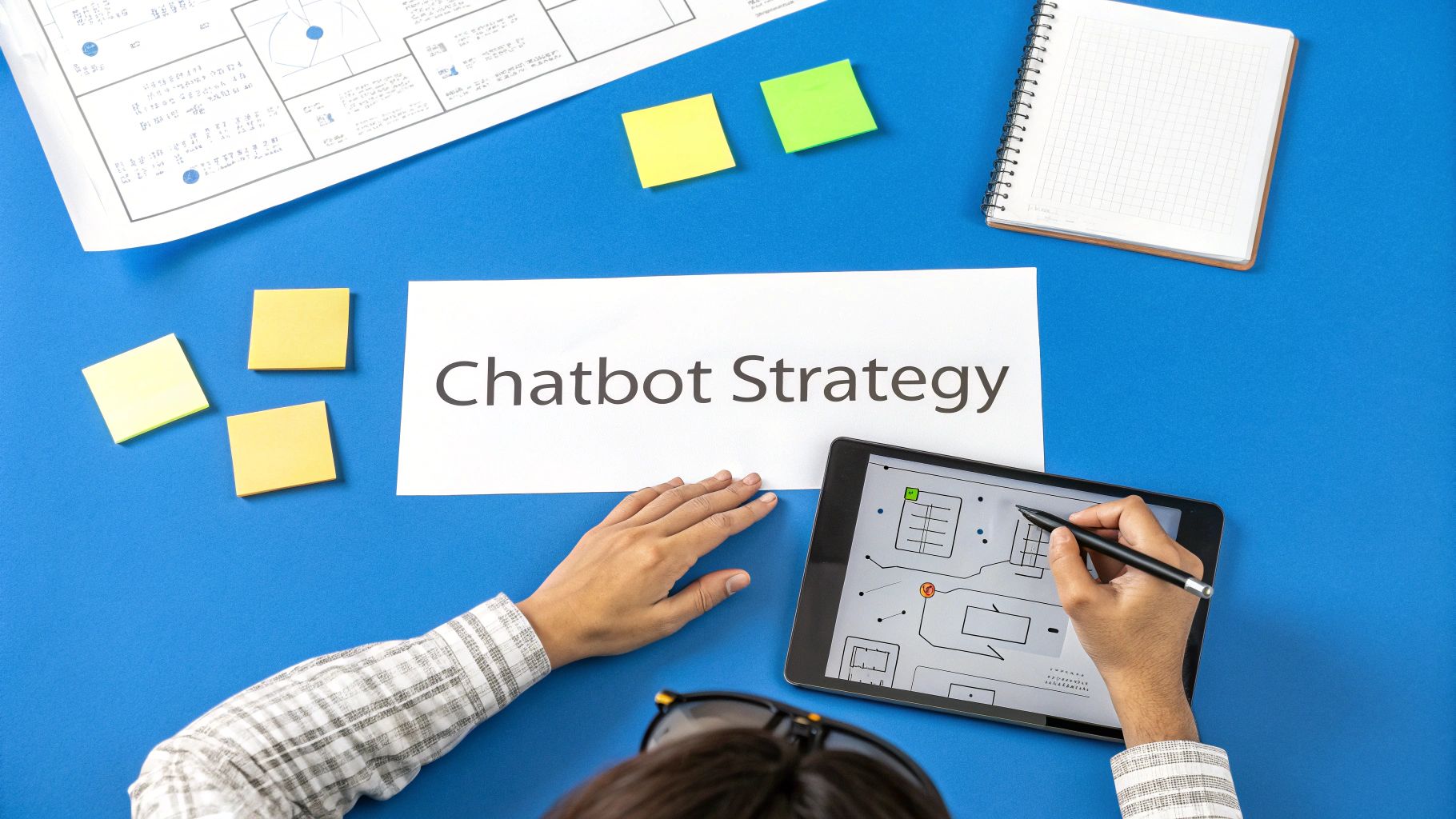
This initial strategic decision shapes every other choice you'll make. For example, a support bot for a software company needs a deep knowledge base of technical docs and a patient, helpful tone. A sales bot for a fashion brand will need product catalogs and a more enthusiastic personality. They're two completely different tools.
Defining Your Primary Use Case
To nail down your chatbot's core function, think about the most repetitive, time-consuming tasks your team handles. These are often perfect candidates for automation.
- Customer Support: The goal here is instant, 24/7 answers to common questions. This frees up your human agents to tackle complex issues. A real-world example is a software company that used a bot to handle password reset and basic troubleshooting questions, which typically reduced their immediate ticket volume by over 30%.
- Sales & Lead Generation: A sales-focused bot can engage website visitors, ask qualifying questions, and schedule demos. You never miss a potential lead, even when your team is offline. For instance, a real estate agency might use a bot to ask visitors about their budget and desired location before connecting them with an agent.
- Internal Operations: Don't forget, you can also build a chatbot for your team. An internal helpdesk can answer HR questions about company policies or help new hires find important documents in seconds.
Once you’ve settled on a primary use case, it’s worth double-checking if a chatbot is genuinely the right move. You can get more clarity by exploring if your company really needs a chatbot before you commit.
Mapping the User Journey
With a clear goal in mind, the next step is to map out the typical conversations your bot will have. Put yourself in the user's shoes. What path will they take from their first message to a successful resolution?
This exercise is invaluable. It helps you anticipate user needs and structure your chatbot's knowledge base effectively from the start.
For instance, if you run an e-commerce store, a common user journey might be: "Where is my order?" which leads to "Can I see the tracking information?" Planning for this flow ensures a smooth, helpful interaction. And when you're building, especially with a European audience, understanding how to achieve GDPR compliant AI integration is a non-negotiable part of your strategy.
Actionable Takeaway: Quick Checklist
Before moving on, make sure you can answer "yes" to these questions:
- Have you defined a single, primary goal for your chatbot? (e.g., "reduce customer response time by 50%")
- Do you know who your target user is? (e.g., "new customers asking about shipping policies")
- Have you listed the top 5-10 questions the bot must be able to answer flawlessly?
- Do you have a clear plan for when the bot can't answer a question? (e.g., seamless handover to a human agent)
Investing time here ensures you create a chatbot that genuinely helps users instead of just creating more frustration. It's the bedrock of a successful project.
Building Your Chatbot's Brain with the Right Knowledge
Now we get to the core of the build. A chatbot is only as smart as the information you feed it. Think of its knowledge base as its brain—the entire collection of data it pulls from to give helpful answers.
This is the single biggest factor that separates a useful AI assistant from a frustrating bot that just repeats, "I'm sorry, I don't understand."

Thankfully, modern AI platforms have made this part incredibly simple. Gone are the days of manually coding every possible conversation path. Now, you can train a bot almost instantly by just uploading your existing company documents. This is the secret to learning how to make a chatbot that actually works right out of the box.
Sourcing and Preparing Your Content
Before you start uploading, take a moment to gather and review your existing content. The quality of what you put in directly dictates the quality of what your chatbot puts out.
So, where does your most valuable information live?
- Website Pages: Your "About Us," "Pricing," and especially your FAQ pages are perfect starting points.
- Support Documentation: Existing help center articles, product guides, and technical manuals are goldmines of useful data.
- Internal Documents: Don't forget about those PDFs, spreadsheets, and Word docs that contain company policies or detailed product specs.
The natural language processing in today's tools is impressive. This allows them to handle a wide range of tasks by understanding the content you provide. The payoff can be significant, with some companies reporting considerable operational savings.
Once you’ve got your documents together, do a quick cleanup. This prep work makes a massive difference in how accurately your bot can find answers. For a much deeper dive, check out our guide on how to train a chatbot on your own data.
Limitations and Considerations: What to Watch Out For
While uploading documents is powerful, it’s not a magic wand. It’s important to understand the trade-offs to set realistic expectations for your chatbot's performance.
One common trap is information overload. If you dump too much irrelevant or contradictory information into the bot, it will get confused. For example, uploading three different versions of your return policy is a recipe for disaster. The chatbot won't know which one is correct. It’s better to start with a curated set of essential documents and expand from there.
Another thing to keep in mind is implicit knowledge. Your human support agents know all the unwritten rules about how your business operates. Your chatbot won't. It only knows what is explicitly stated in the documents you give it. You might need to create a few new, simplified documents to fill in these gaps.
Finally, remember that the chatbot's "brain" is static until you update it. If your pricing changes or you launch a new product, you have to manually update its knowledge base. A great habit is to schedule a quarterly review of all your bot's data sources to keep everything current.
Crafting Your Chatbot's Persona and User Experience
Once you’ve loaded your chatbot with the right knowledge, it's time to give it a personality. This is where you move beyond just providing answers and start creating engaging conversations. The data is the chatbot's brain, but the persona is its soul.
A chatbot isn't just a functional tool; it’s an interactive extension of your brand. Getting this right is the difference between a bot people enjoy talking to and one they close in frustration.

This step transforms your bot from a simple Q&A machine into a memorable brand ambassador. It's how you make sure the interaction feels helpful and human, not robotic.
Defining Your Bot's Personality
Your chatbot’s personality should be a direct reflection of your brand. If your website's copy is witty and informal, a stiff, formal chatbot will feel out of place. Conversely, a bank would typically want a chatbot that sounds professional and trustworthy.
Here are the key elements to consider:
- Name and Avatar: Give your bot a name that fits its role. "SupportBot 3000" feels cold, while a name like "Ava" is more approachable. An avatar also helps give it a face.
- Tone of Voice: This is crucial. Decide on a few core personality traits. Is your bot patient, enthusiastic, or concise? In FastBots.ai, you can write a simple persona instruction like, "You are a friendly and helpful support assistant named Sparky. You always answer questions clearly and with a positive attitude."
- Communication Style: Will it use formal language ("I am unable to") or contractions ("I can't")? Will it use emojis? Consistency is what makes the personality feel authentic.
A well-defined persona makes interactions feel more natural. For instance, an e-commerce bot might say, "Hey there! Looking for the perfect pair of sneakers? I can help with that!" while a bot for a healthcare provider would be more direct: "Hello. How can I assist you with your appointment today?"
Designing a Smooth User Experience
Beyond personality, a great user experience (UX) is about making the entire interaction effortless. It all starts with the welcome message, which needs to immediately tell the user what the bot can do. A specific prompt like, "Hi! I can help you track your order or check our return policy. What would you like to do?" sets clear expectations.
Another critical UX element is planning for when things go wrong. No AI is perfect. Your bot will eventually encounter a question it can't answer, so you need a graceful exit strategy, known as an escalation path. Instead of just giving up with "I don't understand," the bot should offer a clear next step.
Providing a simple way to connect with a human builds trust. A message like, "I'm not sure I have the right answer for that. Would you like me to connect you with one of our support agents?" shows the user you're committed to helping them. This handover can be completely seamless.
Deploying and Integrating Your Chatbot
Once you’ve built your chatbot’s brain and nailed its persona, it's time for the exciting part: introducing it to the world. A chatbot sitting on a dashboard doesn't help anyone. Deploying it is how you turn your new AI assistant into an active part of your customer experience.
The journey of learning how to make a chatbot isn't over until your audience can start a conversation with it. Fortunately, modern platforms make this final step surprisingly straightforward.
Launching on Your Website and Beyond
Your own website is the most logical and effective place to start. An embedded website widget is instantly accessible to anyone visiting your pages, ready to offer help, answer questions, or capture leads 24/7.
On platforms like FastBots.ai, deploying to your site is designed to be simple. You just generate a small snippet of code and paste it into your website's header. Just like that, the chatbot bubble appears, ready to engage visitors.
But why stop there? To meet your customers where they are, consider putting your chatbot on the communication channels they already use.
- Social Media: Hooking it up to Facebook Messenger or Instagram DMs lets you automate responses to common questions.
- Messaging Apps: For a huge chunk of the global audience, apps like WhatsApp or Telegram are the go-to for communication.
- Internal Tools: A bot integrated with Slack can become a powerhouse internal resource, instantly answering team questions.
Integrating with Your Business Systems
A standalone chatbot is helpful. An integrated chatbot is an operational asset. Connecting your chatbot to your other business systems unlocks a new level of automation.
For example, integrating your chatbot with your CRM means it can automatically create new leads. When a visitor shows interest, the bot collects their info and pipes it directly into your sales pipeline.
Another great use case is connecting to a help desk system. If a user has a complex issue the bot can’t solve, the integration can automatically create a support ticket with the full conversation transcript. This gives your human agents all the context they need.
You can often use tools like Zapier and Make to connect your chatbot to thousands of other apps without any manual effort.
What to Watch Out For During Deployment
Going live is exciting, but a few smart moves will ensure a smooth launch. One common mistake is activating the chatbot everywhere at once without a clear strategy.
A better approach is a phased rollout. You could start by deploying the bot only on your support or FAQ pages. This creates a controlled environment to gather initial feedback before unleashing it on your homepage.
Also, don't forget to get your team in the loop. Your customer support agents need to know exactly what the chatbot can and can't do, and how the handover process works. This prevents confusion and guarantees a seamless experience for customers.
How to Make a Chatbot for Different Use Cases
The "why" behind your chatbot heavily influences the "how." A support bot is all about accuracy and problem-solving, while a sales bot is focused on guiding the user toward a conversion. Here’s a quick comparison to help you think through your specific use case.
| Use Case | Primary Goal | Key Knowledge Sources | Ideal Persona |
|---|---|---|---|
| Customer Support | Resolve issues quickly, reduce ticket volume | FAQ pages, knowledge base articles, help docs | Patient, empathetic, and knowledgeable |
| Sales & Lead Gen | Qualify leads, book meetings, capture contact info | Product pages, pricing info, case studies, CRM data | Proactive, persuasive, and helpful |
| E-commerce | Guide purchases, track orders, answer product questions | Product catalog, inventory data, shipping policies | Enthusiastic, like a friendly in-store assistant |
| Internal Help Desk | Answer employee questions, automate IT/HR tasks | HR policies, IT troubleshooting guides, company wiki | Efficient, professional, and straightforward |
Keep your primary goal in mind as you build, and you'll create a far more effective assistant.
Common Chatbot Pitfalls and How to Avoid Them
Building a chatbot can be a game-changer, but like any powerful tool, there are a few traps to avoid. Knowing these ahead of time is the best way to build something your customers will actually love.
The single biggest mistake? An undefined or wildly ambitious scope. It's tempting to dream up a bot that can do everything for everyone. But trying to "boil the ocean" usually just creates a bot that’s mediocre at everything and great at nothing.
The Problem of Scope Creep
Think about it: a chatbot designed to handle sales, support, and internal HR is going to have a muddled personality. Is it a persuasive salesperson or a patient support agent? The key to success is starting with one, crystal-clear purpose.
Instead of building a jack-of-all-trades, focus on making a master of one. Nail your primary use case first—like answering your top 10 most common support questions—before you think about giving it more responsibilities. A bot with a narrow, deep focus will always outperform one with a wide, shallow knowledge base.
Managing User Expectations and Security
Another huge piece of the puzzle is managing what your users expect from the bot. Your chatbot should always be upfront about being an AI. Trying to trick people into thinking they’re talking to a human can shatter trust the moment the bot inevitably hits a question it can't answer.
A simple intro like, "Hi, I'm Sparky, your friendly AI assistant," sets the right tone. It's also critical to provide a clear, easy way to reach a human. A bot that traps users in a frustrating loop without an escape hatch is one of the fastest ways to sour a customer relationship. Our built-in live chat feature was designed to create a seamless handover for this reason.
Here’s a quick checklist to keep you on the right track:
- Be Honest: Make it obvious the user is interacting with a chatbot.
- Provide an Out: Always offer a simple way to connect with a human agent.
- Protect Data: Ensure your platform is secure, especially if you're handling sensitive info. For example, FastBots.ai is fully GDPR compliant to protect user privacy.
Finally, one of the biggest misconceptions is that a chatbot is a "set it and forget it" project. A good chatbot is more like a garden than a statue; it needs regular attention to grow. You have to monitor conversations, see where it's struggling, and retrain it with updated information. This commitment to continuous improvement is what separates a decent chatbot from a great one.
Still Have Questions About Making a Chatbot?
We get it. Building your first AI assistant can feel like a big step, but it’s probably easier than you think. Let's walk through some of the most common questions we hear.
How Long Does It Really Take to Build a Functional Chatbot?
Honestly? With a no-code platform like ours, you can have a basic, working chatbot live on your site in a matter of hours.
The initial process is designed to be quick. You sign up, upload your key knowledge sources (like your website content or FAQs), tweak the look to match your brand, and then copy-paste a snippet of code to embed it. That's it. More complex bots might take longer to perfect, but getting from zero to a helpful bot is straightforward.
Do I Need to Be a Developer or Know How to Code?
Absolutely not. This is probably the biggest myth out there. The game has changed with the rise of no-code platforms. You don't need to write a single line of code to build, train, and manage a sophisticated AI chatbot.
Everything is handled through a simple, visual interface. This shift has put powerful AI tools directly into the hands of business owners, marketers, and support teams—no developers required.
What’s the Real Cost to Create and Maintain a Chatbot?
The cost can vary, but SaaS (Software as a Service) platforms have made it affordable. Instead of a massive upfront investment, you're looking at a predictable monthly fee. Plans often start low and scale up based on factors like conversation volume.
When you compare this to custom development—which can easily run into the tens of thousands of dollars—a no-code builder is a far more cost-effective way to get started.
How Do I Know if My Chatbot Is Actually Working?
Great question. You can't improve what you don't measure. Your success metrics should tie directly back to the goals you set in the planning stage.
The key is to focus on a few core metrics that matter most to your business. For some, it’s the resolution rate (how many issues it solves without a human). For others, it’s user satisfaction scores (CSAT) or the number of qualified leads it generates.
Most platforms have built-in analytics that show you what people are asking and where the bot might be struggling. Diving into this data is how you find gaps in its knowledge and continuously make it smarter over time.
Ready to see just how easy it is to get your own chatbot up and running?
With FastBots.ai, you can have a custom AI assistant live on your site in minutes. It'll be trained on your unique business data, ready to support your customers 24/7.



