
How to Build an AI Chatbot in Minutes: A Step-by-Step Guide

Knowing how to build an AI chatbot is more than a tech project—it's a strategic decision that can change how your business operates. You are essentially creating a digital team member that automates conversations, helps your customers 24/7, and gathers useful data.
This guide will walk you through the entire process, from planning to launch. We'll show you how to create a bot that genuinely helps your customers and supports your business goals.
Why Building an AI Chatbot Is a Game-Changer
You’ve probably used a chatbot to track a package or ask a quick question online. But have you thought about what a bot could do for your own business? It's easy to get caught up in the hype, but AI chatbots are genuinely powerful tools for making things run smoother and keeping customers happy.

This isn’t about replacing your team; it’s about giving them superpowers. By letting a chatbot handle repetitive questions—like "what are your hours?" or "how do I reset my password?"—your human experts are free to focus on the complex, high-value problems that require a person. This simple change can slash response times and make your whole team more productive.
The Driving Force Behind Chatbot Adoption
It's no surprise the market is exploding. The global chatbot industry is on track to hit USD 6.96 billion by 2034. This growth is fueled by businesses of all sizes seeing a real return on their investment from smart, automated customer interactions.
One of the biggest wins is how a chatbot lets you enhance your conversational marketing strategies. Instead of forcing visitors to fill out a static form, a chatbot can jump in, ask qualifying questions, book demos, and guide potential customers through your sales funnel in a natural, interactive way.
Here's a real-world example: An e-commerce shop we observed set up a chatbot to answer common product questions and assist people at checkout. Within two months, they saw a 15% drop in abandoned carts and a 30% reduction in support tickets about shipping. The bot wasn't just solving problems; it was actively helping close sales.
Core Business Objectives and Solutions
So, how does this actually help you hit your business goals? A well-built chatbot can directly tackle several key challenges, turning them into opportunities.
Let’s map out a few common business objectives and see exactly how an AI chatbot provides a direct solution.
Key Business Objectives and AI Chatbot Solutions
| Business Objective | How an AI Chatbot Helps | Example Application |
|---|---|---|
| Improve Customer Support | Provides instant, 24/7 answers to common questions, resolving issues without human intervention. | A SaaS company's bot answers "how-to" questions, freeing up agents for complex bug reports. |
| Generate & Qualify Leads | Proactively engages website visitors, asks qualifying questions, and schedules demos or calls. | A real estate bot asks visitors about their budget and desired location, then books a viewing. |
| Reduce Operational Costs | Automates repetitive tasks, allowing the support team to handle more inquiries without hiring more staff. | An e-commerce bot handles all return and exchange requests automatically. |
| Increase Sales Conversion | Guides users through the purchase process, answers product questions, and offers personalized recommendations. | A fashion retail bot helps shoppers find the right size and suggests matching accessories. |
As you can see, the right chatbot application can solve very specific, and often costly, business problems.
Thinking about how to build an AI chatbot is really about rethinking how you engage with your customers. It's an investment in creating a more efficient, responsive, and genuinely helpful experience for anyone who interacts with your brand.
Laying the Groundwork for a Successful Chatbot
Before you write a single line of code or even pick a chatbot platform, the most important work happens right here. Building an AI chatbot that actually helps people starts with a rock-solid strategic foundation.
In our experience, skipping the planning stage is the number one reason chatbots fail to deliver. They can end up becoming more of a frustration for customers than a genuine solution.

The very first thing you need is a crystal-clear purpose. What, specifically, do you need this chatbot to do? Vague goals like "improve customer service" just don't cut it. You have to get granular to build something that adds real value.
A focused purpose guides every single decision you'll make later, from how conversations are designed to which integrations you'll need. The money pouring into AI shows how critical these projects are; private AI investment is growing rapidly according to the Stanford Institute for Human-Centered AI.
Defining Your Chatbot’s Primary Goal
Think of your chatbot like a new hire with a specific job description. You wouldn't bring someone onto the team without knowing their role, and the same logic applies here.
Your bot's primary job will likely fall into one of a few key categories, and each one demands a different approach.
- Customer Support Automation: The goal here is to resolve common user issues instantly. The bot could handle FAQs, troubleshoot basic problems, or process returns, freeing up your human agents for tougher tickets.
- Lead Generation and Qualification: For your marketing and sales teams, the bot’s job is to engage website visitors. It can ask qualifying questions, gather contact info, and even schedule demos, turning anonymous traffic into actual leads.
- Internal Helpdesk Support: A chatbot isn't just for customers. It can be an amazing internal resource for your own team, answering HR policy questions or helping new hires find company documents.
Actionable Takeaway: Quick Checklist
Before you do anything else, write down a single, primary objective for your chatbot.
- What is the #1 problem you want to solve? (e.g., reduce support tickets)
- How will you measure success? (e.g., a 40% reduction in order status inquiries)
- Who is the primary audience? (e.g., existing customers on our website)
Identifying Your Audience and Mapping User Journeys
Once you know what your chatbot will do, you need to figure out who it will be helping. Are you targeting brand-new visitors or existing customers who need help with a specific product?
Defining your audience helps you nail down the bot's tone of voice, the complexity of its language, and the information it needs. From there, you can start mapping out the ideal "user journey," or the conversational path they'll take.
Put yourself in the user's shoes. What’s the first thing they’ll ask? What follow-up questions might they have? Sketching these flows out helps you anticipate their needs and design a conversation that feels intuitive and helpful, not robotic.
Sourcing and Preparing Your Knowledge Base
Your AI chatbot is only as smart as the data it's trained on. This data becomes its knowledge base—the brain that allows it to understand questions and give accurate answers. Sourcing this information is a make-or-break step when you build an AI chatbot.
Some of the best places to find high-quality data are probably right under your nose:
- Existing FAQ Pages: Your website's FAQ section is a goldmine of common questions and pre-approved answers.
- Product Documentation: Detailed manuals and setup guides are perfect for training a bot to handle nitty-gritty product queries.
- Customer Support Transcripts: Digging into past chat logs and support tickets reveals the most frequent issues your customers actually have.
Just gathering the data isn't enough; you have to organize it. Ensure everything is up-to-date, accurate, and structured logically. A clean, well-curated knowledge base is the bedrock of a successful chatbot, allowing you to train a chatbot on your own data and make it a true expert on your business.
Building the Core of Your AI Chatbot
With a solid plan mapped out, it's time to get into the actual build. This is where you pick your tech and start shaping the conversational core of your chatbot. The decisions you make here will define what your bot can do and how easily it can grow.
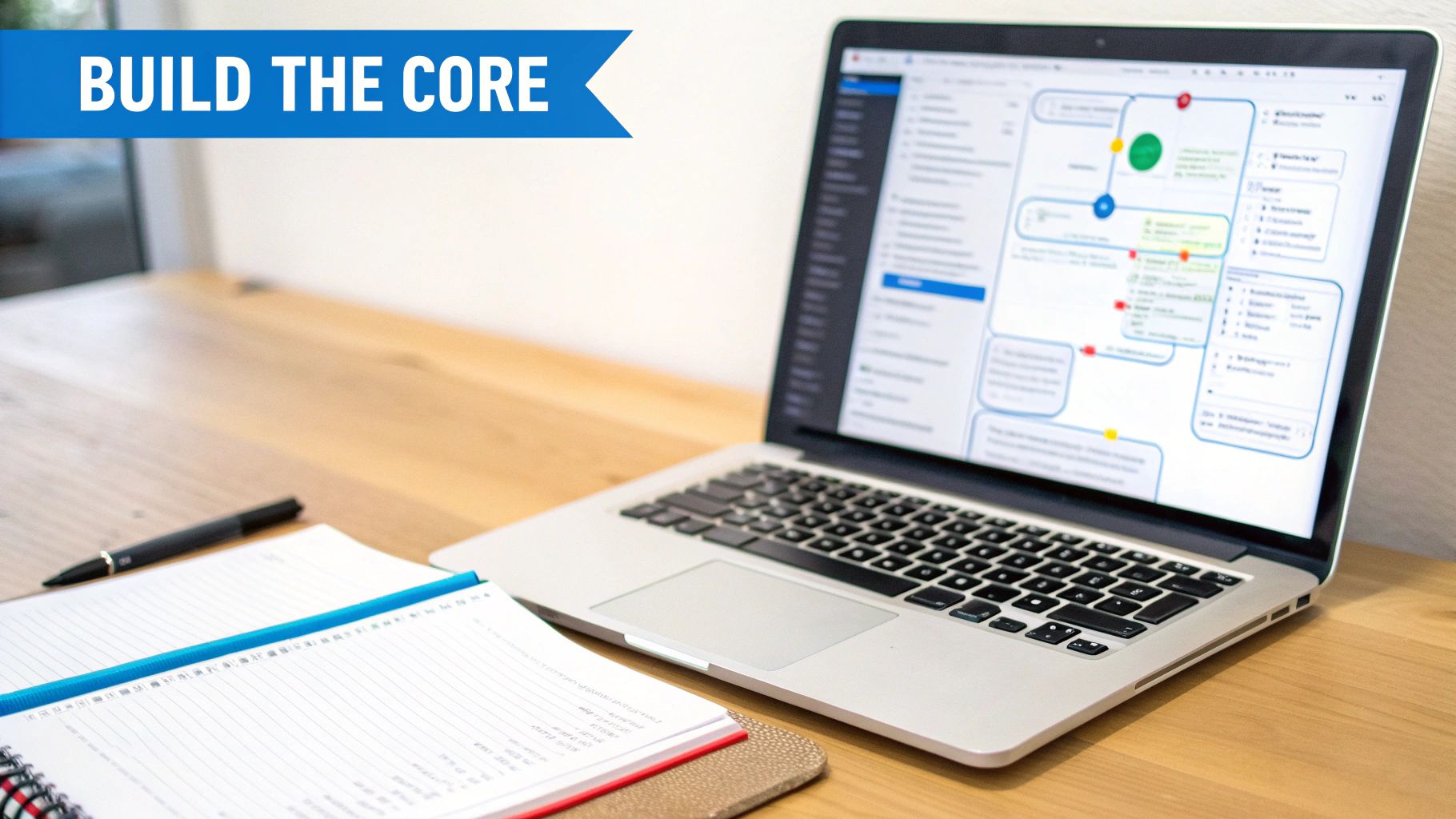
Thankfully, learning how to build an AI chatbot is more straightforward than ever. You don’t need to be a coding expert or start from scratch. The market is packed with powerful tools for every skill level, and your main job is to pick the right path for your business.
Selecting Your Development Path
Every approach to building a chatbot comes with its own set of pros and cons. The best choice boils down to your team's technical skills, your budget, and how much control you need over the final product.
There are three main ways to go about it:
- No-Code Platforms: These are the most accessible entry point. Tools like FastBots.ai give you a visual interface to build a powerful bot without touching a line of code. They’re a fantastic fit for businesses that need to move fast.
- Low-Code Builders: This is the happy medium. These platforms provide pre-built blocks and templates but also let you inject custom code where you need it. It's a great option for teams with some technical know-how who need more flexibility.
- Custom Development: This is the "build it from the ground up" route. It gives you ultimate control but demands serious technical expertise, a longer timeline, and a much bigger budget.
Generative AI has been a game-changer, especially for no-code platforms, making this tech accessible to everyone.
Comparing Chatbot Development Approaches
Choosing the right development path is a critical first step. This table breaks down the three main methods to help you figure out which one aligns best with your team's resources and project goals.
| Approach | Best For | Key Trade-offs | Typical Cost |
|---|---|---|---|
| No-Code | SMBs, marketing teams, non-technical users, and rapid prototyping. | Less customization, dependent on platform features. | $ - Low (often subscription-based) |
| Low-Code | Teams with some development resources who need more flexibility. | Steeper learning curve than no-code, still has platform limits. | $$ - Moderate |
| Custom | Enterprises with specific, complex needs and dedicated dev teams. | High cost, long development time, requires ongoing maintenance. | $$$ - High (salaries, infrastructure) |
Ultimately, the best approach is the one that gets a functional bot in front of your users without blowing your budget. For most businesses, a no-code solution hits that sweet spot.
Designing Natural Conversational Flows
Once your tools are in place, it’s time to think about the conversation itself. This isn't just about writing answers; it's about designing a dialogue that feels natural and guides the user to a solution. A great conversational flow feels less like interacting with a robot and more like a helpful chat.
We always recommend starting by mapping out the "happy path." This is the ideal conversation where the user asks exactly what you expect and gets the perfect answer.
But then, you have to plan for the detours. What happens when a user asks something unexpected? A resilient chatbot design anticipates these hiccups and has gentle ways to get the conversation back on track.
Real-World Example: Imagine an online booking service using a chatbot to schedule appointments. The "happy path" is a user saying, "Book me a haircut for Tuesday at 2 PM." But what if they say, "I need a trim sometime next week"? A well-designed flow would prompt the bot to clarify: "Great! Which day next week works best for you?" instead of just saying "I don't understand."
What to Watch Out For: Limitations and Considerations
Building your bot's core is an exciting phase, but it's crucial to be realistic about the trade-offs. Understanding the limitations of your chosen path from the start helps set the right expectations for everyone involved.
No-code platforms, for example, are brilliant for speed and simplicity. The trade-off? You’re generally working within the feature set the platform provides. You might not have granular control over the underlying AI models as you would with a custom build. It’s a classic case of sacrificing some control for faster deployment and lower costs.
On the flip side, a completely custom solution gives you unlimited power, but also makes you responsible for everything—from server maintenance to security patches. This path typically requires a dedicated team and an ongoing maintenance budget, which isn't feasible for many businesses.
Thinking through these factors will help you pick from the best tools to develop AI chatbots for your unique situation.
Training and Refining Your New AI Chatbot
Launching a chatbot isn't the finish line; it's the starting gun. The real magic happens in the constant cycle of training, testing, and refining your bot. This is where your AI graduates from a functional tool to a genuinely helpful assistant.
Once the core is built and you’ve loaded your initial data, it's time to see what you've got. The goal is to make sure the chatbot gives accurate and helpful answers based on the knowledge base you provided.
Teaching Your Chatbot to Be an Expert
First up is the initial training phase. This is where you feed your prepared data—all those FAQs and product docs—into your chosen chatbot platform. The AI model processes this information, learning the ins and outs of your business.
But just uploading documents is only the beginning. The real work is in the refinement.
You have to actively test the bot by asking it the kinds of questions your customers would. And you should try all the different ways a user might phrase a question about a single topic.
For instance, a customer might ask about your return policy in several ways:
- "What's your return policy?"
- "How do I return an item?"
- "Can I get a refund for my purchase?"
Your bot must understand that all these variations point to the same thing. Solid training means finding these gaps and giving the AI more examples or clearer info until it nails the right answer every time. This is how you build an AI chatbot people actually trust.
The Power of Real-World Testing
Once you're feeling good about the bot's basic knowledge, it's time to put it through its paces. Kicking things off with internal testing with your own team is a great start, but nothing beats feedback from actual users.
This is usually done through a process called User Acceptance Testing (UAT).
UAT is where you invite a small group of real customers to interact with the chatbot in a controlled setting. Their job is to find awkward conversational dead-ends, confusing responses, or moments where the bot completely misses the point. Their feedback is pure gold.
You can get a much deeper understanding of this by exploring how to train a chatbot on your own data to handle these more complex scenarios.
Analyzing Interactions and Making Improvements
After your first round of tests, you'll have a ton of data in the form of chat logs. Digging into these conversations is where you'll find the biggest opportunities for improvement.
Look for patterns. Where are users getting frustrated? What questions keep coming up that your bot can't answer?
Most good chatbot platforms have analytics dashboards that highlight common "unanswered questions" or conversations that had to be escalated to a human. These are your top priorities. Every failed interaction is a lesson you can use to update your knowledge base and tweak your conversational flows.
Deployment and Essential Integrations
You’ve built, trained, and fine-tuned your chatbot. Now it's time to launch it where it can actually start helping people.
This is where you decide where your chatbot will "live." Most people immediately think of a widget on their website, and that's a great start. But the goal is to meet your customers where they already are.

Choosing Your Deployment Channels
Where you put your bot depends entirely on your audience and what you want to achieve. The key is accessibility without being intrusive.
Here are the most common spots:
- Website Embed: The classic chat widget sitting on every page, ready to assist visitors.
- Dedicated Landing Page: A specific page users can visit for support or a specific task.
- Messaging Apps: Platforms like WhatsApp or Facebook Messenger are perfect for ongoing conversations.
An e-commerce brand, for example, will get huge value from a bot on its product and checkout pages to tackle last-minute questions. A local service business might find deploying its bot on WhatsApp for booking appointments is a game-changer.
Giving Your Chatbot Superpowers with Integrations
Putting your bot on your website gets it in front of people, but integrations are what give it real power. By connecting your bot to the other software you rely on, you let it perform actions and pull real-time data. This elevates it from a simple Q&A machine to a genuine workhorse.
Think about it this way: a basic chatbot can tell a customer their order has shipped. An integrated chatbot can look up the live tracking number in your Shopify store and give the customer the exact delivery date. That's the difference between a good experience and a great one.
Real-World Example: A real estate agency connected their website chatbot to their CRM. When a potential buyer asked about a listing, the bot checked the CRM, found the assigned agent’s availability, and booked a viewing right on their calendar. That single integration turned a passive Q&A bot into an automated lead-scheduling machine.
What to Watch Out For with Integrations
While integrations are incredible, they also add complexity. A common mistake is trying to connect everything at once, which can create a messy, unreliable system.
Start small. Pick one or two high-impact integrations. For many businesses, that means your CRM (like HubSpot or Salesforce) or your e-commerce platform (like Shopify). Nail those first.
Also, be serious about data privacy. When you connect systems, you’re moving customer data around. You have to ensure you're handling it securely and in line with regulations like GDPR. For a deeper dive, our guide on how chatbot integrations can make your operations smoother has you covered.
Common Pitfalls and What to Watch Out For
AI chatbots are powerful, but they aren’t a silver bullet. If you go into this process thinking a bot will solve every single customer service issue, you're setting yourself up for disappointment. In our experience, the best chatbot strategies are grounded in reality.
Thinking about the limitations upfront helps you sidestep frustration for both your team and your customers. Knowing what a bot can't do is just as important as knowing what it can.
The Risk of Over-Automation
One of the biggest temptations is trying to automate everything. While efficiency is the goal, forcing every interaction through a bot can backfire. Some problems are just too complex, nuanced, or emotionally charged for an AI to handle.
Picture a customer who's already upset about a broken product. The last thing they want is a series of robotic prompts; they want empathy. Pushing them into a bot conversation at that moment is a surefire way to escalate a minor issue into a major complaint.
Actionable Takeaway: How to Apply This in Your Business
Don't aim for 100% automation. Instead, identify the top 20% of high-volume, repetitive questions your bot can handle perfectly. Let your human team focus on the rest, ensuring that complex or sensitive issues get the personal attention they need.
No Clear Path to a Human
This flows right into the next big mistake: trapping users in a "chatbot loop" with no way out. Nothing frustrates a customer faster than being stuck talking to a bot that doesn't understand them, with no "eject" button in sight.
Your chatbot should always have a clear and easy-to-find escalation path. This could be a "Talk to an Agent" button that starts a live chat transfer or simply provides a direct phone number. Think of it as a safety net that builds trust.
Security and Data Privacy Blind Spots
Finally, you can't afford to treat security as an afterthought. Your chatbot will handle personal data—names, emails, and maybe more. Making sure this data is encrypted, stored securely, and managed in line with regulations like GDPR isn't just a good idea; it's non-negotiable.
A single data breach can wreck your brand's reputation, which is why security needs to be baked in from day one. Digging into best practices, like understanding ChatGPT's ranking factors, can offer insights into what makes top AI models successful and trustworthy.
Got Questions About AI Chatbots? We've Got Answers.
As you start thinking about building your own AI chatbot, it’s normal for questions to bubble up. We hear many of the same ones from businesses, so we’ve put the most common ones right here with clear answers.
How Long Does It Really Take to Build a Chatbot?
The timeline can swing wildly, but it’s probably faster than you think. With a modern no-code platform, you can get a functional, data-trained chatbot up and running for internal testing in under an hour.
However, if you're talking about a custom-coded bot built from scratch, you could be looking at several months of development. The biggest time commitment isn’t the initial setup; it’s the ongoing process of training, testing, and refining the bot based on real conversations.
Do I Actually Need to Know How to Code?
Absolutely not. A decade ago, this was a job for developers. Today, no-code platforms have completely changed the game, making chatbot development accessible to anyone.
These tools use simple visual interfaces where you can upload your data, shape the bot's personality, and launch it without writing a single line of code. If you can use basic business software, you have the skills you need.
Okay, So What’s This Going to Cost Me?
The price tag can range from free to tens of thousands of dollars. It all comes down to the path you take.
- No-Code Platforms: These usually run on a subscription model. Many have a free tier to get you started, with paid plans typically starting around $20–$100 per month.
- Custom Development: This is the high-end, big-budget option. You're paying for developer salaries and server costs, which can easily climb into the five or six-figure range.
For most small and medium-sized businesses, a no-code tool provides the best balance of powerful features and affordability.
Ready to bring your own AI assistant to life? With FastBots.ai, you can build a custom chatbot trained on your business data in minutes, no coding required. See how easy it is to automate support, generate leads, and delight your customers 24/7.



