Chatbot for Construction Companies: How to Capture Every Project Lead While Your Crews Are On Site
How construction companies use a chatbot to qualify project enquiries, book site visits, and stop losing leads while crews are on the job. A practical setup.

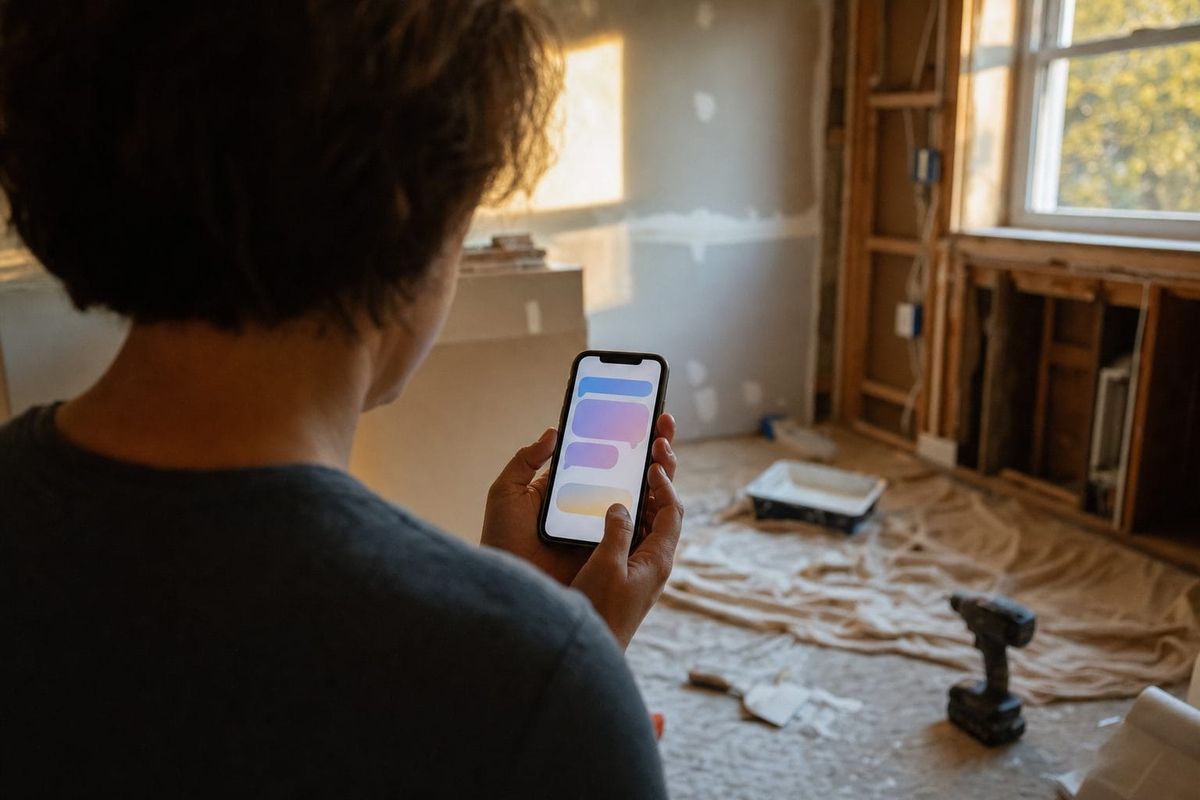
A roofing enquiry comes in at 11:40 on a Tuesday morning. The homeowner has a leak, they have insurance money to spend, and they have just filled in the contact form on three contractor websites. The first company to reply gets the walkthrough. The other two get nothing.
Your problem is that at 11:40 on a Tuesday, every person who could answer that enquiry is on a roof. The estimator is on a roof. The owner is on a roof. The one person in the office is invoicing, chasing a materials delivery, and on hold with a supplier. By the time someone sees the form at 6pm, the homeowner has already booked a walkthrough with the contractor who replied in four minutes.
This is the quiet leak in almost every construction business we talk to. It is not a marketing problem. The leads are arriving. It is a coverage problem: enquiries land during working hours, and working hours are exactly when nobody is free to respond. Industry data backs this up. Roughly 62% of calls to home-services businesses go unanswered, the average company takes around 42 hours to respond to an inbound enquiry, and 78% of buyers go with whoever contacts them first. For high-ticket trades like roofing, framing, or full remodels, a single missed enquiry can be a five-figure job walking to a competitor.
A chatbot will not climb a ladder or pour a foundation. What it will do is answer the enquiry in seconds, ask the same qualifying questions your estimator would ask, capture the project details and any photos, and route a ready-to-action lead to whoever is back at the office, on every channel at once. This is the practical guide to setting that up: what the bot should and should not do, how to qualify a construction lead properly, the ROI math for a small firm, and how to build it with FastBots without paying enterprise prices.
The real cost of the enquiries you never answer
Most construction owners underestimate this number because the lost leads are invisible. A missed call at least leaves a voicemail or a number in the log. A web form that never gets a reply, or a WhatsApp message that scrolls off the screen, leaves nothing behind. You do not feel the loss, which is exactly why it keeps happening.
Put rough numbers on it. Say your marketing brings in 80 written enquiries a month across your website form, WhatsApp, Facebook and Instagram messages, and email. That is a realistic figure for a small residential contractor running local ads and getting referral traffic. Now apply the response-time reality: if a third of those enquiries do not get a same-day reply because everyone is on a job, that is roughly 27 enquiries a month sitting unanswered long enough for the prospect to hire someone else.
You will not win all 27. Plenty are tyre-kickers, out of your service area, or shopping a job you do not do. But even if only one in nine of those becomes a real, winnable project you lost purely on response speed, that is three lost project opportunities a month. At a conservative average residential job value of $15,000, and assuming you would have closed one of those three, you are leaking around $180,000 of revenue a year. Not from bad work or bad pricing. From nobody being free to type "thanks for getting in touch, can you tell me a bit more about the project?"
The traditional fixes all have problems. Hiring a receptionist costs $35,000 or more a year and still leaves evenings, weekends, and lunch breaks uncovered. A call-answering service handles the phone but not your web form or your social messages, charges per call, and the operators do not know the difference between a tear-off and a recover. And asking the crew to "check their phones between jobs" is not a system, it is a hope.
What a chatbot for construction companies can actually do
Let us be precise about the capabilities, because this category is full of overpromising. Here is what a properly trained chatbot does for a construction business, and every item below is something FastBots actually does.
It answers the repetitive front-end questions instantly, in any of 95 languages: what areas do you cover, are you licensed and insured, do you do this type of work, how long is the waiting list, do you offer free estimates. You train the bot on your own website, service pages, FAQs, and any documents you upload (PDF capability statements, service-area lists, spec sheets), so the answers are yours, not generic filler.
It qualifies the enquiry the way your estimator would. Instead of a dumb "leave your name and number" form, the bot has a conversation: what type of project is this, roughly what size, what is the timeline, is this insurance work, what is the property address or postcode. The lead that lands in your inbox is already scoped.
It lets the prospect upload photos mid-conversation. This is a genuine difference-maker for construction. A homeowner can send a picture of the damaged roof, the kitchen they want gutted, or the retaining wall that is bowing, and your estimator can size up the job before deciding whether it is worth a site visit. That one feature saves wasted truck rolls.
It captures the lead and routes it everywhere it needs to go. Every qualified enquiry is saved, can be emailed straight to your office or estimator, exported, and pushed through Zapier or Make into thousands of other apps, including your CRM or job-management software. The conversation is logged and searchable.
It hands off to a human cleanly. When a prospect needs a real person, or asks something the bot should not answer, a team member can take over the live chat with the full conversation history attached, so the customer never has to repeat themselves.
What it should never do, and what we tell every contractor to lock down, is improvise on price, timeline, or anything structural. A chatbot has no business quoting "yeah, that's about a $9,000 job" or saying "that crack is nothing to worry about." Construction quotes depend on a site visit, and structural opinions carry real liability. The bot's job is to capture and route, not to estimate or advise. We will build that boundary into the framework next.
The Scaffold Framework: four supports that hold up your lead pipeline
When you put up scaffolding, four uprights carry the load. Take one away and the whole structure is unsafe. A construction lead pipeline works the same way. We call this the Scaffold Framework, and we use it with contractors setting up FastBots because it stops you automating the wrong things. There are four supports: Screen, Scope, Schedule, Sustain.
Support 1: Screen
The first job is to filter. A large share of construction enquiries are not viable: wrong service area, work you do not do, budgets that do not match, or someone looking for a free phone consultation they will never act on. Every one of those that your estimator chases by hand is wasted time.
The bot screens up front by answering the gatekeeping questions clearly (your service area, your trade specialisms, whether you take on small jobs, your typical lead time) and by asking a couple of qualifying questions early. An enquiry from outside your area gets a polite "we don't cover that postcode, sorry" instead of consuming a callback. A genuine prospect self-identifies fast. Screening is not about being unfriendly, it is about making sure your humans only spend time on enquiries worth their time.
Support 2: Scope
Once an enquiry passes the screen, the bot gathers what your estimator needs to decide the next step. For construction that usually means project type, rough size or scale, timeline, whether it is insurance-funded, the property location, and ideally a photo or two. This is where the photo-upload capability earns its keep.
The principle here is "no wasted callback." The single most common complaint we hear from estimators is that they ring a lead back only to spend the call asking basic questions that could have been gathered while the prospect was already typing. A well-scoped lead means the first human contact is a real conversation about the work, not a data-entry exercise.
Support 3: Schedule
A scoped lead is worth nothing if it goes cold waiting for someone to arrange the next step. The bot's third job is to move the prospect toward a booked site visit or estimate call. Depending on how you work, that can mean offering available windows, capturing the prospect's preferred times, or simply confirming that your estimator will call within a set timeframe and telling the prospect exactly what happens next.
You can connect this to a real calendar through Zapier or Make so a confirmed slot writes straight into your scheduling tool. Even without full calendar automation, just capturing preferred times and setting the expectation ("Dave will call you tomorrow morning to lock in a visit") keeps the lead warm and stops the prospect from booking the next contractor on their list.
Support 4: Sustain
Most construction leads do not convert on first contact. People get three quotes, talk to a partner, wait for insurance, or plan a job months out. The fourth support is keeping those leads from evaporating. Every conversation is captured to your records and can be pushed into your CRM or a simple Google Sheet, so a lead from March is still findable in June when the homeowner is finally ready.
Sustain is also where the multi-channel piece matters. A prospect who first messaged on Instagram should be reachable later without you hunting through three different inboxes. Which brings us to the part that separates a real system from a website widget.
Why the channel mix is the whole game
Here is the strategic point most contractor-specific tools miss. Construction enquiries do not arrive on one channel. A referral might text you on WhatsApp. Someone who found your project photos hits you on Instagram or Facebook Messenger. A commercial enquiry comes by email. A homeowner who Googled "roof repair near me" fills in your website form. If your automation only covers the website, you have plugged one leak and left three open.
FastBots runs one chatbot, trained once on your business, across your website, WhatsApp, Facebook Messenger, Instagram, Telegram, Slack, WordPress, and email, all answering from the same source of truth. Update your service area in one place and every channel reflects it. That single-brain, every-channel coverage is the moat, and it is why a multi-channel approach beats a single-widget tool for any business whose leads scatter across platforms. We have written more on why a multi-channel chatbot matters if you want the longer argument.
This is also where the comparison with specialist tools gets interesting, because most of them solve for one channel or one mode.

How FastBots compares to specialist contractor tools
There is a small industry of tools aimed at contractors, and they fall into a few buckets. Voice-first AI answering services like Goodcall, Dialzara, and similar tools answer your phone with an AI receptionist. Contractor marketing platforms like Predictive Sales AI bundle a website chatbot into a broader lead-management suite. Human-plus-AI answering services like Smith.ai put real people on your calls. And generic template chatbot builders give you a widget you configure yourself.
Each has a place. Here is an honest comparison.
| FastBots | Voice AI answering (Goodcall, Dialzara) | Predictive Sales AI | Smith.ai | Template chatbot builders | |
|---|---|---|---|---|---|
| Starting price | $39/mo flat | ~$50-250/mo + usage | from ~$295/mo | ~$300/mo + per-call | $30-150/mo |
| Primary mode | Text, multi-channel | Voice / phone | Web chat + marketing suite | Phone (AI + humans) | Text, usually one widget |
| Answers your phone | No | Yes | No | Yes | No |
| Website chat | Yes | No | Yes | Add-on | Yes |
| WhatsApp, Messenger, Instagram, Telegram | Yes | No | Limited | No | Varies, often paid |
| Email auto-reply | Yes (Business plan) | No | Varies | No | Rare |
| Photo upload in chat | Yes | No | Varies | No | Rare |
| Trains on your own content | Yes (12M characters) | Limited | Yes | N/A | Varies |
| Connects to your CRM | Via Zapier / Make | Varies | Native to their suite | Via integrations | Varies |
The honest read: if most of your leads come by phone, a voice answering service covers something FastBots does not, because FastBots does not make or take phone calls. We are upfront about that. The strongest setup for a phone-heavy contractor is often a voice service for calls plus FastBots for everything written, since the written channels (web form, WhatsApp, social, email) are precisely the ones the voice tools ignore and where the slow-response leak is worst.
A few more caveats worth stating plainly. FastBots has no native SMS; for messaging it uses WhatsApp and Telegram. It does not integrate directly with construction job-management software like Buildertrend, JobNimbus, or ServiceTitan; those connections run through Zapier or Make, which covers most needs but is not one-click. And the email auto-reply feature sits on the Business plan ($89/mo), not the entry Essential plan. None of that is a dealbreaker for most small firms, but you should know it before you buy, not after.
Where FastBots wins clearly is breadth for the money: one trained bot covering every written channel at $39/mo flat, versus per-call billing or $295-plus contractor suites. For a small contractor who mainly needs to stop losing written enquiries, that is the right tool at the right price. You can compare it against a build-it-yourself option on our Voiceflow alternative page.
The ROI math for a small construction firm
Let us run the numbers transparently so you can plug in your own.
Assume 80 written enquiries a month across all channels. Assume your current systems let a third go cold from slow response, so 27 enquiries a month are effectively lost on speed alone. Assume only one in nine of those was a real, winnable job, and that you would have closed one of the three. That is one extra won project per month purely from instant response and proper capture.
At an average residential project value of $15,000, that one recovered job a month is $180,000 in additional annual revenue. Against that, the FastBots Essential plan is $39/mo, or $396/year on annual billing. Even if you think those assumptions are twice as rosy as reality, halve everything: one extra job every two months still puts you near $90,000 a year for under $500 of software.
The leverage here is unusual because construction project values are high and the cost of the tool is fixed. A chatbot that saves a coffee shop a few orders is nice. A chatbot that catches one $15,000 remodel you would otherwise have lost has paid for a decade of subscription in a single afternoon. The full breakdown of how to track this properly is in our guide on measuring chatbot ROI, and you can check current plan limits on the pricing page.
This is not unique to general builders, either. The same math drives the numbers for plumbers and cleaning services, where leads are equally local, equally urgent, and equally easy to lose while the team is out on a job.
How to set up FastBots for your construction business: a 7-step playbook
You do not need a developer for any of this. Here is the order we recommend.
Step 1: Train the bot on your real business. Point FastBots at your website so it crawls your service pages, about page, and FAQs. Upload anything else that matters: a capability statement, your service-area list, common project FAQs, warranty terms. The more it knows, the fewer "I'm not sure, let me get someone" responses you get.
Step 2: Write the screening rules. Decide your gatekeeping answers in plain language: which postcodes or areas you cover, which trades you do and do not take on, your minimum job size if you have one, and your typical lead time. Feed these in so the bot can filter politely and accurately.
Step 3: Build the scoping conversation. Set up the qualifying questions you want every lead asked: project type, rough size, timeline, insurance or self-funded, location, and a prompt to upload photos. Keep it short. Five good questions beat fifteen that make people quit halfway.
Step 4: Turn on lead capture and routing. Configure the bot to collect name, contact details, and the scoped answers, and to email each completed lead to your office or estimator. This alone solves the "form sat unanswered all day" problem.
Step 5: Connect your other channels. Link WhatsApp, Facebook Messenger, and Instagram so the same bot answers there too. This is the step most contractors skip and then wonder why social enquiries still slip through. Turn on the channels your leads actually use.
Step 6: Wire up the automations. Use Zapier or Make to push qualified leads into your CRM, job-management tool, or a shared Google Sheet, and to fire a Slack or text alert to the right person when a high-value or insurance enquiry comes in. Start simple: even just "new lead writes a row to a spreadsheet and pings the estimator" is a big upgrade.
Step 7: Review the transcripts weekly. For the first month, read what people actually asked. You will spot questions the bot fumbled and add the answers, and you will see patterns (everyone asking about financing, say) that tell you what to add to your website. The bot gets sharper every week you do this. For more on the capture side, see how a chatbot handles lead generation and booking end to end, and explore the full feature set.
Common mistakes contractors make with chatbots
Letting the bot quote prices. The fastest way to a dispute is a bot that says "that's around $8,000" and then your estimator quotes $14,000 after the site visit. Keep pricing human and site-visit-based. The bot captures and routes; it does not estimate.
Only installing it on the website. Your website is one of four or five places enquiries arrive. If you do not connect WhatsApp and social, you have automated the smallest leak and ignored the bigger ones.
Over-engineering the conversation. A fifteen-question interrogation kills conversions. People abandon long forms, and a chatbot that feels like one is no better. Ask the few questions that genuinely change what your estimator does next, and gather the rest on the call.
Setting it and forgetting it. A bot trained once and never reviewed slowly drifts out of date as your services, prices, and lead times change. Fifteen minutes a week of reading transcripts keeps it accurate and keeps it from confidently giving wrong answers.
Hiding the human. The bot should make it easy to reach a person, not trap people in a loop. A clear "talk to the team" path and clean handover builds trust; a dead end destroys it.
Frequently asked questions
Can a chatbot really qualify construction leads, or does it just collect names? A properly built one qualifies. It asks project type, size, timeline, funding, and location, and can take photos, so the lead that reaches your estimator is already scoped. The difference from a basic form is that it is a conversation, which gathers more and converts better than static fields.
Will it sound robotic and put customers off? Not if it is trained on your own content and given a natural tone. Modern bots built on large language models read context and reply conversationally. The bigger risk to customer experience is the opposite: no reply at all for hours, which is what you have now.
We get most of our leads by phone. Is this still worth it? Yes, for the written channels you are currently underserving. FastBots does not answer phone calls, so if calls are your main channel you may want a voice answering service for those. But your web form, WhatsApp, and social messages are where slow responses lose jobs, and that is exactly what FastBots covers, at $39/mo.
Can it send leads into our existing software? FastBots connects to thousands of apps through Zapier and Make, which covers most CRMs and job-management tools like Buildertrend, JobNimbus, and similar. It does not have one-click native integrations with construction software, so those connections run through Zapier or Make. For most firms that is straightforward to set up.
Can prospects send photos of the job? Yes. Customers can upload images and files inside the chat, which is one of the most useful features for construction. An estimator can size up a job from a photo before deciding whether a site visit is worthwhile.
How long does it take to set up? A basic version that answers questions and captures leads can be live the same day, since training is mostly pointing it at your website. Adding the extra channels and automations takes a few more hours. Most contractors are fully running within a week.
Is it expensive? The Essential plan is $39/mo. For a business where a single won project is often five figures, the math is not close. The main thing to know is that email auto-reply is on the Business plan ($89/mo), not Essential.
What should the bot never do? Never quote firm prices, never guarantee timelines, and never give structural, safety, or building-code advice. Those depend on a site visit and carry real liability. The bot's job is to answer general questions, qualify, capture, and route to a human.
Stop losing jobs to whoever replied first
The contractors winning the most work locally are rarely the cheapest or even the best. Very often they are simply the ones who replied first, while their competitors were up a ladder. A chatbot does not replace your crews, your estimator, or your craftsmanship. It just makes sure that the enquiry arriving at 11:40 on a Tuesday gets answered at 11:41, scoped properly, and put in front of the right person, on whatever channel it came in on.
That is the gap costing most construction businesses real money every month, and it is a cheap one to close. If you want to see how it works for your trade, take a look at the construction chatbot setup and try it on your own enquiries.