
10 Essential Chatbot Best Practices for a Winning Strategy in 2025

Building a chatbot can feel like a game-changer, but the difference between a helpful AI assistant and a frustrating digital dead-end comes down to strategy. Simply launching a bot isn't enough; you need to follow proven principles to ensure it delivers real value. We're going to walk you through the essential chatbot best practices that separate successful implementations from the ones that cause customer friction.
Why Do Chatbot Best Practices Matter?
As your customers expect instant, 24/7 support, a well-designed chatbot becomes a critical business asset. It can resolve queries faster, increase sales, and free up your human agents for more complex issues.
A poorly implemented bot, on the other hand, can damage your brand reputation and drive customers away. In this guide, we'll give you a practical roadmap to building a chatbot that works, covering key concepts from conversation design to performance tracking. Let's get started.
1. Define a Clear Purpose and Scope
Before you start developing, the first step is to establish a well-defined purpose for your chatbot. This means identifying the specific user problems it will solve and setting clear boundaries on what it can and cannot do.
A chatbot with a vague mission, like "improve customer service," is destined to fail. In contrast, a focused one, like "resolve Tier-1 billing inquiries," is set up for success. This clarity prevents scope creep and manages user expectations from the first interaction.

Why this is important
A clear purpose directly impacts user adoption and your return on investment. For example, a support bot for an e-commerce store might be limited to order tracking and return initiation. This specificity offloads the most frequent and repetitive queries from human agents, making the bot a powerful, reliable tool.
How to apply this
Start by aligning your chatbot's goals with core business objectives. Are you trying to reduce support ticket volume, qualify leads, or improve user onboarding? Your answer will define the bot's purpose.
- Analyze User Needs: Review support tickets and interview customers to identify the most common pain points.
- Create Use Cases: Document specific scenarios, like "A user wants to know the status of their order."
- Document Boundaries: Explicitly state what the chatbot will not handle. This informs the design of your fallback and human handover strategy.
2. Leverage Natural Language Understanding (NLU)
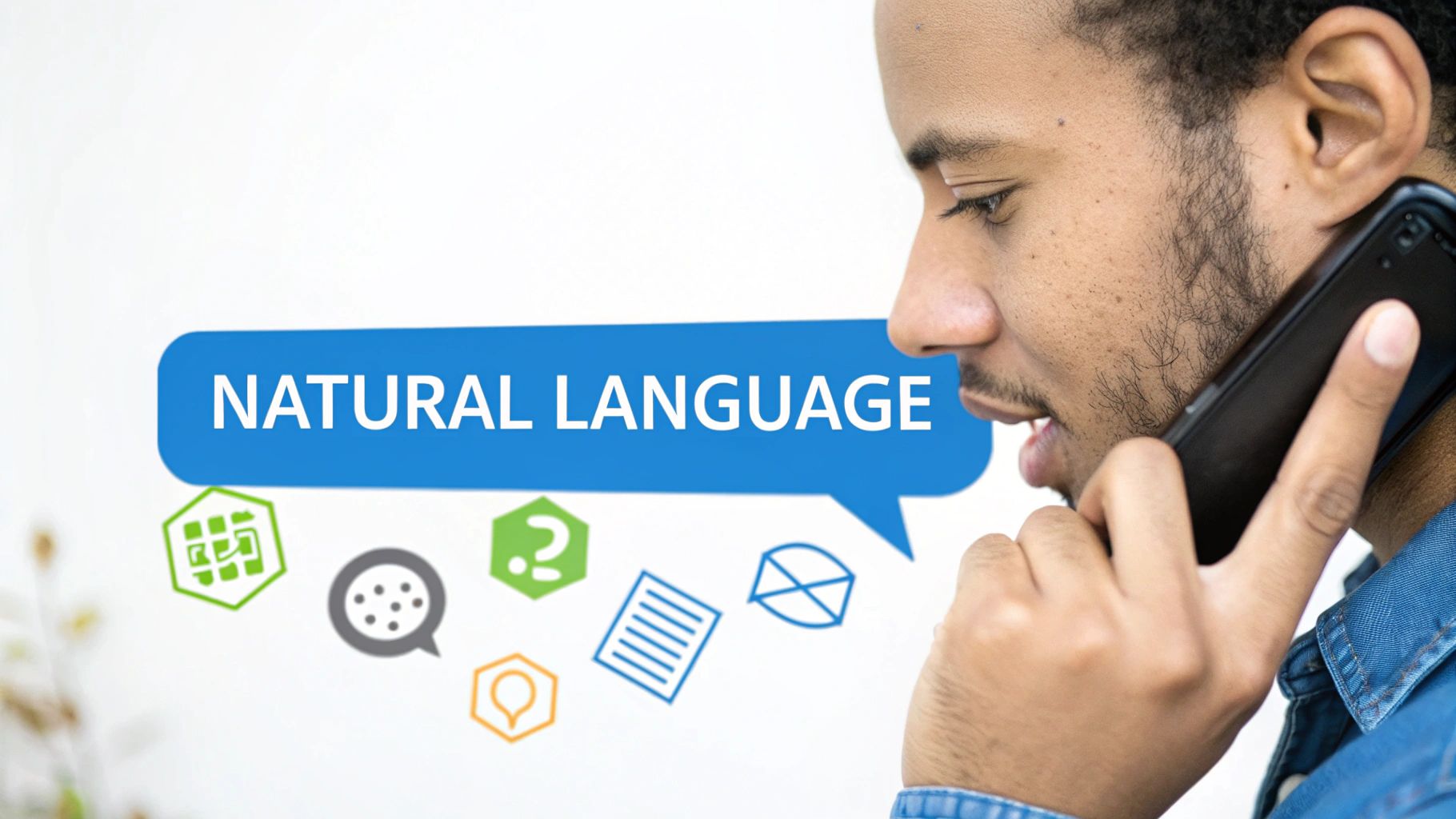
Implementing robust Natural Language Understanding (NLU) is what separates an intelligent chatbot from a simple keyword-matching script. This technology enables your bot to comprehend user intent, handle variations in phrasing, and understand context.
Instead of just reacting to keywords, an NLU-powered bot grasps the meaning behind user queries. When a user can type "Where's my stuff?" instead of a rigid command like "track order," the interaction feels natural and effective. This is a cornerstone of modern chatbot best practices.
Why this is important
Strong NLU capabilities directly impact your chatbot's accuracy. For instance, a customer might ask, "My package hasn't arrived yet" or "what's the delivery status." A basic bot might fail, but one with solid NLU recognizes they share the same intent: order tracking. This reliability is why our guide to NLU for beginners is a great starting point.
How to apply this
Modern chatbot platforms have this powerful technology built-in, allowing you to focus on training it with your specific business data.
- Train with Variations: For each intent (e.g., "book appointment"), provide multiple example phrases a user might say, including slang and common typos.
- Define Entities: Identify key pieces of information you need to extract, such as names, dates, or email addresses.
- Set Confidence Thresholds: Configure a minimum confidence score for intent matching. If the score is too low, the bot should trigger a clarification question or a human handover.
3. Design a Seamless Handoff to Human Agents
Even the most advanced chatbot has limitations. A critical best practice is designing a smooth transition to a human agent when a query becomes too complex, sensitive, or requires a personal touch.
An effective handoff strategy ensures users are never trapped in a frustrating loop. The goal is to use automation where it excels and seamlessly integrate human expertise where it's most valuable. This hybrid approach is a hallmark of superior chatbot implementation.

Why this is important
A clunky or non-existent handoff process can quickly erase any goodwill your chatbot has built. Many platforms excel at this; their bots can recognize user frustration or keywords like "speak to an agent" and automatically route the conversation, with its full history, to the right support team member.
How to apply this
Start by defining clear triggers that initiate the handoff process. You don't want to escalate too soon, which defeats the bot's purpose, or too late, which causes user frustration.
- Define Escalation Triggers: Set rules based on keywords ("complaint"), sentiment analysis, or if the bot fails to answer the same question twice.
- Preserve Conversation Context: Ensure the human agent receives the full chat transcript, so the user doesn't have to repeat themselves.
- Manage Expectations: If agents are unavailable, inform the user of business hours and expected response times, or create a support ticket automatically.
4. Personalize the Experience with Context Awareness
Delivering personalized experiences based on user history and profile data makes chatbots feel dramatically more intelligent and helpful. Context awareness allows the bot to remember previous interactions and tailor responses accordingly.
This practice moves the chatbot from a generic Q&A tool to a personal assistant, which significantly boosts engagement. Instead of forcing users to repeat themselves, a context-aware chatbot picks up where they left off, creating a seamless and trustworthy interaction.

Why this is important
Personalization turns a functional interaction into a valuable one. For example, an e-commerce bot that remembers a user's size or preferred brand can streamline the shopping experience, directly impacting sales. You can learn how contextual chatbots understand user preferences to see how this powerful feature works.
How to apply this
Start by integrating your chatbot with systems that hold user data, like your CRM or customer database. This allows the bot to access relevant information to tailor the conversation.
- Integrate with a CRM: Connect your bot to systems like HubSpot or Salesforce to pull in contact details and purchase history.
- Use User Authentication: For sensitive data, implement a secure login process so the bot can access a user's specific account information.
- Track User Behavior: Use session data to remember user actions on your site, like pages visited or items added to a cart.
5. Implement Thoughtful Conversation Design
Thoughtful conversation design is the art of creating engaging, intuitive chatbot interactions. This practice goes beyond just providing correct answers; it involves designing natural dialogue flows and managing the conversation's pacing.
Good conversation design is what makes interacting with a chatbot feel helpful and effortless rather than robotic. A poorly designed conversation can frustrate users, even if the bot's underlying technology is powerful.
Why this is important
Excellent conversation design transforms a functional tool into an enjoyable experience. For example, many pizza ordering bots succeed because their conversation flow is simple, direct, and laser-focused on the single task of ordering food. This meticulous design removes all unnecessary friction from the process.
How to apply this
Start by mapping out the ideal user journey as a conversation. Think like a scriptwriter, anticipating user questions and crafting clear, helpful responses.
- Map Dialogue Flows: Use a flowchart tool to visualize the different paths a conversation can take.
- Keep It Concise: Aim for responses that are 2-3 sentences max. Use quick reply buttons and carousels to present options.
- Inject Personality: Define a tone of voice that aligns with your brand. Is your bot professional, witty, or empathetic?
- Prioritize Clarity: Avoid jargon and technical terms. Use simple, direct language that is easy for anyone to understand. A great conversation design always includes a graceful exit, a key part of an effective fallback and human handover strategy.
6. What to Watch Out For: Limitations and Considerations
Even with the best planning, it's easy to run into challenges. Being aware of common pitfalls can help you build a more trustworthy and effective chatbot.
One major hurdle is "knowledge source pollution." This happens when you upload conflicting, outdated, or poorly structured documents for your bot to learn from. The result is an AI that gives inconsistent or wrong answers, which erodes user trust. The solution is diligent data curation: treat the information you feed your bot with care.
Another significant consideration is "persona creep." While defining a personality is important, it can sometimes overshadow the bot's primary function. A chatbot that is overly witty but fails to answer a simple question is a novelty, not a utility. Always prioritize clarity and helpfulness over personality quirks. The persona should enhance the user experience, not get in the way of it.
Finally, you must align your chatbot's escalation strategy with your human support team's capacity. A "handoff dead end," where a user is transferred to a queue with no agents available, is often worse than having no handoff option at all.
7. Plan for Continuous Learning and Improvement
Launching your chatbot is not the finish line; it’s the starting line. A critical best practice is establishing a framework for continuous learning and improvement.
This process involves actively monitoring conversations, collecting user feedback, and using those insights to retrain and refine your bot. By treating your chatbot as a living tool, you ensure its long-term relevance and value.
Why this is important
A chatbot that learns from its mistakes and successes provides an ever-improving user experience. Analyzing failure points allows your teams to identify confusing dialogue, missing information, or new user intents that need to be addressed. This iterative process turns a moderately helpful bot into a highly effective one over time.
How to apply this
Building a feedback loop is essential. You must systematically gather data, analyze it for patterns, and act on the insights to enhance your chatbot's performance.
- Monitor and Log Conversations: Analyze logs weekly to spot common unhandled questions and user pain points.
- Implement Feedback Mechanisms: Add a simple thumbs-up/thumbs-down rating or a short survey at the end of conversations.
- Schedule Regular Retraining: Set a recurring schedule (e.g., monthly) to update your chatbot’s knowledge base and retrain its model with new data.
8. Design Graceful Error Handling and Fallbacks
No chatbot is perfect; it will inevitably encounter questions it cannot answer. A graceful fallback strategy is your plan for these moments.
Instead of responding with a dead-end "I don't know," a well-designed chatbot acknowledges its limitation and provides a clear path forward. This approach transforms potential failure points into opportunities to maintain user trust.
Why this is important
Poor error handling is a primary driver of chatbot abandonment. Conversely, a graceful fallback makes the interaction feel more helpful. For instance, when a banking chatbot doesn't understand a query, it might say, "I can't answer that, but I can connect you with a financial advisor. Would you like me to do that?" This simple pivot retains the user and solves their problem.
How to apply this
Your goal is to anticipate failure and design a helpful detour. Map out what happens when the bot's confidence score is low or it receives an out-of-scope question.
- Acknowledge and Reframe: Teach the bot to admit its limitation honestly. For example, "I'm still learning about that topic."
- Offer Alternatives: Provide 2-3 specific, relevant suggestions, like "I can't process that, but can I help you
Track an orderorCheck a refund status?" - Create Clear Escalation Paths: Make human handover a seamless option.
9. Prioritize Security, Privacy, and Compliance
Chatbots that handle sensitive user information must be built on a foundation of trust. This involves implementing robust security measures, protecting user privacy, and ensuring compliance with regulations like GDPR and CCPA.
Prioritizing security isn't just about avoiding fines; it's a core component of a positive user experience. When users feel confident that their data is safe, they are more willing to engage with your bot and your brand.
Why this is important
A single security incident can permanently damage your brand's reputation. A healthcare chatbot must adhere to strict HIPAA rules, while a banking bot requires PCI-DSS compliance. Understanding frameworks detailed in comprehensive AI service privacy policies is crucial for ethical deployment. Failure to comply can result in significant legal penalties.
How to apply this
Embed security into every stage of your chatbot’s lifecycle, from design to maintenance.
- Encrypt Everything: Ensure all data is encrypted both in transit (using TLS) and at rest (in your database).
- Practice Data Minimization: Only collect the personal data that is absolutely necessary for the chatbot's function.
- Provide Clear Policies: Make your privacy policy easily accessible within the chat interface.
10. Track Performance with KPIs
You can't improve what you don't measure. Defining and tracking the right metrics is how you transform your chatbot into a strategic asset with a clear return on investment.
This involves establishing key performance indicators (KPIs) that align with your business objectives. This data-driven approach is fundamental to iterative improvement and is a cornerstone of advanced chatbot best practices.
Why this is important
Tracking the right metrics proves your chatbot's ROI. For example, a telecom provider can measure the first-contact resolution rate to see how many support tickets the bot deflects from human agents, calculating direct cost savings. Understanding how tools like call center reporting software provide insights can help integrate your bot's performance with overall service analytics.
How to apply this
Begin by defining your chatbot’s primary goal and select KPIs that directly measure its success.
- Define Business-Outcome KPIs: Focus on metrics like lead conversion rate, customer satisfaction (CSAT) score, and issue resolution time.
- Track Technical Performance: Monitor metrics such as containment rate (queries handled without human intervention), fallback rate, and response accuracy.
- Create a Dashboard: Use analytics tools to build a centralized dashboard that provides a clear, real-time view of the chatbot's performance.
Conclusion: Bringing It All Together
We've explored the foundational pillars of chatbot success, from establishing a focused purpose to tracking performance. The journey from a basic FAQ bot to a sophisticated digital assistant is built on these very principles. Each of these chatbot best practices serves as a crucial building block for creating an experience that feels helpful, intuitive, and human.
The core theme connecting these points is intentionality. A great chatbot is the product of careful planning, thoughtful design, and a deep understanding of your users' needs. When you master these elements, your chatbot transforms from a simple automation tool into a powerful extension of your brand.
Actionable Takeaway: Your Quick Checklist
Feeling ready to move forward? Here’s a simple checklist to translate this knowledge into action:
- Define Your Primary Use Case: Write down the single most important problem your chatbot will solve.
- Audit Your Knowledge Base: Gather the clean, accurate, and up-to-date data your bot will use for training.
- Map the Human Handoff: Determine the exact triggers for escalation (e.g., three failed attempts, keywords like "talk to a person").
- Set Your Top 3 KPIs: Decide which metrics matter most. Will it be containment rate, user satisfaction score, or lead conversions?
- Draft a Simple Conversation Flow: Outline a basic "happy path" conversation for your primary use case.
By methodically applying these chatbot best practices, you can build a virtual assistant that delivers tangible value. The process is iterative, but the reward is a more efficient and customer-focused organization.
Ready to put these best practices into action with a platform built for simplicity and power? FastBots.ai provides the intuitive tools you need to upload your data, customize your bot's behavior, and manage conversations without writing a single line of code. Start your free trial today and build a smarter chatbot in minutes at FastBots.ai.



